

Visitors
Unique visitors interacting with your site or app over the selected period. See Visitors for exactly how this is counted.Page views
How many times a page has been viewed across your site or app. See Pages below for a breakdown by URL.Wallets
Unique wallet addresses that connected during the selected period. See Wallets for details.Transactions
How many onchain transactions were made across your site or app.Sessions
A session groups the actions a visitor takes in one visit. See Sessions for how Formo counts them.Session duration
See the average session duration of visitors and users on your app. Understand how long users spend engaging with your product.Bounce rate
Track your bounce rate to understand how many visitors leave after viewing only one page. A high bounce rate may indicate issues with your landing page or user experience.Volume
Total transaction volume (USD) tracked through your custom events, like the dollar value of a swap.Revenue
Total revenue (USD) tracked through your custom events, like a protocol fee.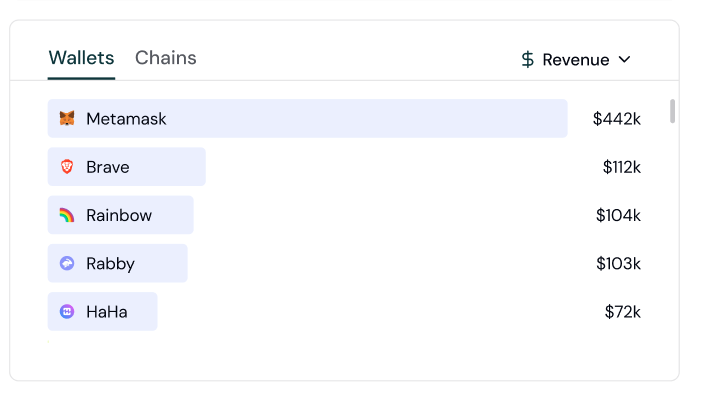
Revenue tracking.
Breakdowns
Break down visitors, page views, wallets, transactions, sessions, volume, or revenue by acquisition channel, referrer, referral, ad network, UTM parameter, device, browser, OS, or country, plus onchain builder codes for wallets, transactions, volume, and revenue. Session duration and bounce rate are not breakdown-eligible. Click any item in a breakdown to drill down into the users behind it.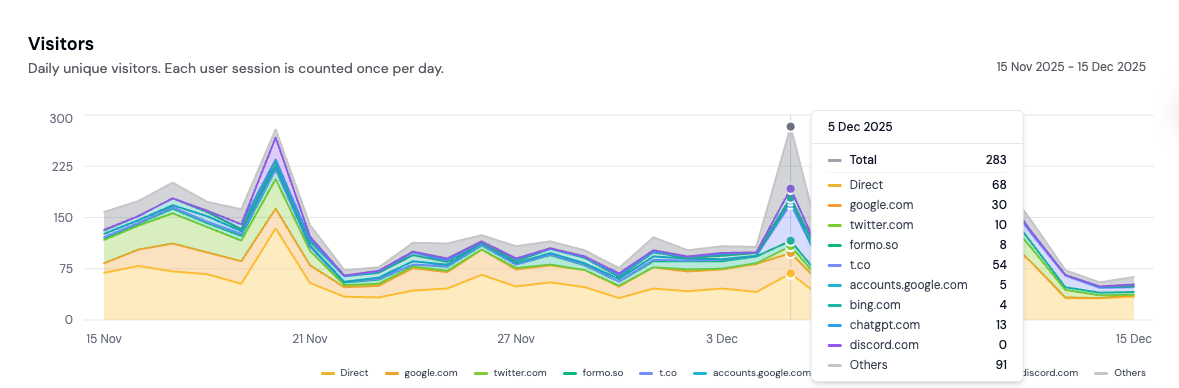
Referrer shown here as an example dimension.
Pages
See the top pages, entry pages, exit pages, and origins that your users are visiting. See which pages are driving the most traffic and conversions.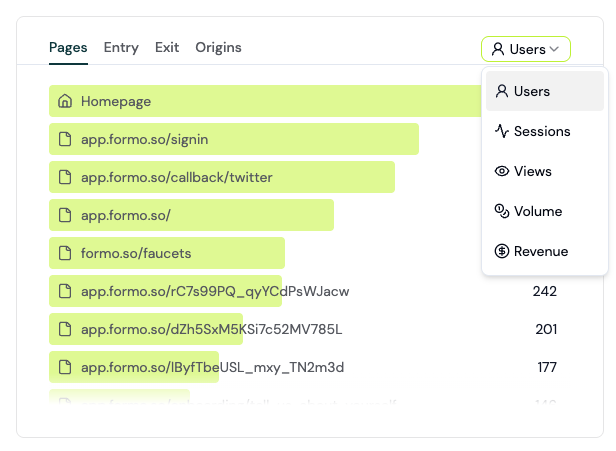
Understand what users are seeing on your site or app.
Entry, exit, and origin pages
- Entry pages are the first pages visitors land on when they come to your website. Think of them as digital front doors where your user’s journey begins.
- Exit pages are the last pages users view before leaving your site. They represent the end of a visitor’s session, whether it’s after completing a goal or bouncing before engaging further.
- Origins groups traffic by the full page origin (protocol and domain), useful if your app spans multiple subdomains or environments.
Channels
Formo automatically classifies every session into one of 13 acquisition channels using a priority-ordered ladder over the referrer domain,utm_medium, and 8 ad-platform click IDs (gclid, gad_source, fbclid, msclkid, ttclid, twclid, li_fat_id, rdt_cid). Classification happens at ingestion time.
See Channels for the full priority list and detection rules.
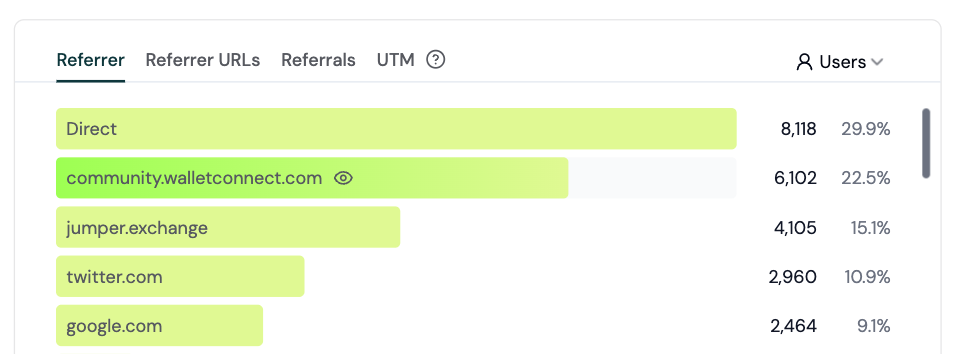
13 channels, classified automatically at ingestion.
Referrers
See what’s moving the needle with a breakdown of your metrics by referrer. Easily understand where your onchain users come from and how they find you. See Referrers for details. Getting the specific referrer URL (not just the domain) requires the rightReferrer-Policy header on your site. See Referrer URL tracking for how to configure it.
Ad attribution
Formo captures ad-platform click IDs automatically and attributes paid sessions, users, conversions, volume, and revenue to the acquiring network. See Ad attribution for supported platforms, attribution behavior, dashboard surfaces, and API access.Builder codes
For wallets, transactions, volume, and revenue, Formo defaults to breaking down by builder codes, an onchain attribution standard (ERC-8021) that lets apps identify themselves directly in transaction calldata.UTM
The Formo SDK automatically adds the following UTM parameters present on the page to events fired from that page load:- utm_source
- utm_campaign
- utm_medium
- utm_term
- utm_content
Referrals
See how many users arrive through a referral link, tracked via theref query parameter (or utm_medium=affiliate/referral). See Referrals for details.
The Web SDK autodetects ref, referral, refcode, af, and referrer. You can also configure custom query parameter names or extract a code from a URL path such as /referral/alice; see Web SDK referrals.
Mobile attribution
The React Native SDK captures UTM parameters and referral codes from deep and universal links. On Android, it can also read the Google Play Install Referrer on first launch to connect a website or campaign to an app install. Deep-link attribution works on iOS, but Apple does not expose an install-referrer API. See Deep link attribution and Web-to-mobile attribution.Countries
See where your users are coming from by country.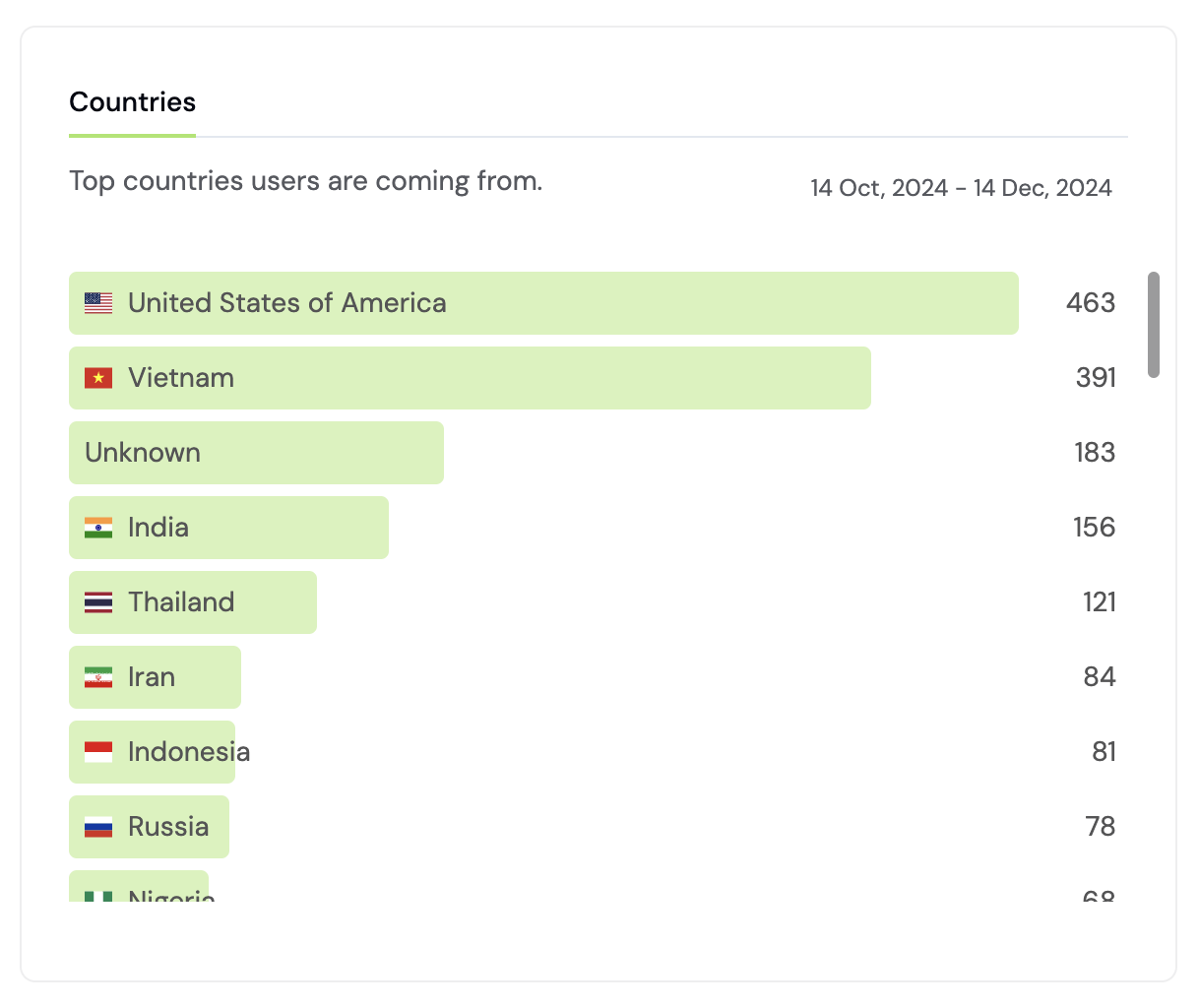
Break this down by any metric, from visitors to revenue.
Devices
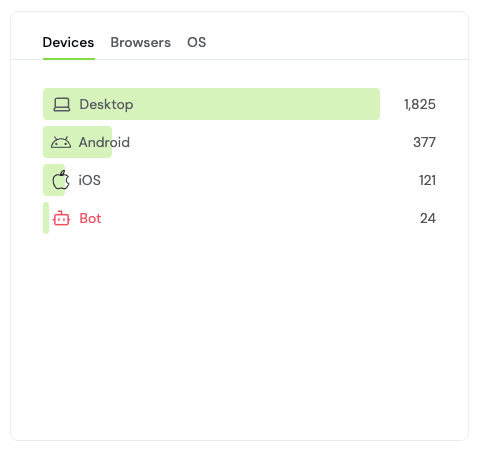
Understand what devices, browsers, and operating system users are on.
Browsers
See the breakdown of browsers your users are on, in the same view as Devices, just switch tabs.OS
See the breakdown of operating systems your users are on, in the same view as Devices, just switch tabs.Wallet
See the top wallet providers (MetaMask, Coinbase Wallet, Phantom, etc.) your users connect with. See Wallet Type for details.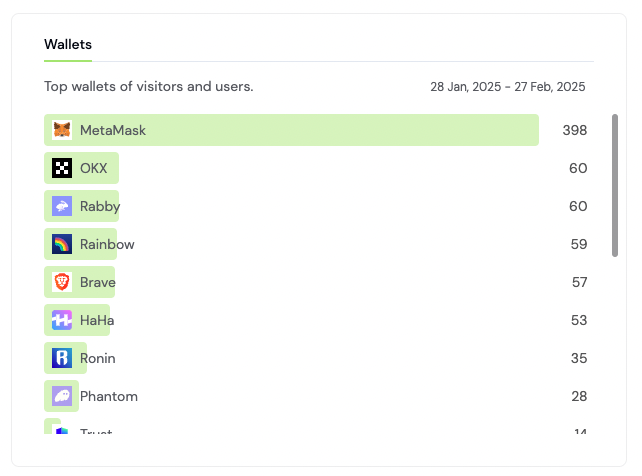
Understand what wallets are being used on your crypto app.
Chains
See the top chains your wallets and transactions are active on. Formo supports Ethereum and all major EVM chains, plus Solana. See Chains for the full list and feature availability per chain.For a complete walkthrough of analyzing referrers, referral codes, ads, UTM campaigns, mobile links, and builder codes, comparing attribution models, and optimizing acquisition spend, see How to Set Up Attribution.