

Formo makes decoding onchain activity easy.
How to track smart contract events
Monitor your smart contract activity in real time. This guide walks you through adding contracts, selecting events, and using contract data in analytics.Step 1: Navigate to Project Settings page
- Go to the Formo Dashboard
- Select your project
- Click Settings in the left navigation
- Select the Contracts tab
Step 2: Add a contract and select events to track
- Click Add Contract
- Fill in the contract details:
- Switch on the Ingest contract events toggle to reveal the list of available events from the ABI
- Toggle on the events you want to track
- Click Add contract
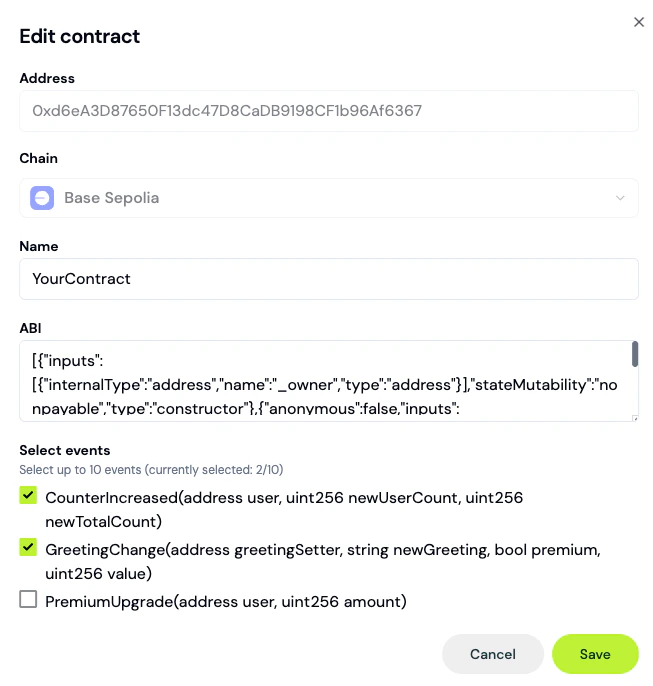
Adding a contract to your project.
Step 3: Deploy the pipeline
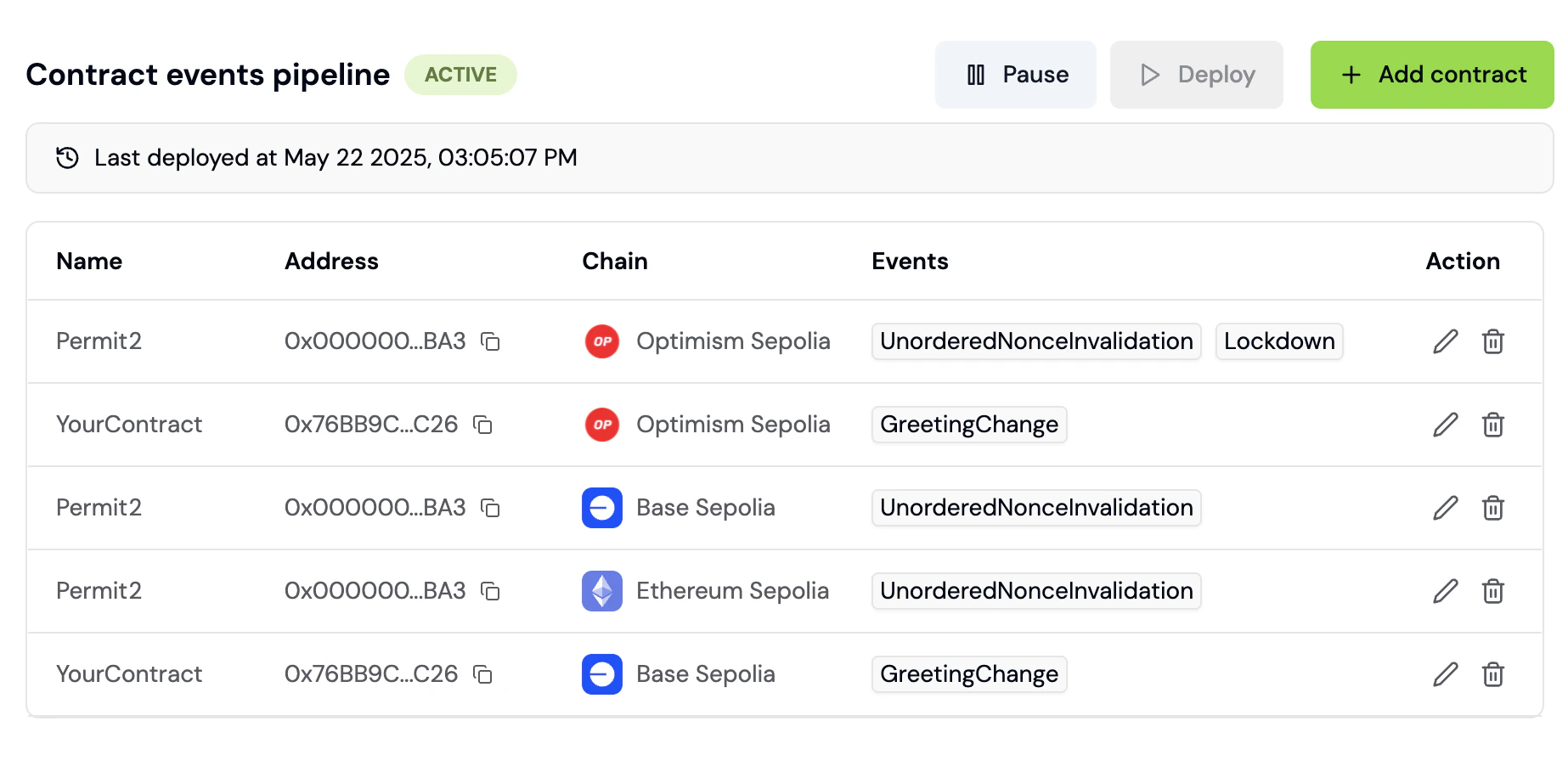
Selecting events and saving the contract doesn’t start ingestion by itself; the events pipeline needs to be deployed.- In the Contracts settings page, click Deploy (or Redeploy if a pipeline is already live)
- Track progress via the pipeline status badge: Draft, Live, Paused, Inactive, or Error
Step 4: View events in Activity Feed
Once the pipeline is live, contract events appear in your Activity Feed:- Go to Activity in the left navigation
- Filter by the Contract event event type to see contract events
- Click any event to see decoded parameters including transaction hash, block number, function name and function parameters
Step 5: Use contract events in funnels
Build funnels that include onchain actions:- Go to Funnels and click Create Funnel
- Add steps mixing offchain and onchain events:
- Step 1:
pageview (visit homepage) - Step 2:
connect(connect wallet) - Step 3:
transaction(successful tx) - Step 4:
SwapCompleted(contract event)
- Step 1: