

Features
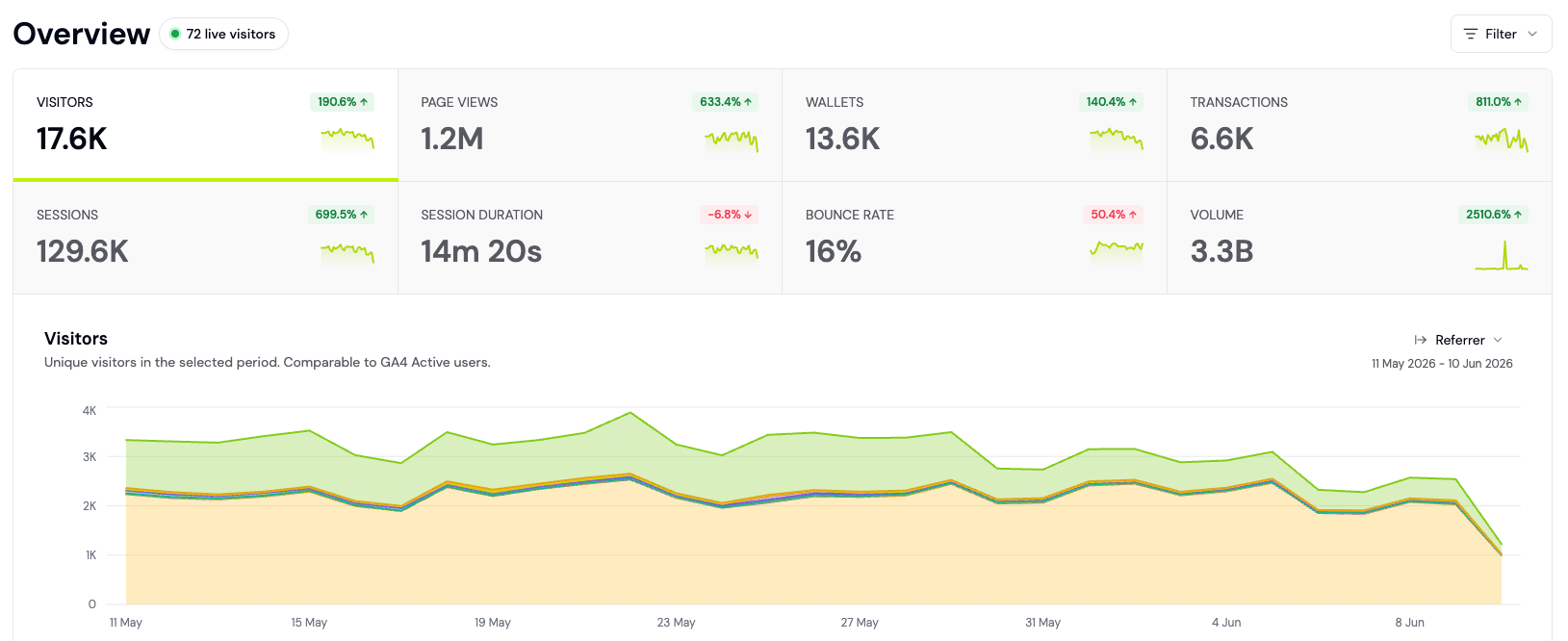
- 🎯 Key metrics. Track visitors, pageviews, wallets, transactions, and revenue with complete channel and campaign attribution.
- 🏃♀️➡️ Activity feed. Real-time event stream for understanding user behavior across web, mobile, and onchain sources.
- 🌍 Live view. View live users and activity on an interactive, real-time global map.
- ⚡️ Custom events. Track key touchpoints and feature adoption on your crypto app.
- 🌐 Contract events. Track smart contract events without running your own indexer.
- 📈 Charts. Create custom charts and reports and share them with your team.
- 🔍 Explorer. Run custom SQL queries on your analytics data.
- 📊 Funnels. Follow your users from first visit to conversion with multi-step funnels.
- 🧭 Flows. Analyze user paths and flows to see what users do next.
- 📅 Retention. Measure which user cohorts retain and churn over time.
- 🔔 Alerts. Get notified of high-value users and important events in real time.
- 💡 Insights. Get AI-generated product insights on acquisition, revenue, and churn, refreshed daily.
- ✨ Ask AI. Use natural language to ask any questions about your data.
FAQ
What's the difference between Product Analytics and Wallet Intelligence?
What's the difference between Product Analytics and Wallet Intelligence?
Product Analytics tracks user behavior and funnels from acquisition to activation. Wallet Intelligence focuses on identity: wallet profiles, user lifecycle, and segmentation.
Can I track users across my website and my app?
Can I track users across my website and my app?
Yes. Cross-subdomain tracking is enabled by default (
crossSubdomainCookies: true), so visitor identity is shared across all subdomains of your root domain by default. See the Web SDK documentation for details.Which blockchains does Formo support?
Which blockchains does Formo support?
Formo supports Ethereum and all major EVM chains, plus Solana. See the Chains page for the full list and feature availability per chain.
How does Formo count unique visitors?
How does Formo count unique visitors?
Formo generates an anonymous visitor ID (UUID) stored in a first-party cookie on your domain. This ID is not linked to any personal information: no IP addresses or device fingerprints are used. A server-side daily-rotating hash is also used for session deduplication. See what we collect for details.