

Refreshes the first time you open it each day.
Wins, Issues, and Opportunities
In addition to cohort analysis, the Insights page provides a summary organized into three sections:- 🏆 Wins - Metrics that improved recently, with deltas and baselines
- ⚠️ Issues - Performance drops or problems that need attention
- 📈 Opportunities - Untapped segments or behaviors with estimated upside
Cohort Analysis
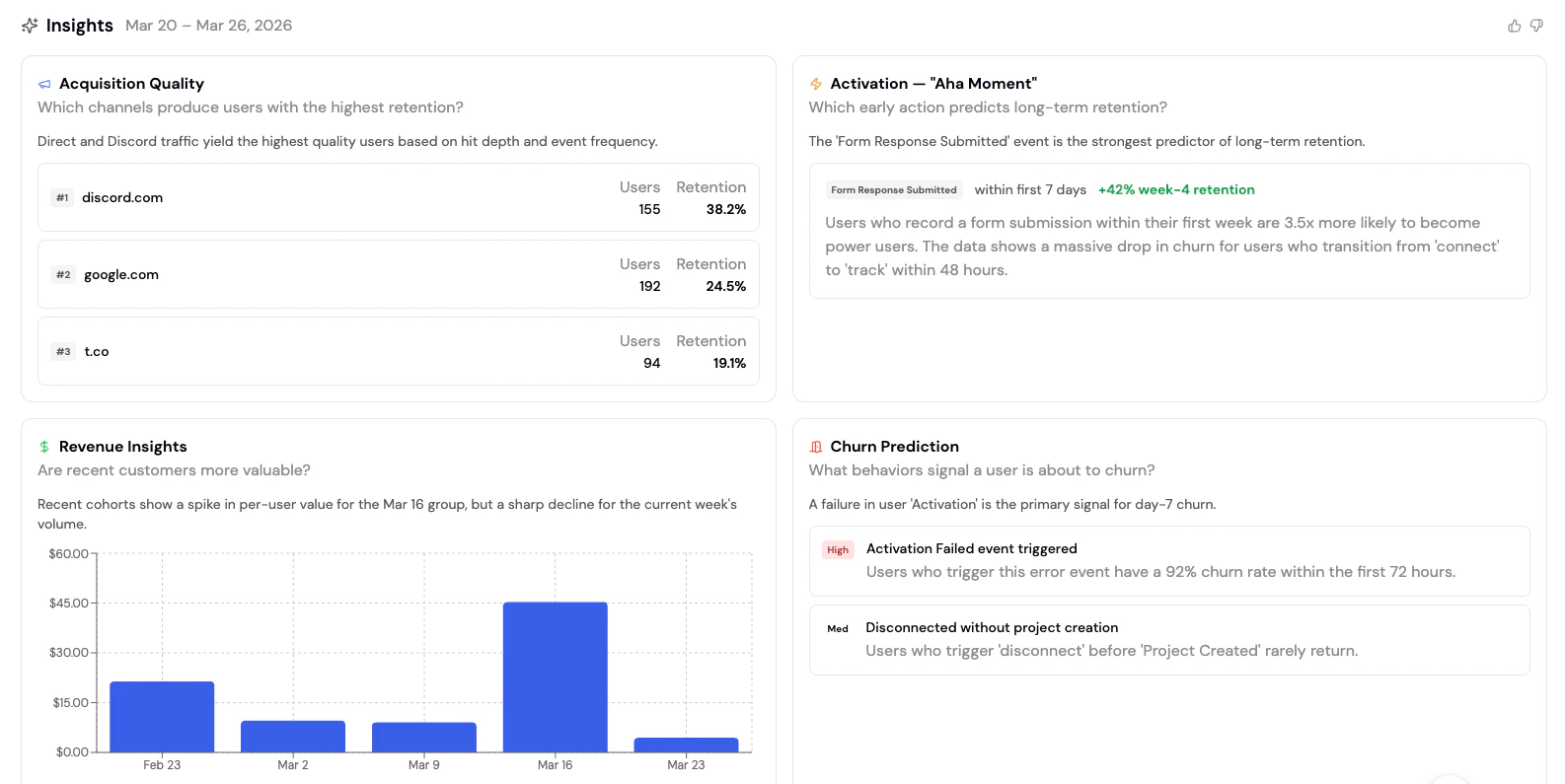
Insights runs a cohort analysis that answers three key questions about your users:Acquisition Quality
Which channels bring in the most valuable users? Acquisition Quality ranks your traffic sources by the visitors, wallets, and transactions they bring in, so you can quickly see which channels drive real activity rather than just traffic volume. Each channel shows:Revenue Insights
Is revenue, volume, or points growing week over week? Revenue Insights tracks whichever value metric your project actually records (revenue, transaction volume, or points) over the last 7 days versus the prior 7, using whichever has the strongest signal if more than one is tracked. The chart displays:- Weeks on the x-axis
- Total value for that week (revenue, volume, or points) on the y-axis
- Trend analysis highlighting spikes and declines
Churn Prediction
What behaviors signal a user is about to churn? Churn Prediction surfaces early warning signals: specific user behaviors that precede churn. Each signal includes a risk level and a description of what the data shows.
For example:
- High risk: “Users who trigger an error event have a 92% churn rate within the first 72 hours”
- Medium risk: “Users who disconnect before completing onboarding rarely return”
How to use Insights
- Navigate to the Formo Dashboard
- Select your project
- Click Insights in the left navigation (✨ sparkle icon)
- Review the latest analysis and take action
Insights are generated the first time you open the page each day, then cached for the rest of that day. Reopening the page later that same day shows the cached report; your next visit on a new day generates a fresh one.