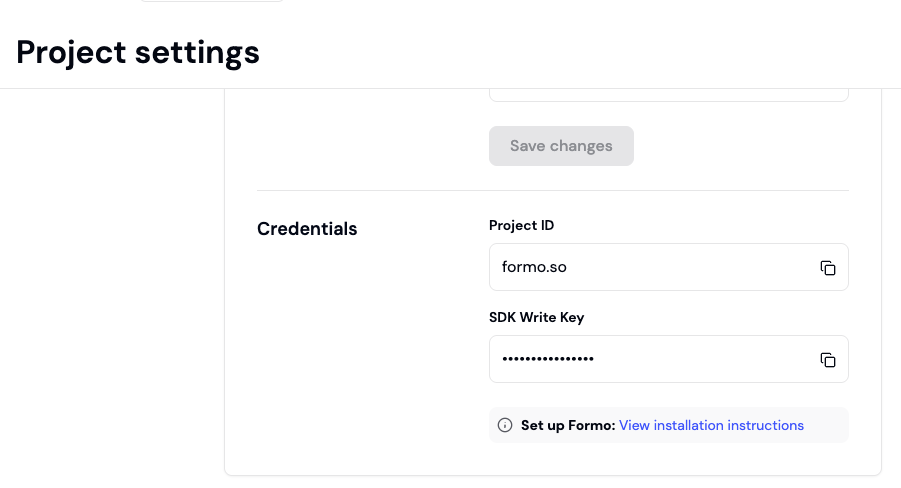
 Send events with the SDK Write Key in your project settings.
## Query API Read Token
Query events with the Query API Read Token in your project settings.
> Currently available only on request.
### Request Headers
Include the Token in your request headers:
```bash
Authorization: Bearer
Send events with the SDK Write Key in your project settings.
## Query API Read Token
Query events with the Query API Read Token in your project settings.
> Currently available only on request.
### Request Headers
Include the Token in your request headers:
```bash
Authorization: Bearer 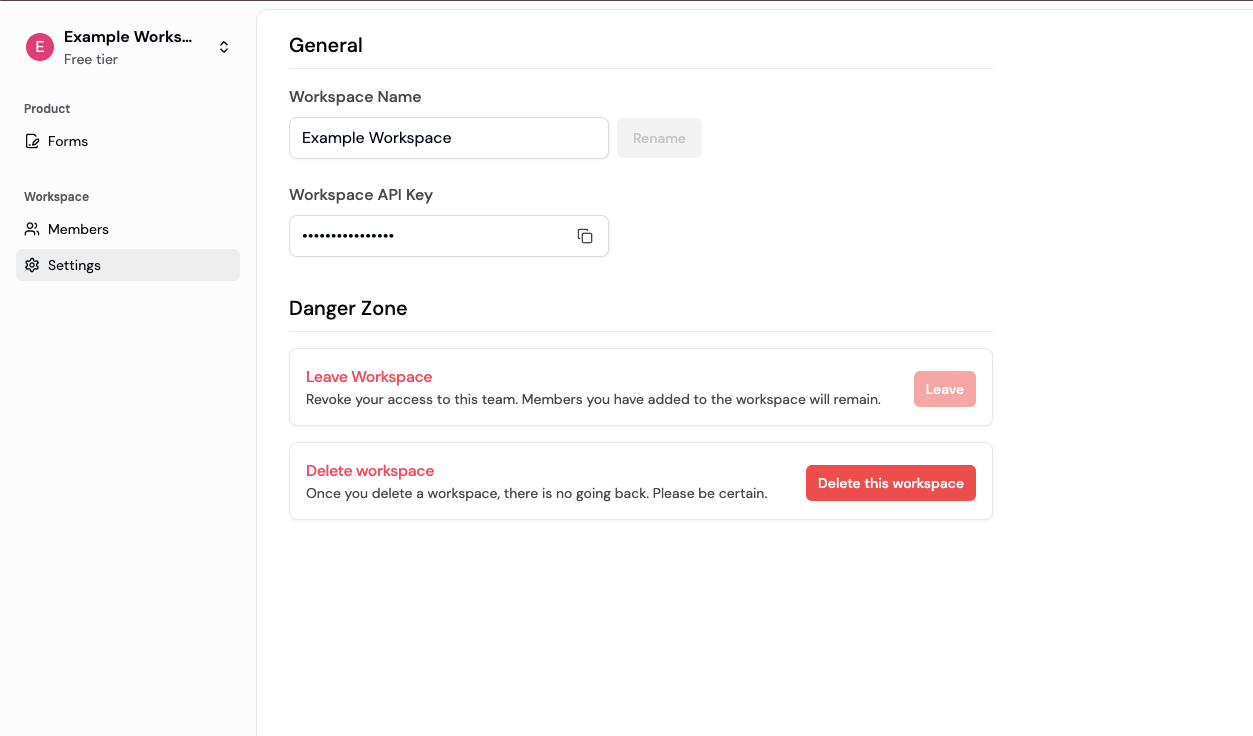 ### Request Headers
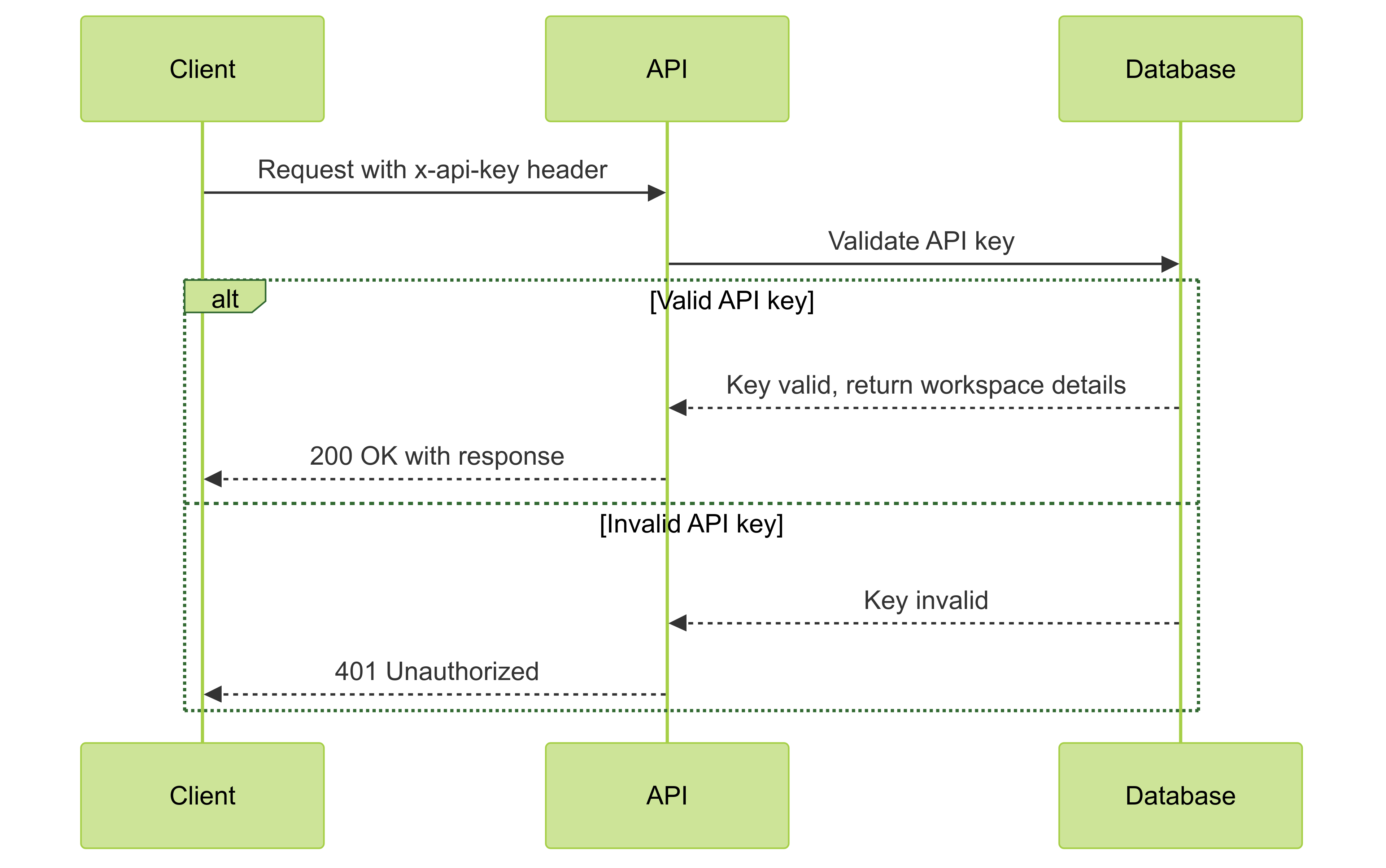 Include the API key in your request headers:
```bash
x-api-key:
Include the API key in your request headers:
```bash
x-api-key: 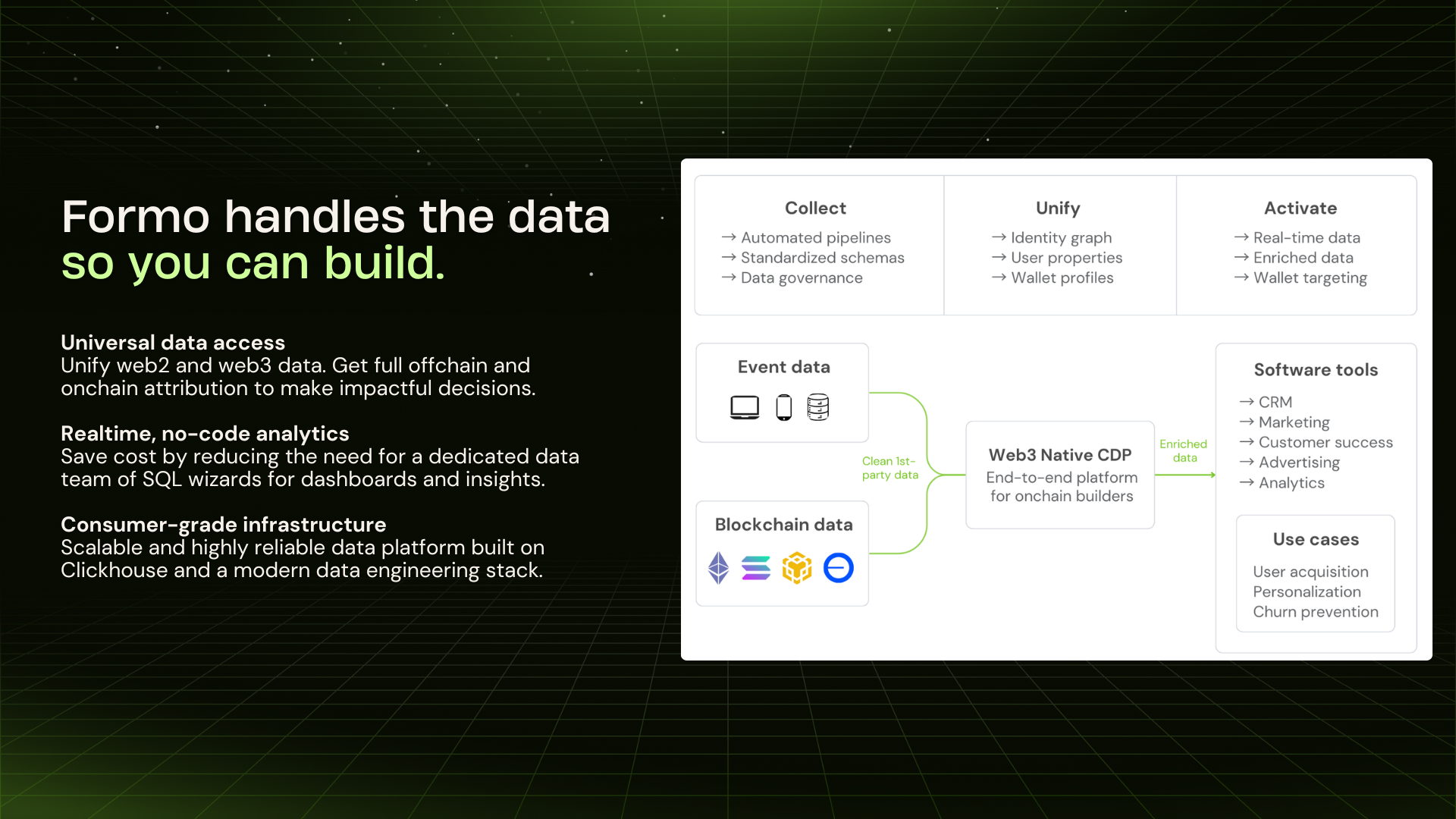 ## Events API
* Send individual or batches of events to Formo.
* High-throughput streaming ingestion with an easy-to-use HTTP API.
* Supports 1000 requests/s and 20MB/s.
## Query API
* Query and filter raw analytics events, materialized views, and metrics.
* Return the activity feed / event stream for an anonymous visitor or wallet.
* Export data periodically to your data warehouse.
## Profiles API
* Fetch wallet profile properties including net worth and wallet labels
* Rank and qualify users with wallet reputation scores
* Real-time activation API that unifies wallet profile data with in-app wallet messaging
## Forms API
* Trigger [webhooks](/api-reference/webhooks) based on form responses in real-time.
* Connect thousands of other apps such as Google Sheets, and more whenever you get a new form response on Formo.
## Support
## Events API
* Send individual or batches of events to Formo.
* High-throughput streaming ingestion with an easy-to-use HTTP API.
* Supports 1000 requests/s and 20MB/s.
## Query API
* Query and filter raw analytics events, materialized views, and metrics.
* Return the activity feed / event stream for an anonymous visitor or wallet.
* Export data periodically to your data warehouse.
## Profiles API
* Fetch wallet profile properties including net worth and wallet labels
* Rank and qualify users with wallet reputation scores
* Real-time activation API that unifies wallet profile data with in-app wallet messaging
## Forms API
* Trigger [webhooks](/api-reference/webhooks) based on form responses in real-time.
* Connect thousands of other apps such as Google Sheets, and more whenever you get a new form response on Formo.
## Support
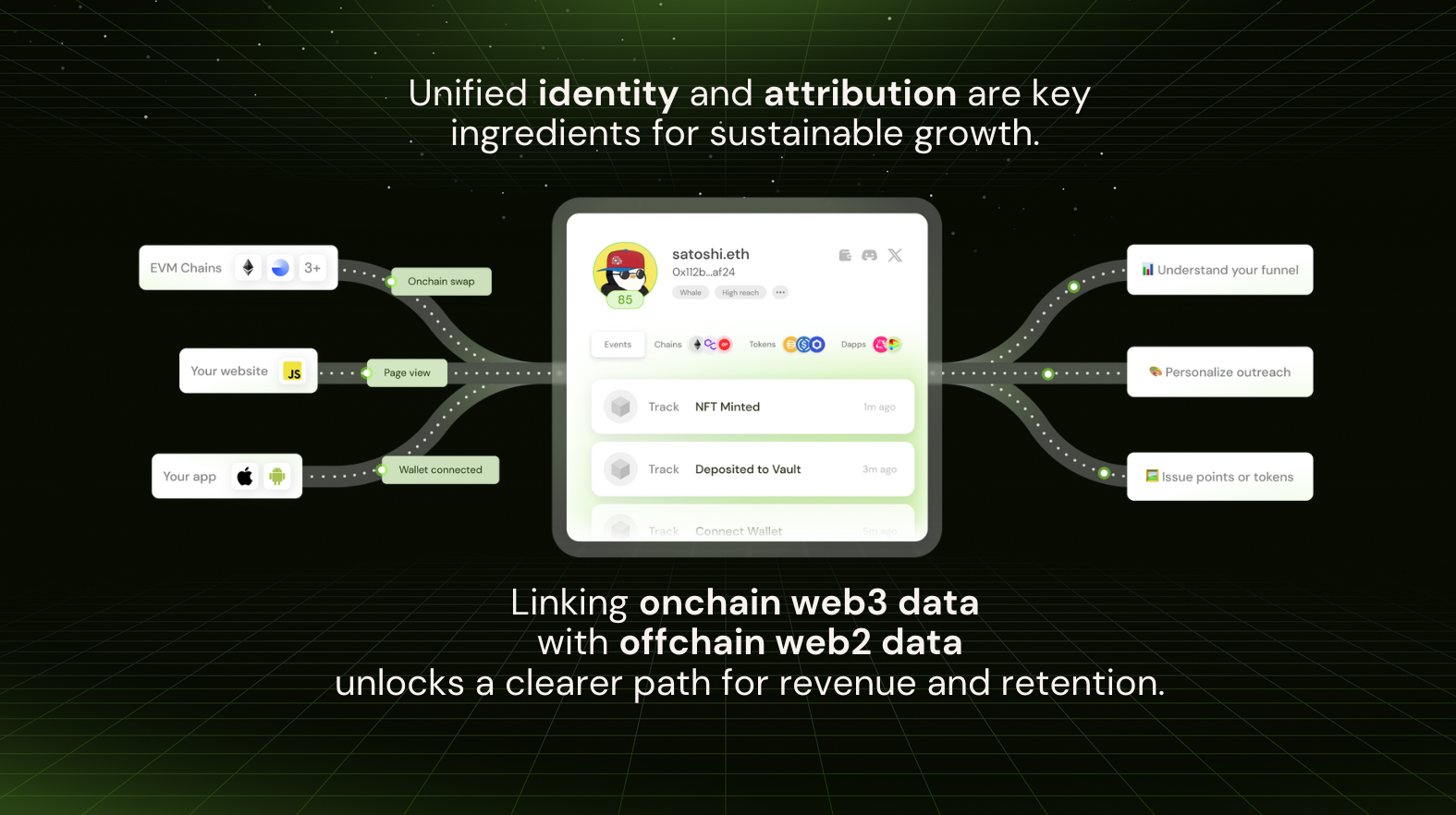 Without accurate attribution, you are lost in the dark forest.
Attribution helps answer:
* Where did users come from?
* What meaningful activity did users perform on my app?
* How well are users monetizing? How much revenue did I make? (ARPU, LTV)
* How long are users sticking around? (Retention, Churn)
* Is my ROI for an acquisition channel positive? (LTV > CAC)
### Example
Attribution in web3 is *complex*. As you've seen in the above example, not everything you care about is onchain.
Consider the following example user journey for a DEX called FooSwap with many touchpoints:
* A user sees an tweet thread about an app on X (*"referrer"*) clicks on a referral link
* The user visits the app's website (fooswap.com)
* The user visits the app (app.fooswap.com)
* The user connects their wallet on the app
* The user signs a token approval message
* The user starts a swap transaction but the wallet has insufficient gas
* The user abandons their transaction (*"dropoff"*)
* The user revisits the app from another channel on Farcaster (*"referrer"*)
* The user completes a swap transaction (*"conversion"*) emitting an onchain event
In this example, two touchpoints contribute to the successful conversion: X and Farcaster. Using an [attribution model](/data/attribution#attribution-models), we can assign different weights to these touchpoints to determine their relative importance in the conversion:
* Using first touch model, the complete conversion can be attributed to X and the referral
* Using last touch model, the complete conversion can be attributed to Farcaster
* Using a linear attribution model, we could assign a weight of 0.5 to each touchpoint, meaning that both X and Farcaster contributed equally to the conversion
### How attribution works in Formo
To understand the full user journey, **we must navigate two different worlds: offchain and onchain.**
It's imperative to trace the event sequence from initial engagement offchain to conversion onchain.
Here's a high-level overview of how it works:
```mermaid
sequenceDiagram
participant User
participant Website
participant App
participant Wallet
participant Chain
participant Formo
note over User,App: Detect timezone, UTM, referrer, referral
activate Formo
%% Session start
User->>App: visit (via links / ads / campaigns)
Website->>Formo: record session, wallet events, and offchain context
note over Website,Wallet: Detect wallet address, rdns provider, identity
note over Wallet,Formo: Index transactions, wallets, contracts
User->>Wallet: connect wallet
Formo->>Wallet: index wallet
activate Wallet
Wallet-->>Formo: record wallet metadata & activity
deactivate Wallet
Formo->>Formo: identity resolution
User->>Wallet: sign transactions
App->>Chain: contract calls (e.g. swap, mint, stake)
Formo->>Chain: index contract events
activate Chain
Chain-->>Formo: record tx receipt and logs
deactivate Chain
Formo->>Formo: match txs with context
Formo->>Formo: calculate attribution
Formo-->>App: unified identity and attribution for apps
Formo-->>User: wallet-aware personalized experiences for users
deactivate Formo
```
Formo solves two core functions: attribution and identity.
* **Attribution** refers to [event-based analytics](/data/events/overview) about where, how, and when users interact with links, sites, and apps (touchpoint trackers, UTM & referral parameters, events, ingestion).
* **Identity** refers to the resolution of user activity into a single [unified profile](/features/wallet-intelligence/wallet-profiles) (sessions, demographics, wallets, onchain data).
Spend less time building analytics and leave the complex data engineering to us.
### Attribution models
Formo helps you understand the impact of each touchpoints in each user journey, whether with first or last touch (single-touch attribution) or across multiple touchpoints using multi-touch attribution.
| Model | Description |
| :---------- | :------------------------------------------------------------------------------------------- |
| First Touch | Gives 100% credit to the first touchpoint within the attribution lookback window |
| Last Touch | Gives 100% credit to the last touchpoint within the attribution lookback window |
| Linear | Gives equal credit to every touchpoint leading up to a conversion within the lookback window |
> Looking for more attribution models? [Let us know](mailto:support@formo.so).
### Glossary
| Term | Definition |
| :-------------- | :----------------------------------------------------------------------------------------------------------------------------------------------------------------------------------------------------------------------------------------------- |
| User journey | Consists of touchpoints and the conversion event. It is possible for a conversion event to have no corresponding touchpoints (eg. utm parameters). In this case we consider it a 'direct' conversion |
| Conversion | The primary event you're interested in analyzing with multi-touch attribution models. Typically some final value generating interaction such as "Mint" or "Swap" or "Stake". |
| Touchpoint | Actions (events) a user's taken or exposed to along the journey before doing the conversion event. \[Eg. does event A → B → C → D (conversion event) in a 7 day period; For a lookback window of 7 days, A, B, C are all considered touchpoints] |
| Lookback window | The time window where a user's events with this attribution property are counted towards the calculation. The window ends when the conversion metric happens. |
# Spec: Chain
Source: https://docs.formo.so/data/events/chain
Get started with the Chain changed event.
The `chain` event is emitted whenever the user's chain network changes.
It includes the chain ID the user switched to.
## Sample Payload
Here’s the payload of a typical call with most common fields removed:
```json
{
"type": "chain",
"properties": {
"chain_id": 1,
"address": "0x8e6ca77a7e044ba836a97beb796c124ca3a6a154"
}
}
```
# Common Fields
Source: https://docs.formo.so/data/events/common
Understand the common and contextual fields that define the core Formo event data structure. Events and event properties describe what happens on your site or app in detail.
Formo defines some common fields (event type, timestamps, and more) across all API calls that make up the core event data structure.
This guide covers the common and contextual fields in detail.
## Common Fields
> The Formo SDKs populate the required information automatically.
| Name | Datatype | Required | Description |
| :------------------- | :-------- | :------- | :----------------------------------------------------------------------------------------------------------------------------------------------------------------------------------- |
| `type` | String | ✓ | Captures the type of event. Values can be either identify, track, connect, signature, transaction, and others. |
| `channel` | String | ✓ | Identifies the source of the event. Permitted values are mobile, web, server and sources. |
| `version` | String | ✓ | Version of the event spec. |
| `project_id` | String | ✓ | Unique identification for the project in the database. |
| `session_id` | String | ✓ | Privacy-friendly daily changing session identifier. |
| `anonymous_id` | String | ✓ | Pseudo-identifier for the user in cases where userId is absent. Equivalent to a device ID. |
| `user_id` | String | | Unique identification for the user in the database. |
| `address` | String | | Unique wallet address of the user. |
| `event` | String | | Captures the user action that you want to record. |
| `context` | Object | ✓ | Contains all additional user information. |
| `properties` | Object | | Passes all relevant information associated with the event. |
| `original_timestamp` | Timestamp | ✓ | Records the actual time (in UTC) when the event occurred. |
| `sent_at` | Timestamp | ✓ | Captures the time (in UTC) when the event was sent from the client to Formo. |
| `received_at` | Timestamp | ✓ | Time in UTC when Formo ingests the event. |
| `timestamp` | Timestamp | ✓ | Formo calculates this field to account for any client-side clock skew using the formula: timestamp = received\_at - (sent\_at - original\_timestamp). Note that this time is in UTC. |
| `message_id` | String | ✓ | Unique identification for the event. |
## Contextual Fields
Contextual fields give additional information about a particular event. The following table describes the available contextual fields.
| Name | Datatype | Required | Description |
| :---------------- | :------- | :------- | :---------------------------------------------------------------------- |
| `user_agent` | String | | The user agent of the device that you are tracking. |
| `locale` | String | | Captures the language of the device. |
| `location` | String | | Geographic location of the user. |
| `timezone` | String | | Captures the timezone of the user you are tracking. |
| `referrer` | String | | The referrer URL where the user came from. |
| `utm_source` | String | | Identifies which site sent the traffic. |
| `utm_medium` | String | | Identifies what type of link was used. |
| `utm_campaign` | String | | Identifies a specific product promotion or strategic campaign. |
| `utm_term` | String | | Identifies search terms. |
| `utm_content` | String | | Identifies what specifically was clicked to bring the user to the site. |
| `ref` | String | | Referral code or identifier. |
| `page_url` | String | | Full URL of the page. |
| `page_path` | String | | Path component of the URL. |
| `page_title` | String | | Title of the page. |
| `library_name` | String | | Name of the SDK used to capture the event. |
| `library_version` | String | | Version of the SDK used to capture the event. |
## Timestamps
Every API call has four timestamps: `original_timestamp`, `timestamp`, `sent_at`, and `received_at`. They're used for very different purposes.
All timestamps are ISO-8601 date strings, and are in the UTC timezone. To see the user's timezone information, check the `timezone` property that's automatically collected by client-side SDKs.
### Timestamp overview
| Name | Calculated / Value |
| ------------------- | ----------------------------------------------------------------------------------------------------------------------------------- |
| original\_timestamp | Time on the client device when call was invoked OR The timestamp value manually passed in through server-side libraries. |
| sent\_at | Time on client device when call was sent OR sent\_at value manually passed in. |
| received\_at | Time on Formo server clock when call was received |
| timestamp | Calculated by Formo to correct client-device clock skew using the following formula: `received_at - (sent_at - original_timestamp)` |
### Original Timestamp
The `original_timestamp` tells you when call was invoked on the client device or the value of timestamp that you manually passed in.
> Note: The `original_timestamp` timestamp is not useful for any analysis since it's not always trustworthy as it can be easily adjusted and affected by clock skew.
### Sent At
The `sent_at` timestamp specifies the clock time for the client's device when the network request was made to the Formo API.
For libraries and systems that send batched requests, there can be a long gap between a datapoint's timestamp and sent\_at. Combined with `received_at`, Formo uses `sent_at` to correct the `original_timestamp` in situations where a user's device clock cannot be trusted (mobile phones and browsers). The `sent_at` and `received_at` timestamps are assumed to occur at the same time (maximum a few hundred milliseconds), and therefore the difference is the user's device clock skew, which can be applied back to correct the timestamp.
> Note: The `sent_at` timestamp is not useful for any analysis since it's tainted by user's clock skew.
### Received At
The `received_at` timestamp is added to incoming messages as soon as they hit the API. It's used in combination with `sent_at` to correct clock skew, and also to aid with debugging libraries and systems that deliver events in batches.
### Timestamp
The `timestamp` specifies when the data point occurred, corrected for client-device clock skew. This is the timestamp that is passed to downstream destinations and used for historical replays. It is important to use this timestamp for importing historical data to the API.
Formo automatically generates `timestamp` and you cannot manually set one directly in the call payload.
Formo calculates timestamp as `timestamp = received_at - (sent_at - original_timestamp)`.
## Sample Event
Here's an example event with common and contextual fields included:
```json
{
"type": "page",
"channel": "web",
"version": "1",
"project_id": "d5naNbBlqxSBXLuNa6zwc",
"session_id": "117b982a451dc22edea6413b8e20958216c0a5b3baaa1d90699c42dbf4e74e33",
"anonymous_id": "c2bc0ebe-d852-49d1-9efd-e45744850ae0",
"user_id": "a46e6878-1ed5-4a81-9185-83608df2fcb6",
"address": "0x8e6ca77a7e044ba836a97beb796c124ca3a6a154",
"event": "FooBar",
"context": {
"user_agent": "Mozilla/5.0 (Windows NT 10.0; Win64; x64) AppleWebKit/537.36 (KHTML, like Gecko) Chrome/132.0.0.0 Safari/537.36",
"locale": "en-US",
"location": "ID",
"timezone": "Asia/Saigon",
"referrer": "https://chatgpt.com/",
"utm_source": "chatgpt.com",
"utm_medium": "linkedin",
"utm_campaign": "early-access",
"utm_term": null,
"utm_content": null,
"ref": "vitalik.eth",
"page_url": "https://www.estore.com/best-seller/1",
"page_path": "/best-seller/1",
"page_title": "The best sellers offered by EStore",
"library_name": "Formo Web SDK",
"library_version": "1.16.2"
},
"properties": {
"name": "Best Seller",
"category": "Docs",
"url": "https://formo.so/faucets?utm_source=chatgpt.com",
"path": "/best-seller/1",
"hash": "#submit",
"title": "The best sellers offered by EStore"
},
"message_id": "48555101eee2f44ac0f0632fcb7c7c9f6ce0012ae395ae79f8a0d515e4f5e41f",
"original_timestamp": "2025-04-03 18:21:00",
"sent_at": "2025-04-03 18:21:00",
"received_at": "2025-04-03 18:21:00",
"timestamp": "2025-04-03 18:21:00"
}
```
# Spec: Connect
Source: https://docs.formo.so/data/events/connect
Get started with the Connect wallet event.
The `connect` event is emitted whenever the user's connects a wallet.
It includes the newly connected chain ID and wallet address of the user.
## Sample Payload
Here’s the payload of a typical call with most common fields removed:
```json
{
"type": "connect",
"properties": {
"chain_id": 1,
"address": "0x8e6ca77a7e044ba836a97beb796c124ca3a6a154"
}
}
```
# Spec: Detect
Source: https://docs.formo.so/data/events/detect
Get started with the Detect wallet event.
The `detect` event lets identify a visitor's wallet name and rdns.
## Sample Payload
Here’s the payload of a typical call with most common fields removed:
```json
{
"type": "detect",
"properties": {
"provider_name": "MetaMask",
"rdns": "io.metamask"
}
}
```
# Spec: Disconnect
Source: https://docs.formo.so/data/events/disconnect
Get started with the Disconnect wallet event.
The `disconnect` event is emitted whenever the user's connects a wallet.
It includes the disconnected chain ID and wallet address of the user.
## Sample Payload
Here’s the payload of a typical call with most common fields removed:
```json
{
"type": "disconnect",
"properties": {
"chain_id": 1,
"address": "0x8e6ca77a7e044ba836a97beb796c124ca3a6a154"
}
}
```
# Spec: Identify
Source: https://docs.formo.so/data/events/identify
Get started with the Identify user event.
The `identify` event lets you tie a user to their actions and record traits about them.
It includes a unique User ID, wallet name, and wallet rdns.
## Sample Payload
Here’s the payload of a typical call with most common fields removed:
```json
{
"type": "identify",
"properties": {
"user_id": "0c93652b-a366-4c92-ab87-0c0ab4fba5aa",
"address": "0x9798d87366bdfc5d70b300abdffc4f9e95369b3d",
"provider_name": "MetaMask",
"rdns": "io.metamask"
}
}
```
# Spec: Overview
Source: https://docs.formo.so/data/events/overview
The Event Spec outlines how to send event data to Formo’s APIs and the proper format to capture events using Formo’s SDKs and APIs.
## Events API
The Events API supports the following calls, each gathering important data about the user:
| API call | Description |
| :-------------------------------------- | :------------------------------------------------------------- |
| [Identify](/data/events/identify) | Identifies a visitor or user |
| [Detect](/data/events/detect) | Identifies a user's wallet provider |
| [Track](/data/events/track) | Records a custom action with arbitrary data |
| [Page](/data/events/page) | Records a page view on your app |
| [Connect](/data/events/connect) | Records when a user connects their wallet to your application |
| [Disconnect](/data/events/disconnect) | Records when a user disconnects their wallet |
| [Chain](/data/events/chain) | Records when a user switches to a different blockchain network |
| [Signature](/data/events/signature) | Records signature requests and their statuses |
| [Transaction](/data/events/transaction) | Records blockchain transactions and their statuses |
# Spec: Page
Source: https://docs.formo.so/data/events/page
Get started with the Page view event.
The `page` event records whenever a user views a page of your website.
## Sample Payload
Here’s the payload of a typical call with most common fields removed:
```json
{
"type": "page",
"properties": {
"name": "Faucets",
"category": "Docs",
"url": "https://formo.so/faucets?utm_source=chatgpt.com",
"path": "/faucets",
"hash": "#submit"
"title": "Free testnet faucets"
}
}
```
# Spec: Signature
Source: https://docs.formo.so/data/events/signature
Get started with the wallet Signature event.
The `signature` event is emitted whenever the user's signs an message.
It includes the signature status (requested, rejected, confirmed), message, signature hash, chain ID, and wallet address.
## Sample Payload
Here’s the payload of a typical call with most common fields removed:
```json
{
"type": "signature",
"properties": {
"status": "confirmed",
"chain_id": 84532,
"message": "{\"domain\":{\"name\":\"Example DApp\",\"version\":\"1\",\"chainId\":84532,\"verifyingContract\":\"0xcccccccccccccccccccccccccccccccccccccccc\"},\"message\":{\"from\":{\"name\":\"Alice\",\"wallet\":\"0xCD2a3d9F938E13CD947Ec05AbC7FE734Df8DD826\"},\"to\":{\"name\":\"Bob\",\"wallet\":\"0xbBbBBBBbbBBBbbbBbbBbbbbBBbBbbbbBbBbbBBbB\"},\"content\":\"zcvzxcvzxvc\"},\"primaryType\":\"Mail\",\"types\":{\"EIP712Domain\":[{\"name\":\"name\",\"type\":\"string\"},{\"name\":\"version\",\"type\":\"string\"},{\"name\":\"chainId\",\"type\":\"uint256\"},{\"name\":\"verifyingContract\",\"type\":\"address\"}],\"Person\":[{\"name\":\"name\",\"type\":\"string\"},{\"name\":\"wallet\",\"type\":\"address\"}],\"Mail\":[{\"name\":\"from\",\"type\":\"Person\"},{\"name\":\"to\",\"type\":\"Person\"},{\"name\":\"content\",\"type\":\"string\"}]}}",
"signature_hash": "0x399754103c4a39c1228deaf0880a932d04a4fe906343de37f65a21aa2969400617cf5f7b134c81adbe0cf4f1ba93ad30597095c3c46434202911d321f98d8acb1c"
"address": "0x8e6ca77a7e044ba836a97beb796c124ca3a6a154"
}
}
```
# Spec: Track
Source: https://docs.formo.so/data/events/track
Get started with tracking custom events.
The Track API call is how you record any [custom actions](/features/product-analytics/custom-events) your users are doing,
along with properties that describe the action.
Custom events can capture a broad range of actions, such as clicking a button or completing a purchase.
Additional information about the event can be included in the properties field. For example, for a `Purchase Completed` event, you may want to include the product ids of the purchased products.
## Naming events
When naming events, Formo recommends establishing a consistent naming convention that uses:
* Consistent formatting: Event names are case sensitive.
* A consistent syntax: Adopt nouns and past tense verbs like `Swap Reviewed` and `Order Submitted`. A standard of `[Noun] + [Past-Tense Verb]` ensures all your events are consistent.
* A consistent actor: Does `Message Sent` mean that the user sent a message or that you sent a message to the user? If all your events are named in a way that reflects the user's perspective, the meaning is clear immediately.
This allows everyone including you 6 months from now to instantly understand the meaning of an event.
## Fields
Apart from the [common fields](/data/events/common), the `track` call accepts the following fields:
| Field | Type | Required | Description |
| :----------- | :----- | :------- | :----------------------------------------------------------------------------------------------------------- |
| `event` | String | ✓ | Name of the user action |
| `properties` | Object | | Includes the properties associated with the event. For more information, check the Properties section below. |
## Properties
Properties are additional information that give more clarity of your users' actions.
Formo has reserved some standard properties listed in the following table and handles them in a special manner.
### Tracking volume, revenue, points
You can track `volume`, `revenue`, and `points` in your events.
Once tracked, they are shown on the dashboard.
Without accurate attribution, you are lost in the dark forest.
Attribution helps answer:
* Where did users come from?
* What meaningful activity did users perform on my app?
* How well are users monetizing? How much revenue did I make? (ARPU, LTV)
* How long are users sticking around? (Retention, Churn)
* Is my ROI for an acquisition channel positive? (LTV > CAC)
### Example
Attribution in web3 is *complex*. As you've seen in the above example, not everything you care about is onchain.
Consider the following example user journey for a DEX called FooSwap with many touchpoints:
* A user sees an tweet thread about an app on X (*"referrer"*) clicks on a referral link
* The user visits the app's website (fooswap.com)
* The user visits the app (app.fooswap.com)
* The user connects their wallet on the app
* The user signs a token approval message
* The user starts a swap transaction but the wallet has insufficient gas
* The user abandons their transaction (*"dropoff"*)
* The user revisits the app from another channel on Farcaster (*"referrer"*)
* The user completes a swap transaction (*"conversion"*) emitting an onchain event
In this example, two touchpoints contribute to the successful conversion: X and Farcaster. Using an [attribution model](/data/attribution#attribution-models), we can assign different weights to these touchpoints to determine their relative importance in the conversion:
* Using first touch model, the complete conversion can be attributed to X and the referral
* Using last touch model, the complete conversion can be attributed to Farcaster
* Using a linear attribution model, we could assign a weight of 0.5 to each touchpoint, meaning that both X and Farcaster contributed equally to the conversion
### How attribution works in Formo
To understand the full user journey, **we must navigate two different worlds: offchain and onchain.**
It's imperative to trace the event sequence from initial engagement offchain to conversion onchain.
Here's a high-level overview of how it works:
```mermaid
sequenceDiagram
participant User
participant Website
participant App
participant Wallet
participant Chain
participant Formo
note over User,App: Detect timezone, UTM, referrer, referral
activate Formo
%% Session start
User->>App: visit (via links / ads / campaigns)
Website->>Formo: record session, wallet events, and offchain context
note over Website,Wallet: Detect wallet address, rdns provider, identity
note over Wallet,Formo: Index transactions, wallets, contracts
User->>Wallet: connect wallet
Formo->>Wallet: index wallet
activate Wallet
Wallet-->>Formo: record wallet metadata & activity
deactivate Wallet
Formo->>Formo: identity resolution
User->>Wallet: sign transactions
App->>Chain: contract calls (e.g. swap, mint, stake)
Formo->>Chain: index contract events
activate Chain
Chain-->>Formo: record tx receipt and logs
deactivate Chain
Formo->>Formo: match txs with context
Formo->>Formo: calculate attribution
Formo-->>App: unified identity and attribution for apps
Formo-->>User: wallet-aware personalized experiences for users
deactivate Formo
```
Formo solves two core functions: attribution and identity.
* **Attribution** refers to [event-based analytics](/data/events/overview) about where, how, and when users interact with links, sites, and apps (touchpoint trackers, UTM & referral parameters, events, ingestion).
* **Identity** refers to the resolution of user activity into a single [unified profile](/features/wallet-intelligence/wallet-profiles) (sessions, demographics, wallets, onchain data).
Spend less time building analytics and leave the complex data engineering to us.
### Attribution models
Formo helps you understand the impact of each touchpoints in each user journey, whether with first or last touch (single-touch attribution) or across multiple touchpoints using multi-touch attribution.
| Model | Description |
| :---------- | :------------------------------------------------------------------------------------------- |
| First Touch | Gives 100% credit to the first touchpoint within the attribution lookback window |
| Last Touch | Gives 100% credit to the last touchpoint within the attribution lookback window |
| Linear | Gives equal credit to every touchpoint leading up to a conversion within the lookback window |
> Looking for more attribution models? [Let us know](mailto:support@formo.so).
### Glossary
| Term | Definition |
| :-------------- | :----------------------------------------------------------------------------------------------------------------------------------------------------------------------------------------------------------------------------------------------- |
| User journey | Consists of touchpoints and the conversion event. It is possible for a conversion event to have no corresponding touchpoints (eg. utm parameters). In this case we consider it a 'direct' conversion |
| Conversion | The primary event you're interested in analyzing with multi-touch attribution models. Typically some final value generating interaction such as "Mint" or "Swap" or "Stake". |
| Touchpoint | Actions (events) a user's taken or exposed to along the journey before doing the conversion event. \[Eg. does event A → B → C → D (conversion event) in a 7 day period; For a lookback window of 7 days, A, B, C are all considered touchpoints] |
| Lookback window | The time window where a user's events with this attribution property are counted towards the calculation. The window ends when the conversion metric happens. |
# Spec: Chain
Source: https://docs.formo.so/data/events/chain
Get started with the Chain changed event.
The `chain` event is emitted whenever the user's chain network changes.
It includes the chain ID the user switched to.
## Sample Payload
Here’s the payload of a typical call with most common fields removed:
```json
{
"type": "chain",
"properties": {
"chain_id": 1,
"address": "0x8e6ca77a7e044ba836a97beb796c124ca3a6a154"
}
}
```
# Common Fields
Source: https://docs.formo.so/data/events/common
Understand the common and contextual fields that define the core Formo event data structure. Events and event properties describe what happens on your site or app in detail.
Formo defines some common fields (event type, timestamps, and more) across all API calls that make up the core event data structure.
This guide covers the common and contextual fields in detail.
## Common Fields
> The Formo SDKs populate the required information automatically.
| Name | Datatype | Required | Description |
| :------------------- | :-------- | :------- | :----------------------------------------------------------------------------------------------------------------------------------------------------------------------------------- |
| `type` | String | ✓ | Captures the type of event. Values can be either identify, track, connect, signature, transaction, and others. |
| `channel` | String | ✓ | Identifies the source of the event. Permitted values are mobile, web, server and sources. |
| `version` | String | ✓ | Version of the event spec. |
| `project_id` | String | ✓ | Unique identification for the project in the database. |
| `session_id` | String | ✓ | Privacy-friendly daily changing session identifier. |
| `anonymous_id` | String | ✓ | Pseudo-identifier for the user in cases where userId is absent. Equivalent to a device ID. |
| `user_id` | String | | Unique identification for the user in the database. |
| `address` | String | | Unique wallet address of the user. |
| `event` | String | | Captures the user action that you want to record. |
| `context` | Object | ✓ | Contains all additional user information. |
| `properties` | Object | | Passes all relevant information associated with the event. |
| `original_timestamp` | Timestamp | ✓ | Records the actual time (in UTC) when the event occurred. |
| `sent_at` | Timestamp | ✓ | Captures the time (in UTC) when the event was sent from the client to Formo. |
| `received_at` | Timestamp | ✓ | Time in UTC when Formo ingests the event. |
| `timestamp` | Timestamp | ✓ | Formo calculates this field to account for any client-side clock skew using the formula: timestamp = received\_at - (sent\_at - original\_timestamp). Note that this time is in UTC. |
| `message_id` | String | ✓ | Unique identification for the event. |
## Contextual Fields
Contextual fields give additional information about a particular event. The following table describes the available contextual fields.
| Name | Datatype | Required | Description |
| :---------------- | :------- | :------- | :---------------------------------------------------------------------- |
| `user_agent` | String | | The user agent of the device that you are tracking. |
| `locale` | String | | Captures the language of the device. |
| `location` | String | | Geographic location of the user. |
| `timezone` | String | | Captures the timezone of the user you are tracking. |
| `referrer` | String | | The referrer URL where the user came from. |
| `utm_source` | String | | Identifies which site sent the traffic. |
| `utm_medium` | String | | Identifies what type of link was used. |
| `utm_campaign` | String | | Identifies a specific product promotion or strategic campaign. |
| `utm_term` | String | | Identifies search terms. |
| `utm_content` | String | | Identifies what specifically was clicked to bring the user to the site. |
| `ref` | String | | Referral code or identifier. |
| `page_url` | String | | Full URL of the page. |
| `page_path` | String | | Path component of the URL. |
| `page_title` | String | | Title of the page. |
| `library_name` | String | | Name of the SDK used to capture the event. |
| `library_version` | String | | Version of the SDK used to capture the event. |
## Timestamps
Every API call has four timestamps: `original_timestamp`, `timestamp`, `sent_at`, and `received_at`. They're used for very different purposes.
All timestamps are ISO-8601 date strings, and are in the UTC timezone. To see the user's timezone information, check the `timezone` property that's automatically collected by client-side SDKs.
### Timestamp overview
| Name | Calculated / Value |
| ------------------- | ----------------------------------------------------------------------------------------------------------------------------------- |
| original\_timestamp | Time on the client device when call was invoked OR The timestamp value manually passed in through server-side libraries. |
| sent\_at | Time on client device when call was sent OR sent\_at value manually passed in. |
| received\_at | Time on Formo server clock when call was received |
| timestamp | Calculated by Formo to correct client-device clock skew using the following formula: `received_at - (sent_at - original_timestamp)` |
### Original Timestamp
The `original_timestamp` tells you when call was invoked on the client device or the value of timestamp that you manually passed in.
> Note: The `original_timestamp` timestamp is not useful for any analysis since it's not always trustworthy as it can be easily adjusted and affected by clock skew.
### Sent At
The `sent_at` timestamp specifies the clock time for the client's device when the network request was made to the Formo API.
For libraries and systems that send batched requests, there can be a long gap between a datapoint's timestamp and sent\_at. Combined with `received_at`, Formo uses `sent_at` to correct the `original_timestamp` in situations where a user's device clock cannot be trusted (mobile phones and browsers). The `sent_at` and `received_at` timestamps are assumed to occur at the same time (maximum a few hundred milliseconds), and therefore the difference is the user's device clock skew, which can be applied back to correct the timestamp.
> Note: The `sent_at` timestamp is not useful for any analysis since it's tainted by user's clock skew.
### Received At
The `received_at` timestamp is added to incoming messages as soon as they hit the API. It's used in combination with `sent_at` to correct clock skew, and also to aid with debugging libraries and systems that deliver events in batches.
### Timestamp
The `timestamp` specifies when the data point occurred, corrected for client-device clock skew. This is the timestamp that is passed to downstream destinations and used for historical replays. It is important to use this timestamp for importing historical data to the API.
Formo automatically generates `timestamp` and you cannot manually set one directly in the call payload.
Formo calculates timestamp as `timestamp = received_at - (sent_at - original_timestamp)`.
## Sample Event
Here's an example event with common and contextual fields included:
```json
{
"type": "page",
"channel": "web",
"version": "1",
"project_id": "d5naNbBlqxSBXLuNa6zwc",
"session_id": "117b982a451dc22edea6413b8e20958216c0a5b3baaa1d90699c42dbf4e74e33",
"anonymous_id": "c2bc0ebe-d852-49d1-9efd-e45744850ae0",
"user_id": "a46e6878-1ed5-4a81-9185-83608df2fcb6",
"address": "0x8e6ca77a7e044ba836a97beb796c124ca3a6a154",
"event": "FooBar",
"context": {
"user_agent": "Mozilla/5.0 (Windows NT 10.0; Win64; x64) AppleWebKit/537.36 (KHTML, like Gecko) Chrome/132.0.0.0 Safari/537.36",
"locale": "en-US",
"location": "ID",
"timezone": "Asia/Saigon",
"referrer": "https://chatgpt.com/",
"utm_source": "chatgpt.com",
"utm_medium": "linkedin",
"utm_campaign": "early-access",
"utm_term": null,
"utm_content": null,
"ref": "vitalik.eth",
"page_url": "https://www.estore.com/best-seller/1",
"page_path": "/best-seller/1",
"page_title": "The best sellers offered by EStore",
"library_name": "Formo Web SDK",
"library_version": "1.16.2"
},
"properties": {
"name": "Best Seller",
"category": "Docs",
"url": "https://formo.so/faucets?utm_source=chatgpt.com",
"path": "/best-seller/1",
"hash": "#submit",
"title": "The best sellers offered by EStore"
},
"message_id": "48555101eee2f44ac0f0632fcb7c7c9f6ce0012ae395ae79f8a0d515e4f5e41f",
"original_timestamp": "2025-04-03 18:21:00",
"sent_at": "2025-04-03 18:21:00",
"received_at": "2025-04-03 18:21:00",
"timestamp": "2025-04-03 18:21:00"
}
```
# Spec: Connect
Source: https://docs.formo.so/data/events/connect
Get started with the Connect wallet event.
The `connect` event is emitted whenever the user's connects a wallet.
It includes the newly connected chain ID and wallet address of the user.
## Sample Payload
Here’s the payload of a typical call with most common fields removed:
```json
{
"type": "connect",
"properties": {
"chain_id": 1,
"address": "0x8e6ca77a7e044ba836a97beb796c124ca3a6a154"
}
}
```
# Spec: Detect
Source: https://docs.formo.so/data/events/detect
Get started with the Detect wallet event.
The `detect` event lets identify a visitor's wallet name and rdns.
## Sample Payload
Here’s the payload of a typical call with most common fields removed:
```json
{
"type": "detect",
"properties": {
"provider_name": "MetaMask",
"rdns": "io.metamask"
}
}
```
# Spec: Disconnect
Source: https://docs.formo.so/data/events/disconnect
Get started with the Disconnect wallet event.
The `disconnect` event is emitted whenever the user's connects a wallet.
It includes the disconnected chain ID and wallet address of the user.
## Sample Payload
Here’s the payload of a typical call with most common fields removed:
```json
{
"type": "disconnect",
"properties": {
"chain_id": 1,
"address": "0x8e6ca77a7e044ba836a97beb796c124ca3a6a154"
}
}
```
# Spec: Identify
Source: https://docs.formo.so/data/events/identify
Get started with the Identify user event.
The `identify` event lets you tie a user to their actions and record traits about them.
It includes a unique User ID, wallet name, and wallet rdns.
## Sample Payload
Here’s the payload of a typical call with most common fields removed:
```json
{
"type": "identify",
"properties": {
"user_id": "0c93652b-a366-4c92-ab87-0c0ab4fba5aa",
"address": "0x9798d87366bdfc5d70b300abdffc4f9e95369b3d",
"provider_name": "MetaMask",
"rdns": "io.metamask"
}
}
```
# Spec: Overview
Source: https://docs.formo.so/data/events/overview
The Event Spec outlines how to send event data to Formo’s APIs and the proper format to capture events using Formo’s SDKs and APIs.
## Events API
The Events API supports the following calls, each gathering important data about the user:
| API call | Description |
| :-------------------------------------- | :------------------------------------------------------------- |
| [Identify](/data/events/identify) | Identifies a visitor or user |
| [Detect](/data/events/detect) | Identifies a user's wallet provider |
| [Track](/data/events/track) | Records a custom action with arbitrary data |
| [Page](/data/events/page) | Records a page view on your app |
| [Connect](/data/events/connect) | Records when a user connects their wallet to your application |
| [Disconnect](/data/events/disconnect) | Records when a user disconnects their wallet |
| [Chain](/data/events/chain) | Records when a user switches to a different blockchain network |
| [Signature](/data/events/signature) | Records signature requests and their statuses |
| [Transaction](/data/events/transaction) | Records blockchain transactions and their statuses |
# Spec: Page
Source: https://docs.formo.so/data/events/page
Get started with the Page view event.
The `page` event records whenever a user views a page of your website.
## Sample Payload
Here’s the payload of a typical call with most common fields removed:
```json
{
"type": "page",
"properties": {
"name": "Faucets",
"category": "Docs",
"url": "https://formo.so/faucets?utm_source=chatgpt.com",
"path": "/faucets",
"hash": "#submit"
"title": "Free testnet faucets"
}
}
```
# Spec: Signature
Source: https://docs.formo.so/data/events/signature
Get started with the wallet Signature event.
The `signature` event is emitted whenever the user's signs an message.
It includes the signature status (requested, rejected, confirmed), message, signature hash, chain ID, and wallet address.
## Sample Payload
Here’s the payload of a typical call with most common fields removed:
```json
{
"type": "signature",
"properties": {
"status": "confirmed",
"chain_id": 84532,
"message": "{\"domain\":{\"name\":\"Example DApp\",\"version\":\"1\",\"chainId\":84532,\"verifyingContract\":\"0xcccccccccccccccccccccccccccccccccccccccc\"},\"message\":{\"from\":{\"name\":\"Alice\",\"wallet\":\"0xCD2a3d9F938E13CD947Ec05AbC7FE734Df8DD826\"},\"to\":{\"name\":\"Bob\",\"wallet\":\"0xbBbBBBBbbBBBbbbBbbBbbbbBBbBbbbbBbBbbBBbB\"},\"content\":\"zcvzxcvzxvc\"},\"primaryType\":\"Mail\",\"types\":{\"EIP712Domain\":[{\"name\":\"name\",\"type\":\"string\"},{\"name\":\"version\",\"type\":\"string\"},{\"name\":\"chainId\",\"type\":\"uint256\"},{\"name\":\"verifyingContract\",\"type\":\"address\"}],\"Person\":[{\"name\":\"name\",\"type\":\"string\"},{\"name\":\"wallet\",\"type\":\"address\"}],\"Mail\":[{\"name\":\"from\",\"type\":\"Person\"},{\"name\":\"to\",\"type\":\"Person\"},{\"name\":\"content\",\"type\":\"string\"}]}}",
"signature_hash": "0x399754103c4a39c1228deaf0880a932d04a4fe906343de37f65a21aa2969400617cf5f7b134c81adbe0cf4f1ba93ad30597095c3c46434202911d321f98d8acb1c"
"address": "0x8e6ca77a7e044ba836a97beb796c124ca3a6a154"
}
}
```
# Spec: Track
Source: https://docs.formo.so/data/events/track
Get started with tracking custom events.
The Track API call is how you record any [custom actions](/features/product-analytics/custom-events) your users are doing,
along with properties that describe the action.
Custom events can capture a broad range of actions, such as clicking a button or completing a purchase.
Additional information about the event can be included in the properties field. For example, for a `Purchase Completed` event, you may want to include the product ids of the purchased products.
## Naming events
When naming events, Formo recommends establishing a consistent naming convention that uses:
* Consistent formatting: Event names are case sensitive.
* A consistent syntax: Adopt nouns and past tense verbs like `Swap Reviewed` and `Order Submitted`. A standard of `[Noun] + [Past-Tense Verb]` ensures all your events are consistent.
* A consistent actor: Does `Message Sent` mean that the user sent a message or that you sent a message to the user? If all your events are named in a way that reflects the user's perspective, the meaning is clear immediately.
This allows everyone including you 6 months from now to instantly understand the meaning of an event.
## Fields
Apart from the [common fields](/data/events/common), the `track` call accepts the following fields:
| Field | Type | Required | Description |
| :----------- | :----- | :------- | :----------------------------------------------------------------------------------------------------------- |
| `event` | String | ✓ | Name of the user action |
| `properties` | Object | | Includes the properties associated with the event. For more information, check the Properties section below. |
## Properties
Properties are additional information that give more clarity of your users' actions.
Formo has reserved some standard properties listed in the following table and handles them in a special manner.
### Tracking volume, revenue, points
You can track `volume`, `revenue`, and `points` in your events.
Once tracked, they are shown on the dashboard.
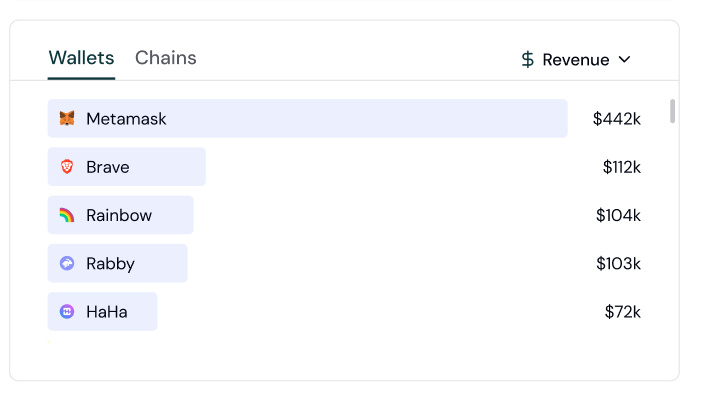 Include these optional properties in a custom event to track values associated with an action.
| Property | Type | Description |
| :--------- | :----- | :------------------------------------------------------------------------------------------------------------------------------------- |
| `volume` | Number | The volume amount as a result of an event. For e.g., a token swap worth \$20.00 would result in a volume of 20.00. |
| `revenue` | Number | The revenue amount as a result of an event. For e.g., a transaction with a protocol fee of \$5.00 would result in a revenue of 5.00. |
| `currency` | String | The currency of the revenue as a result of the event, set in ISO 4127 format. If this is not set, Formo assumes the revenue is in USD. |
| `points` | String | An abstract value such as points or XP associated with an event, to be used by various teams. |
## Sample Payload
```json
{
"type": "track",
"event": "Product Reviewed",
"properties": {
"revenue": "20.5",
"currency": "USD",
"points": "100",
"product_id" : "9578257311",
"rating" : 3.0,
"review_body" : "Good value for the price."
}
}
```
# Spec: Transaction
Source: https://docs.formo.so/data/events/transaction
Get started with the wallet Transaction event.
The `transaction` event is emitted whenever the user's performs a transaction.
It includes the transaction status (started, broadcasted, rejected), to address, data, value, transaction hash, chain ID, and wallet address.
## Sample Payload
Here’s the payload of a typical call with most common fields removed:
```json
{
"type": "transaction",
"properties": {
"status": "broadcasted",
"chain_id": 84532,
"data": "0xa4136862000000000000000000000000000000000000000000000000000000000000002000000000000000000000000000000000000000000000000000000000000000086173646661647366000000000000000000000000000000000000000000000000",
"to": "0x76BB9C9758F62822Abaa652D49e52Ce85383FC26",
"value": "0x1",
"transaction_hash": "0x489daee9ded2bfcceb9f9c3edeaf695bd2c3acef0dfb7558e461b2aba59378ba"
}
}
```
# Metrics
Source: https://docs.formo.so/data/metrics
A list of all metrics you can track with Formo and their definitions.
### Current Visitors
How many unique visitors are currently interacting with your site or dapp.
It includes all visitors who have viewed a page in the last 5 minutes.
### Unique Visitors
How many daily / weekly / monthly unique visitors are interacting with your site or dapp across multiple page views and events.
A visitor is only counted once within a 24 hour window. The 24 hour limit is necessary to comply with GDPR.
### New Users
Users who visit your site or app for the first time within the selected time period.
### Returning Users
Users who have visited your site or app in previous time periods and return within the current period.
### Resurrected Users
Users who were previously active, became inactive for a period of time, and then return after being inactive.
### Active Wallets
How many unique daily / weekly / monthly wallets are active on with your site or dapp.
We also collect other wallet details, such as the wallet address, wallet type, and wallet profiles.
### Wallet Connects
How many users have connected their crypto wallets to your dapp.
### Transactions
How many transactions have been made across your site or dapp.
### Page Views
How many times a page has been viewed across your site or dapp.
### Sessions
A session (also known as a visit) is a set of actions that a user takes on your site.
Each session is a 24 hour window. If a visitor returns after this window, a new session is counted.
This is useful for debugging and identifying problems on your site.
For example, if visitors are not completing transactions, you can see which pages were visited and what events were triggered to identify a common problem on your site that is preventing visitors from completing.
### Average Session Time
How long a user spends on your site or dapp.
### Bounce Rate
The bounce rate is the relative number of visitors who have left the site after a single page view, compared to the total number of unique visitors.
Formo counts a "bounce" if the visitor visits only a single page and leave without performing an engaging action.
### Referrers / Sources
How many users are referred to your site or dapp by a particular source such as a search engines, social media platform, etc.
Referrers are the statistics for the referring site. The data is extracted from the Referers (with a r) HTTP header and may not be set by the browser. In these cases it will be listed as unknown.
### UTM parameters
How many users come to your site or dapp from a particular source. We track these UTM codes:
* `utm_source` (e.g.: google.com)
* `utm_medium` (e.g.: search)
* `utm_campaign` (e.g.: summer\_sale)
* `utm_content`
* `utm_term`
To minimize the amount of traffic that falls within the "Direct / None" category, you can add special query parameters (UTMs) to your links.
### Referrals
How many users are referred to your site or dapp by a particular user. We use the `ref` query parameters to track referrals.
### Countries
Countries are the statistics for the country of origin of the visitors.
### Devices
How many users are using a particular device such as desktop, mobile, tablet, etc.
### Browsers
Browser is the statistics of the browser used by the visitor. It is extracted from the User-Agent and Client Hints HTTP headers.
### Operating System
Shows the operating systems used by your visitors.
### First Seen
The date and time when a user or wallet was first observed interacting with your app.
### Last Seen
The most recent date and time when a user or wallet was observed interacting with your app.
### Events
Events are user-defined custom events. They have a name and optional metadata key/value pairs. When you expand the activity feed, you can view and filter the metadata.
Metadata can be anything. For example, you can define an event Button clicked and track which button was clicked as the metadata field `button=Header`.
### Top dapps
The most popular dapps used by wallets in your audience.
### Top chains
The most popular chains used by wallets in your audience.
### Top tokens
The most popular tokens held by wallets in your audience.
### Wallet Profiles
Wallet profiles are a collection of onchain and offchain data about a wallet.
A profile includes a list of properties such as their address, type, net worth, and more.
### Wallet Address
Formo uses the wallet address as a persistent identifier for a visitor where available.
### Wallet Type
How many users are using a particular wallet type such as MetaMask, Rainbow Wallet, etc.
### Wallet Net Worth
The total net worth of a wallet on the top chains across DeFi positions and token balances.
### Wallet Age
The amount of time that has passed since a wallet has been first active onchain.
### Transaction Frequency
How often a user or wallet performs transactions within a given time period (e.g., daily, weekly, monthly).
### First Onchain
The date and time of the first onchain activity detected for a wallet.
### Last Onchain
The most recent date and time of onchain activity detected for a wallet.
### Wallet Score
A score that indicates the quality and intent of a wallet address.
### Wallet Labels
Labels are assigned to a wallet address based on its past onchain activity and public information offchain.
### Chain Id
How many users are using a particular chain such as Ethereum, Polygon, etc.
### Dapps
How many users are using a particular dapp such as Uniswap, OpenSea, etc.
### Tokens
How many users hold a particular token such as USDC, USDT, etc.
### Feature Usage / Adoption Rate
The percentage of users or wallets who have used a specific feature of your app, helping you measure adoption and engagement for key functionalities.
### Conversion Rate
Calculate the conversion rate of key user flows with the [Funnels](/features/product-analytics/funnels) feature.
### Funnels
You can follow the visitor journey from a landing page to a conversion with funnel analysis.
### Retention Rate
Retention rates: the percentage of customers who continue to use your service or product over a predetermined period (7, 30, 90 days.)
### Churn Rate
The percentage of customers who stop using your service or product over a predetermined period.
### Customer Acquisition Cost (CAC)
How much you've spent to acquire a customer.
### Average Revenue Per User (ARPU)
How much revenue you've made from your site or dapp.
This is a part of [revenue attribution tracking](/features/product-analytics/custom-events#tracking-revenue).
### Customer Lifetime Value (CLTV)
CLV estimates the total revenue a user generates over their entire engagement with your dapp.
### User lifecycle
Whether each wallet or visitor is a New or Returning user.
# Reverse ETL
Source: https://docs.formo.so/data/reverse-etl
Export events and query results to downstream destinations like data warehouses, data lakes, and event streaming platforms.
Set up a Reverse ETL pipeline to export events and the results of a query to a downstream destination.
Data exports can be executed on a defined schedule or on-demand.
Common uses cases include:
* Push events to Kafka as part of an event-driven architecture.
* Hydrating a data lake or data warehouse on AWS S3 with real-time data.
* Exporting data to other systems that consume data.
> 🚧 In development. Reach out to get early access. 🚧
# Data schema
Source: https://docs.formo.so/data/schema
Own your data. Explore the full data schema of the Formo data warehouse, including events, users, and wallet profiles. Query data however you like and build custom reports.
Include these optional properties in a custom event to track values associated with an action.
| Property | Type | Description |
| :--------- | :----- | :------------------------------------------------------------------------------------------------------------------------------------- |
| `volume` | Number | The volume amount as a result of an event. For e.g., a token swap worth \$20.00 would result in a volume of 20.00. |
| `revenue` | Number | The revenue amount as a result of an event. For e.g., a transaction with a protocol fee of \$5.00 would result in a revenue of 5.00. |
| `currency` | String | The currency of the revenue as a result of the event, set in ISO 4127 format. If this is not set, Formo assumes the revenue is in USD. |
| `points` | String | An abstract value such as points or XP associated with an event, to be used by various teams. |
## Sample Payload
```json
{
"type": "track",
"event": "Product Reviewed",
"properties": {
"revenue": "20.5",
"currency": "USD",
"points": "100",
"product_id" : "9578257311",
"rating" : 3.0,
"review_body" : "Good value for the price."
}
}
```
# Spec: Transaction
Source: https://docs.formo.so/data/events/transaction
Get started with the wallet Transaction event.
The `transaction` event is emitted whenever the user's performs a transaction.
It includes the transaction status (started, broadcasted, rejected), to address, data, value, transaction hash, chain ID, and wallet address.
## Sample Payload
Here’s the payload of a typical call with most common fields removed:
```json
{
"type": "transaction",
"properties": {
"status": "broadcasted",
"chain_id": 84532,
"data": "0xa4136862000000000000000000000000000000000000000000000000000000000000002000000000000000000000000000000000000000000000000000000000000000086173646661647366000000000000000000000000000000000000000000000000",
"to": "0x76BB9C9758F62822Abaa652D49e52Ce85383FC26",
"value": "0x1",
"transaction_hash": "0x489daee9ded2bfcceb9f9c3edeaf695bd2c3acef0dfb7558e461b2aba59378ba"
}
}
```
# Metrics
Source: https://docs.formo.so/data/metrics
A list of all metrics you can track with Formo and their definitions.
### Current Visitors
How many unique visitors are currently interacting with your site or dapp.
It includes all visitors who have viewed a page in the last 5 minutes.
### Unique Visitors
How many daily / weekly / monthly unique visitors are interacting with your site or dapp across multiple page views and events.
A visitor is only counted once within a 24 hour window. The 24 hour limit is necessary to comply with GDPR.
### New Users
Users who visit your site or app for the first time within the selected time period.
### Returning Users
Users who have visited your site or app in previous time periods and return within the current period.
### Resurrected Users
Users who were previously active, became inactive for a period of time, and then return after being inactive.
### Active Wallets
How many unique daily / weekly / monthly wallets are active on with your site or dapp.
We also collect other wallet details, such as the wallet address, wallet type, and wallet profiles.
### Wallet Connects
How many users have connected their crypto wallets to your dapp.
### Transactions
How many transactions have been made across your site or dapp.
### Page Views
How many times a page has been viewed across your site or dapp.
### Sessions
A session (also known as a visit) is a set of actions that a user takes on your site.
Each session is a 24 hour window. If a visitor returns after this window, a new session is counted.
This is useful for debugging and identifying problems on your site.
For example, if visitors are not completing transactions, you can see which pages were visited and what events were triggered to identify a common problem on your site that is preventing visitors from completing.
### Average Session Time
How long a user spends on your site or dapp.
### Bounce Rate
The bounce rate is the relative number of visitors who have left the site after a single page view, compared to the total number of unique visitors.
Formo counts a "bounce" if the visitor visits only a single page and leave without performing an engaging action.
### Referrers / Sources
How many users are referred to your site or dapp by a particular source such as a search engines, social media platform, etc.
Referrers are the statistics for the referring site. The data is extracted from the Referers (with a r) HTTP header and may not be set by the browser. In these cases it will be listed as unknown.
### UTM parameters
How many users come to your site or dapp from a particular source. We track these UTM codes:
* `utm_source` (e.g.: google.com)
* `utm_medium` (e.g.: search)
* `utm_campaign` (e.g.: summer\_sale)
* `utm_content`
* `utm_term`
To minimize the amount of traffic that falls within the "Direct / None" category, you can add special query parameters (UTMs) to your links.
### Referrals
How many users are referred to your site or dapp by a particular user. We use the `ref` query parameters to track referrals.
### Countries
Countries are the statistics for the country of origin of the visitors.
### Devices
How many users are using a particular device such as desktop, mobile, tablet, etc.
### Browsers
Browser is the statistics of the browser used by the visitor. It is extracted from the User-Agent and Client Hints HTTP headers.
### Operating System
Shows the operating systems used by your visitors.
### First Seen
The date and time when a user or wallet was first observed interacting with your app.
### Last Seen
The most recent date and time when a user or wallet was observed interacting with your app.
### Events
Events are user-defined custom events. They have a name and optional metadata key/value pairs. When you expand the activity feed, you can view and filter the metadata.
Metadata can be anything. For example, you can define an event Button clicked and track which button was clicked as the metadata field `button=Header`.
### Top dapps
The most popular dapps used by wallets in your audience.
### Top chains
The most popular chains used by wallets in your audience.
### Top tokens
The most popular tokens held by wallets in your audience.
### Wallet Profiles
Wallet profiles are a collection of onchain and offchain data about a wallet.
A profile includes a list of properties such as their address, type, net worth, and more.
### Wallet Address
Formo uses the wallet address as a persistent identifier for a visitor where available.
### Wallet Type
How many users are using a particular wallet type such as MetaMask, Rainbow Wallet, etc.
### Wallet Net Worth
The total net worth of a wallet on the top chains across DeFi positions and token balances.
### Wallet Age
The amount of time that has passed since a wallet has been first active onchain.
### Transaction Frequency
How often a user or wallet performs transactions within a given time period (e.g., daily, weekly, monthly).
### First Onchain
The date and time of the first onchain activity detected for a wallet.
### Last Onchain
The most recent date and time of onchain activity detected for a wallet.
### Wallet Score
A score that indicates the quality and intent of a wallet address.
### Wallet Labels
Labels are assigned to a wallet address based on its past onchain activity and public information offchain.
### Chain Id
How many users are using a particular chain such as Ethereum, Polygon, etc.
### Dapps
How many users are using a particular dapp such as Uniswap, OpenSea, etc.
### Tokens
How many users hold a particular token such as USDC, USDT, etc.
### Feature Usage / Adoption Rate
The percentage of users or wallets who have used a specific feature of your app, helping you measure adoption and engagement for key functionalities.
### Conversion Rate
Calculate the conversion rate of key user flows with the [Funnels](/features/product-analytics/funnels) feature.
### Funnels
You can follow the visitor journey from a landing page to a conversion with funnel analysis.
### Retention Rate
Retention rates: the percentage of customers who continue to use your service or product over a predetermined period (7, 30, 90 days.)
### Churn Rate
The percentage of customers who stop using your service or product over a predetermined period.
### Customer Acquisition Cost (CAC)
How much you've spent to acquire a customer.
### Average Revenue Per User (ARPU)
How much revenue you've made from your site or dapp.
This is a part of [revenue attribution tracking](/features/product-analytics/custom-events#tracking-revenue).
### Customer Lifetime Value (CLTV)
CLV estimates the total revenue a user generates over their entire engagement with your dapp.
### User lifecycle
Whether each wallet or visitor is a New or Returning user.
# Reverse ETL
Source: https://docs.formo.so/data/reverse-etl
Export events and query results to downstream destinations like data warehouses, data lakes, and event streaming platforms.
Set up a Reverse ETL pipeline to export events and the results of a query to a downstream destination.
Data exports can be executed on a defined schedule or on-demand.
Common uses cases include:
* Push events to Kafka as part of an event-driven architecture.
* Hydrating a data lake or data warehouse on AWS S3 with real-time data.
* Exporting data to other systems that consume data.
> 🚧 In development. Reach out to get early access. 🚧
# Data schema
Source: https://docs.formo.so/data/schema
Own your data. Explore the full data schema of the Formo data warehouse, including events, users, and wallet profiles. Query data however you like and build custom reports.
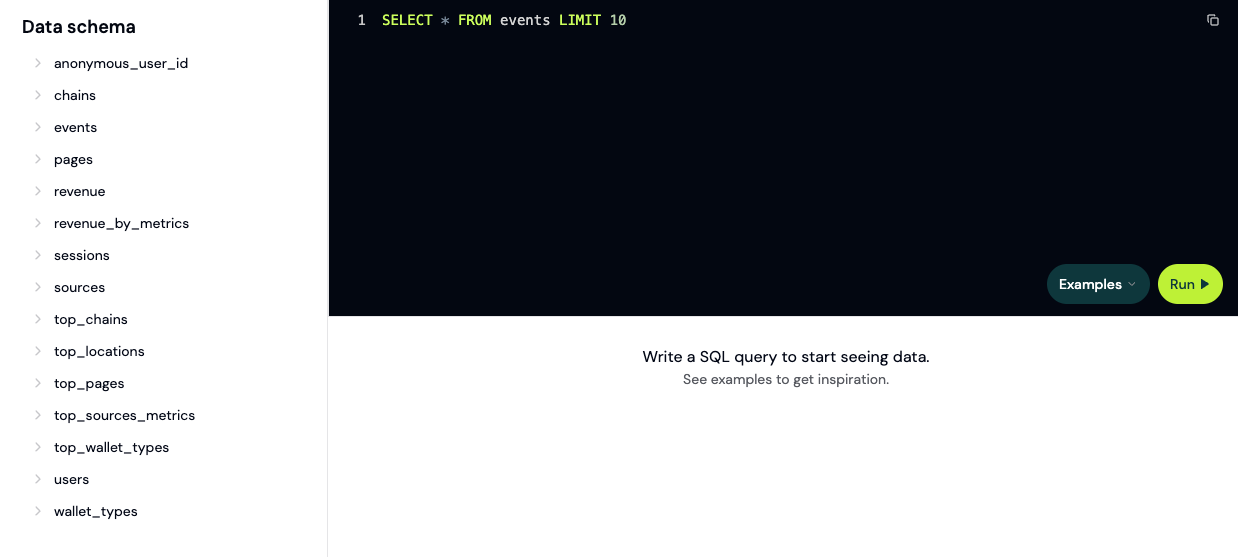 Formo’s extensive data catalog provides detailed insights on events, users, and wallet profiles across chains.
* **Events** and **Users** are first-party data. Access is restricted to members of each workspace.
* **Wallet Profiles** omit private project-specific data. Globally accessible on the [Profiles API](/api-reference/overview#profiles-api).
Make your own queries with the [Query API](/api-reference/overview#query-api) and export data with [Reverse ETL](/data/reverse-etl).
Formo’s extensive data catalog provides detailed insights on events, users, and wallet profiles across chains.
* **Events** and **Users** are first-party data. Access is restricted to members of each workspace.
* **Wallet Profiles** omit private project-specific data. Globally accessible on the [Profiles API](/api-reference/overview#profiles-api).
Make your own queries with the [Query API](/api-reference/overview#query-api) and export data with [Reverse ETL](/data/reverse-etl).
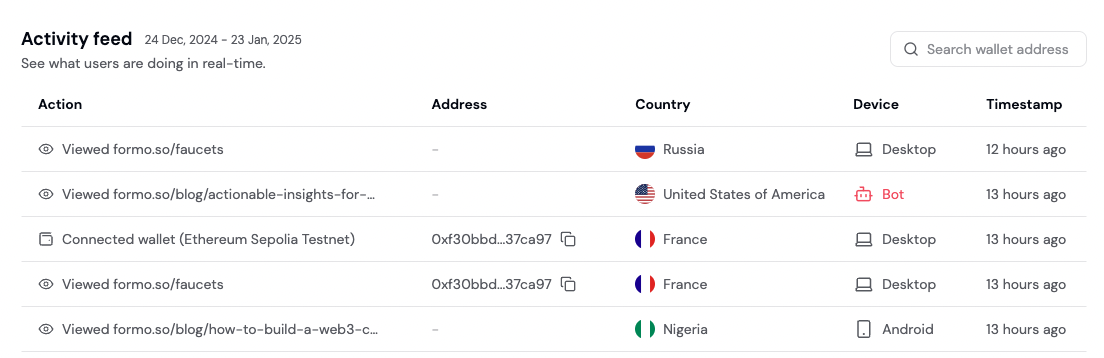 See all event properties, user actions, and conversion data in one place.
Measure key events in the user lifecycle, identify drop-off points, and boost retention.
# Alerts
Source: https://docs.formo.so/features/product-analytics/alerts
Get notified of high-value users and important actions.
See all event properties, user actions, and conversion data in one place.
Measure key events in the user lifecycle, identify drop-off points, and boost retention.
# Alerts
Source: https://docs.formo.so/features/product-analytics/alerts
Get notified of high-value users and important actions.
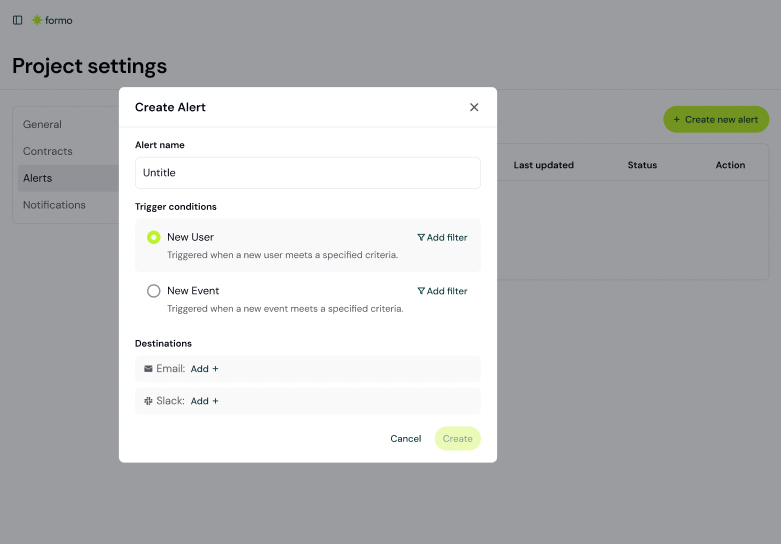 Get notified on Email or Slack of high-value whales and important user actions:
* Key user events (connect wallet events, conversions, drop off)
* When whales and high-value users visit your app
In the project settings page, you can create an alert that will notify you via:
* Email
* Webhooks
### Webhooks
Webhooks allow you to send alerts to your own server or third-party service. You can set up a webhook URL in the project settings, and when an alert is triggered, a POST request will be sent to that URL with the alert data.
Here's an example of the JSON payload that will be sent to your webhook:
```json
{
"alert_id": "XXXX_Test Alert 3_1753771336519_1753771433251",
"alert_name": "Test Alert 3",
"project_id": "XXXX",
"project_name": "Example",
"team_id": "XXXX",
"event": {
"properties": {
"chain_id": 84532
},
"address": "0xF04bC8FdFC8b1c03Fa77885574Ae6Ea041E26bdc",
"type": "connect",
"locale": "en-US",
"timezone": "Asia/Saigon",
"location": "VN",
"timestamp": "2025-07-29T06:42:16.519Z",
"anonymous_id": "4b48c7b6-3d61-409f-b695-1d9452954d6b"
},
"timestamp": "2025-07-29T06:43:53.268Z",
"webhook_version": "1.0"
}
```
# Charts
Source: https://docs.formo.so/features/product-analytics/charts
Create and share your own charts and dashboards for reporting, with support for multiple chart types and visualizations.
Get notified on Email or Slack of high-value whales and important user actions:
* Key user events (connect wallet events, conversions, drop off)
* When whales and high-value users visit your app
In the project settings page, you can create an alert that will notify you via:
* Email
* Webhooks
### Webhooks
Webhooks allow you to send alerts to your own server or third-party service. You can set up a webhook URL in the project settings, and when an alert is triggered, a POST request will be sent to that URL with the alert data.
Here's an example of the JSON payload that will be sent to your webhook:
```json
{
"alert_id": "XXXX_Test Alert 3_1753771336519_1753771433251",
"alert_name": "Test Alert 3",
"project_id": "XXXX",
"project_name": "Example",
"team_id": "XXXX",
"event": {
"properties": {
"chain_id": 84532
},
"address": "0xF04bC8FdFC8b1c03Fa77885574Ae6Ea041E26bdc",
"type": "connect",
"locale": "en-US",
"timezone": "Asia/Saigon",
"location": "VN",
"timestamp": "2025-07-29T06:42:16.519Z",
"anonymous_id": "4b48c7b6-3d61-409f-b695-1d9452954d6b"
},
"timestamp": "2025-07-29T06:43:53.268Z",
"webhook_version": "1.0"
}
```
# Charts
Source: https://docs.formo.so/features/product-analytics/charts
Create and share your own charts and dashboards for reporting, with support for multiple chart types and visualizations.
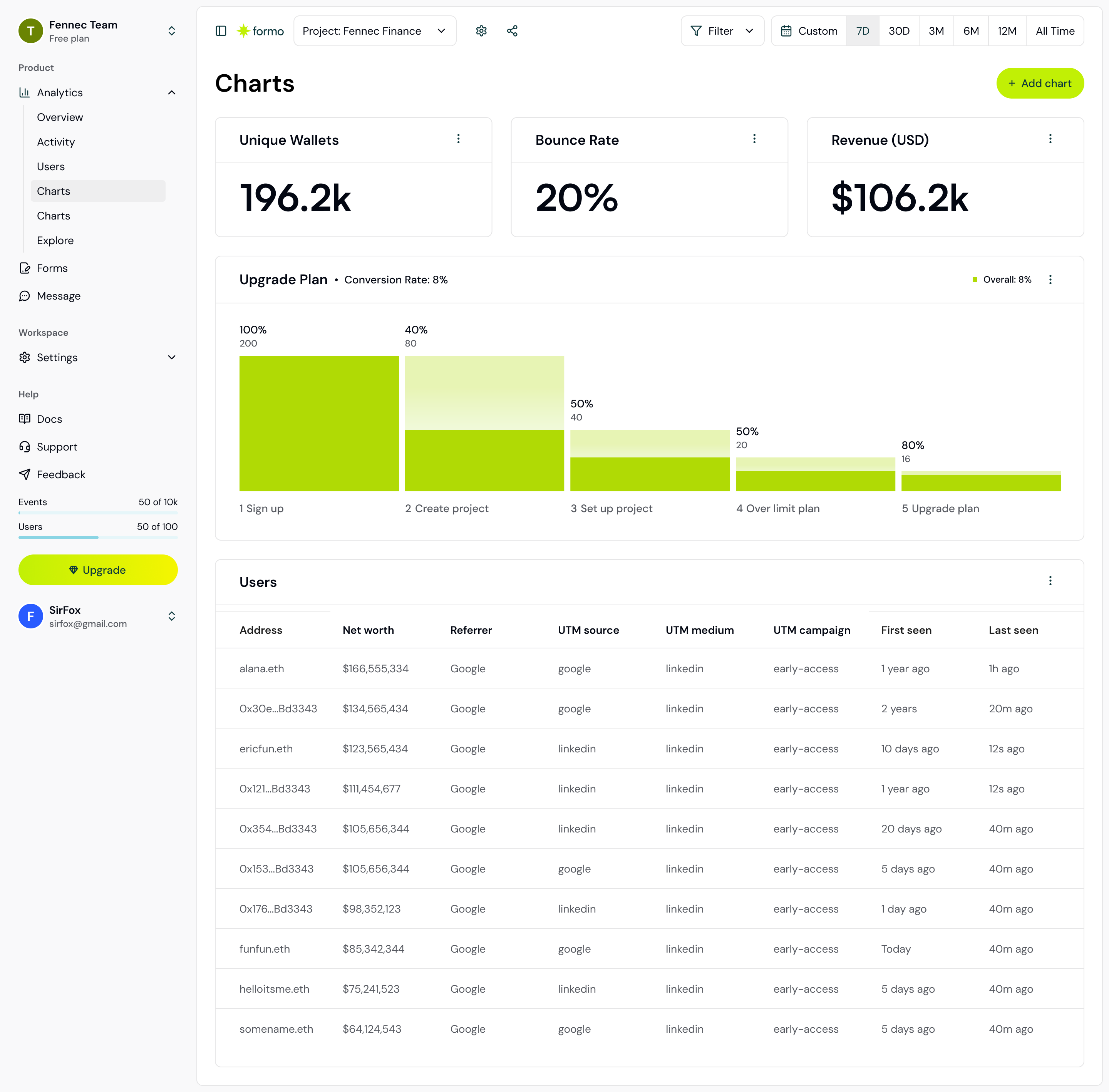 Create custom charts and reports. Turn your data into decisions with powerful visualizations and real-time insights.
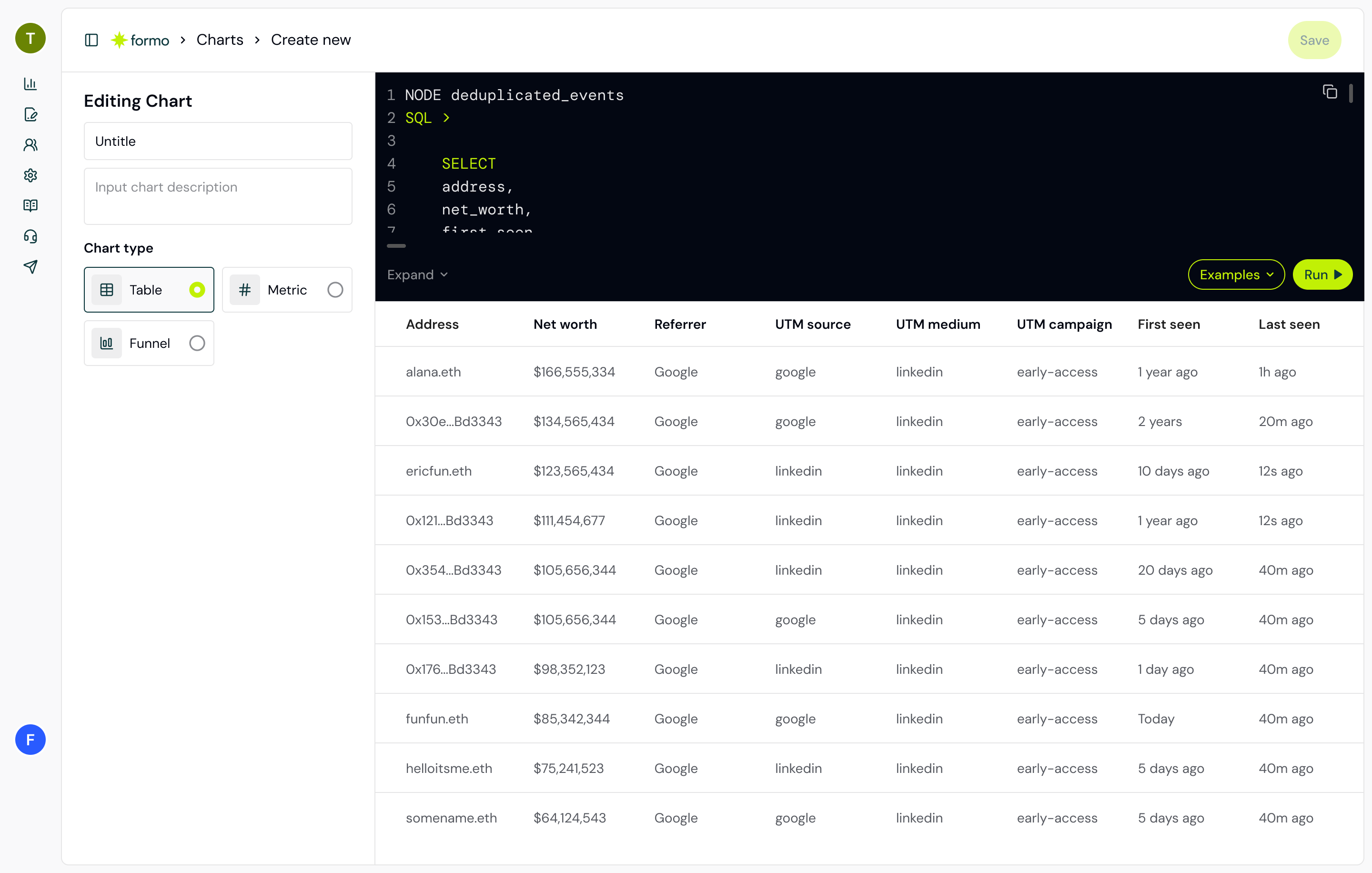 Easily share insights with your team. Export and distribute reports with a single click.
### Chart types
Here is the current list of supported chart types on Formo:
* Funnel
* Retention
* Table
* Number
* Bar
* Line
* Pie
Add beautiful, interactive visualizations that make your data easy to understand.
# Contract events
Source: https://docs.formo.so/features/product-analytics/contract-events
Track and analyze smart contract events across chains in real-time.
Add your contract address to start ingesting contract events.
Easily share insights with your team. Export and distribute reports with a single click.
### Chart types
Here is the current list of supported chart types on Formo:
* Funnel
* Retention
* Table
* Number
* Bar
* Line
* Pie
Add beautiful, interactive visualizations that make your data easy to understand.
# Contract events
Source: https://docs.formo.so/features/product-analytics/contract-events
Track and analyze smart contract events across chains in real-time.
Add your contract address to start ingesting contract events.
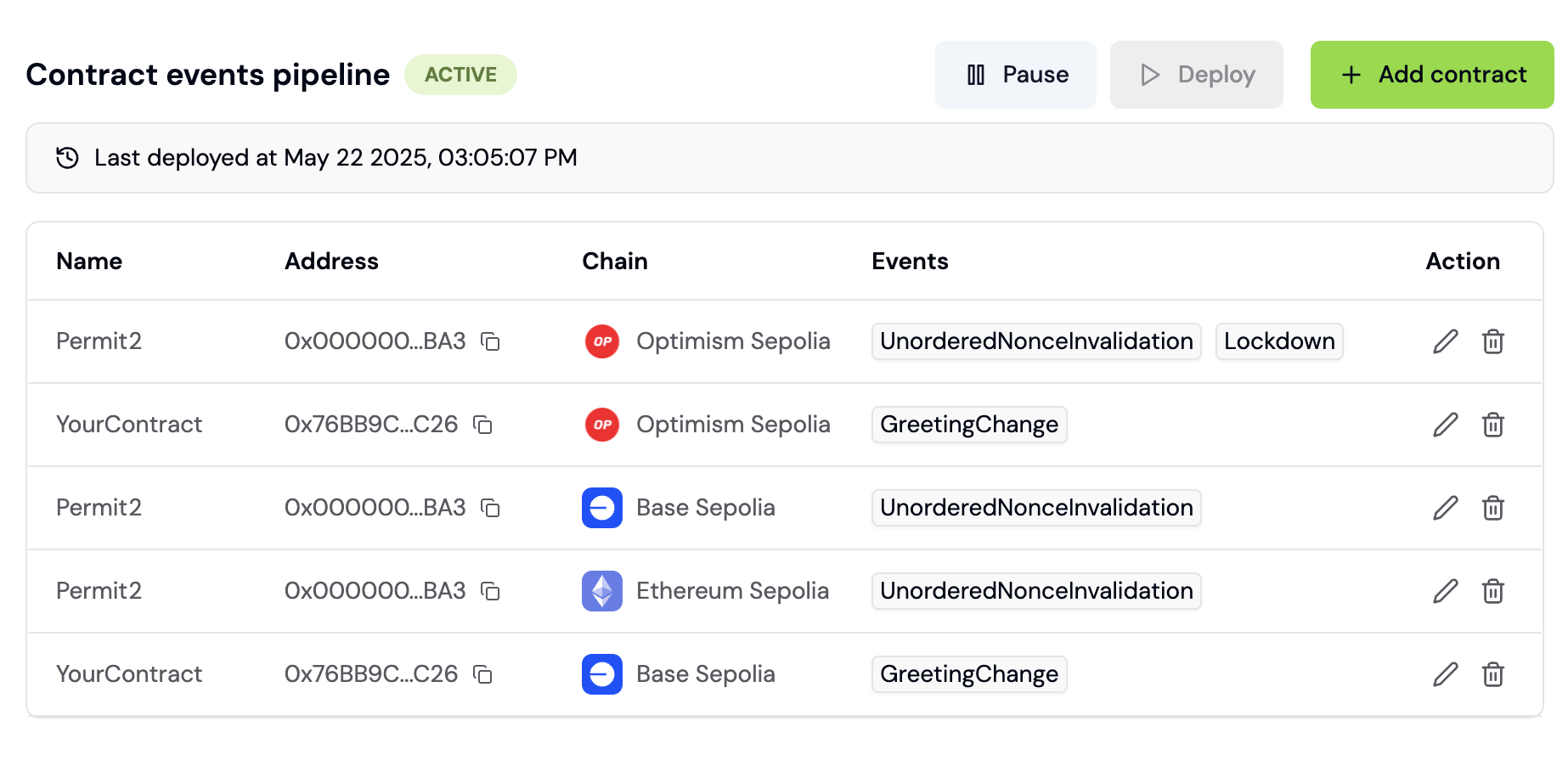 You will see your selected events on the [Activity Feed](/features/product-analytics/activity) and [Wallet Profile](/features/wallet-intelligence/wallet-profiles) in real-time.
Contract events can also be used when creating [Funnels](/features/product-analytics/funnels).
## Chains
See the list of supported chains [here](/chains/overview).
# Custom events
Source: https://docs.formo.so/features/product-analytics/custom-events
Track custom events and user actions such as clicks and conversions with structured data collection.
## Overview
The Formo SDK offers an easy-to-use event collection library that allows you to track custom events in your dapp.
Ensure high quality, structured data with Formo.
Start tracking custom events with the [Web SDK](/sdks/web#custom-events) to get started. Custom events works with [Wallet Intelligence](/features/wallet-intelligence) and [Funnels](/features/product-analytics/funnels) to give you a complete picture of each user's journey.
# User flows
Source: https://docs.formo.so/features/product-analytics/flows
Follow users along their journey with path analysis. Analyze sequences of steps taken by users and understand why they convert.
User flow analysis (the Sankey diagram) identifies the most frequent paths taken by users to or from any event.
Understand how your users sequentially perform events in your product and analyze drop-offs or unsuccessful behavior.
You can learn the following from paths:
* What did users do immediately after signing up?
* Where are users are getting confused or stuck?
* Which parts of your app people are actually using?
* Why are users aren't discovering new features?
* Where are new users are landing into your website?
> 🚧 In development. Reach out to get early access. 🚧
# Funnels
Source: https://docs.formo.so/features/product-analytics/funnels
Track user journeys and conversion rates with offchain to onchain funnel analytics.
You will see your selected events on the [Activity Feed](/features/product-analytics/activity) and [Wallet Profile](/features/wallet-intelligence/wallet-profiles) in real-time.
Contract events can also be used when creating [Funnels](/features/product-analytics/funnels).
## Chains
See the list of supported chains [here](/chains/overview).
# Custom events
Source: https://docs.formo.so/features/product-analytics/custom-events
Track custom events and user actions such as clicks and conversions with structured data collection.
## Overview
The Formo SDK offers an easy-to-use event collection library that allows you to track custom events in your dapp.
Ensure high quality, structured data with Formo.
Start tracking custom events with the [Web SDK](/sdks/web#custom-events) to get started. Custom events works with [Wallet Intelligence](/features/wallet-intelligence) and [Funnels](/features/product-analytics/funnels) to give you a complete picture of each user's journey.
# User flows
Source: https://docs.formo.so/features/product-analytics/flows
Follow users along their journey with path analysis. Analyze sequences of steps taken by users and understand why they convert.
User flow analysis (the Sankey diagram) identifies the most frequent paths taken by users to or from any event.
Understand how your users sequentially perform events in your product and analyze drop-offs or unsuccessful behavior.
You can learn the following from paths:
* What did users do immediately after signing up?
* Where are users are getting confused or stuck?
* Which parts of your app people are actually using?
* Why are users aren't discovering new features?
* Where are new users are landing into your website?
> 🚧 In development. Reach out to get early access. 🚧
# Funnels
Source: https://docs.formo.so/features/product-analytics/funnels
Track user journeys and conversion rates with offchain to onchain funnel analytics.
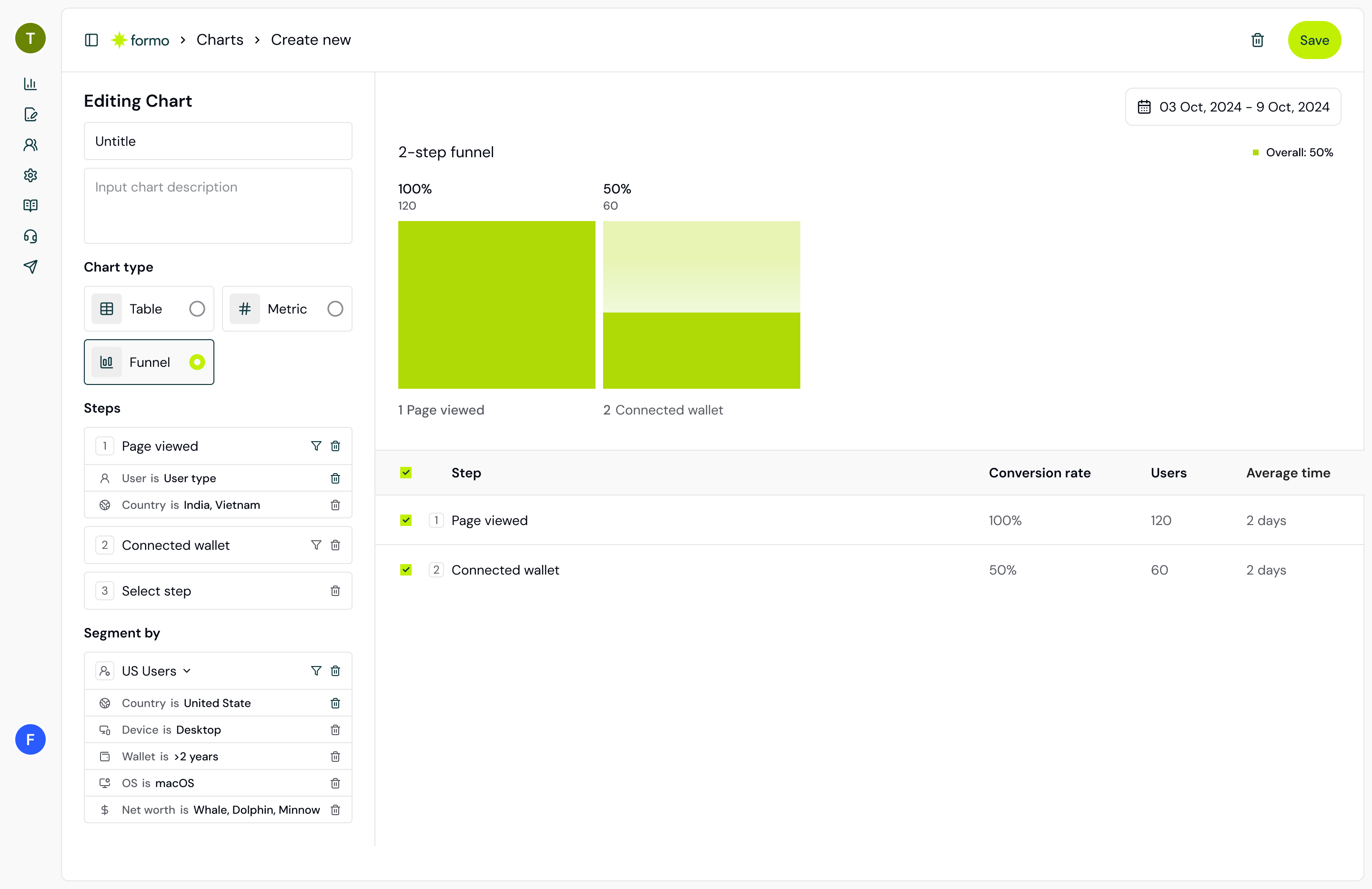 Visualize how users progress through a series of steps with Funnel Analysis.
* Analyze the user flow across pages, domains, and subdomains throughout your site and app.
* Go beyond pageviews and track contract and custom events to build a funnel.
* Measure the conversion rate to understand the percentage of visitors who started the user flow and ended with a conversion event.
* Measure the percentage drop-off between the individual funnel steps to spot where you lose the most users.
* Use filters to segment your audience. Filter conversion funnels by marketing campaign, traffic source, device, and more.
# Growth analytics
Source: https://docs.formo.so/features/product-analytics/growth-analytics
Track key growth metrics like visitors, wallets, transactions, and user acquisition channels to understand your product performance.
## Visitors, wallets, transactions
Measure the number of visitors, wallets, and transactions
to discover which tactics drive product adoption and growth.
Visualize how users progress through a series of steps with Funnel Analysis.
* Analyze the user flow across pages, domains, and subdomains throughout your site and app.
* Go beyond pageviews and track contract and custom events to build a funnel.
* Measure the conversion rate to understand the percentage of visitors who started the user flow and ended with a conversion event.
* Measure the percentage drop-off between the individual funnel steps to spot where you lose the most users.
* Use filters to segment your audience. Filter conversion funnels by marketing campaign, traffic source, device, and more.
# Growth analytics
Source: https://docs.formo.so/features/product-analytics/growth-analytics
Track key growth metrics like visitors, wallets, transactions, and user acquisition channels to understand your product performance.
## Visitors, wallets, transactions
Measure the number of visitors, wallets, and transactions
to discover which tactics drive product adoption and growth.
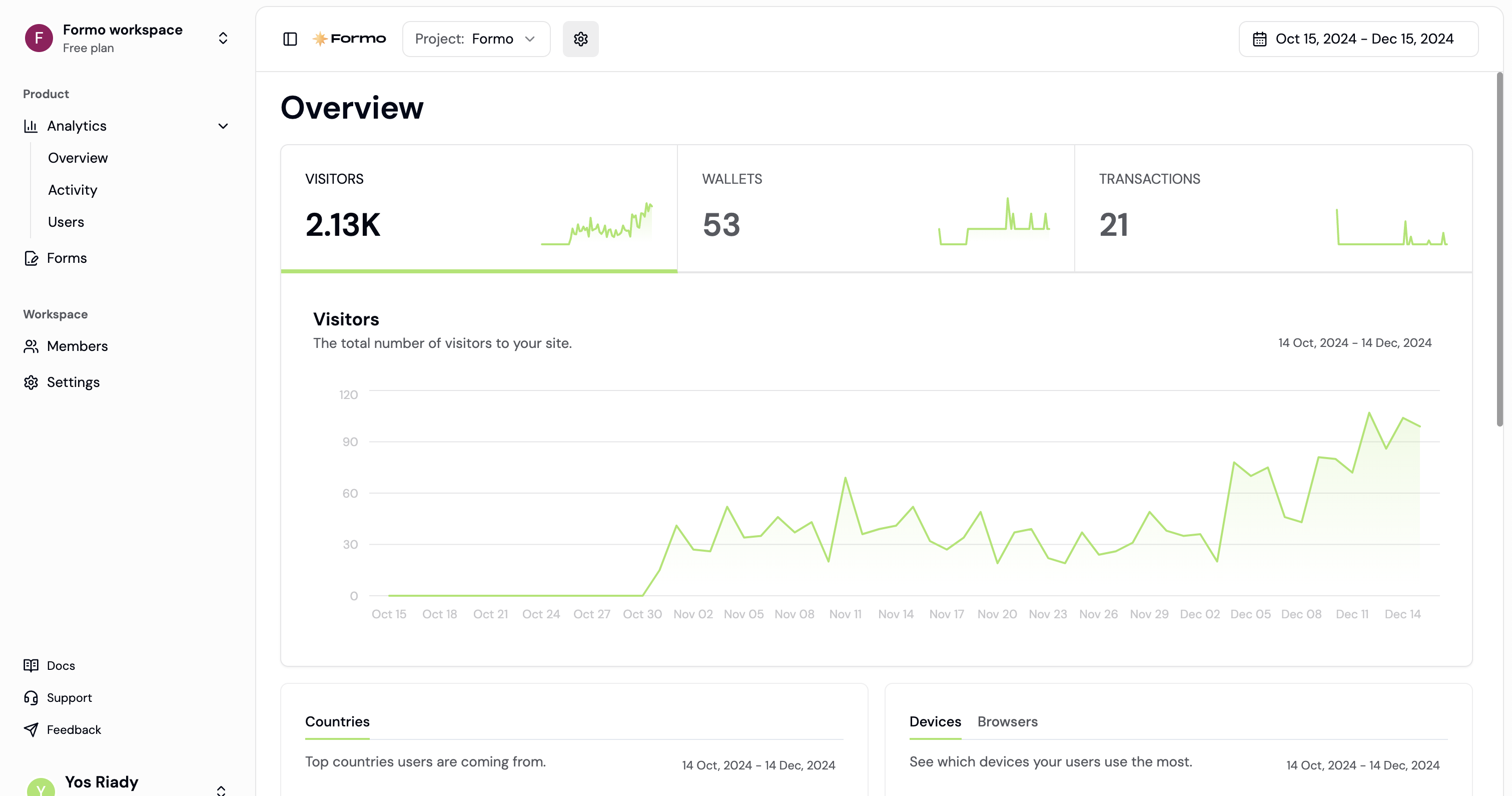 ## Referrers, UTM, referrals
See where your users are coming from by referrer, UTM parameters, and referrals.
## Referrers, UTM, referrals
See where your users are coming from by referrer, UTM parameters, and referrals.
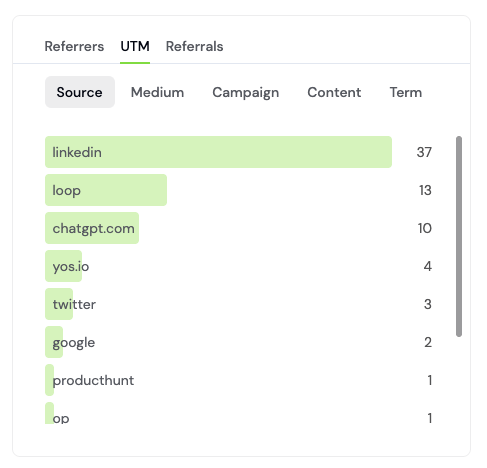 The Formo SDK automatically add the following UTM parameters present on the page to events fired from that page load:
* utm\_source
* utm\_campaign
* utm\_medium
* utm\_term
* utm\_content
* ref
## Devices, browsers, OS
The Formo SDK automatically add the following UTM parameters present on the page to events fired from that page load:
* utm\_source
* utm\_campaign
* utm\_medium
* utm\_term
* utm\_content
* ref
## Devices, browsers, OS
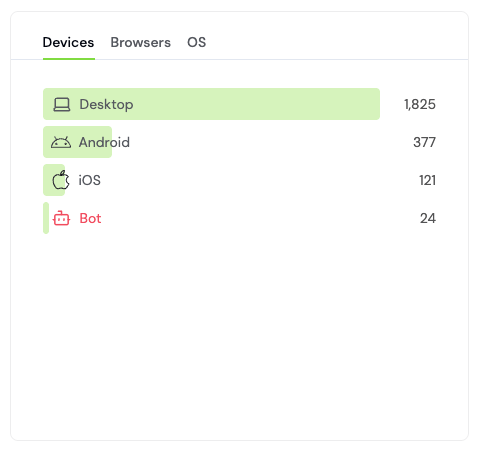 ## Countries
See where your users are coming from by country.
## Countries
See where your users are coming from by country.
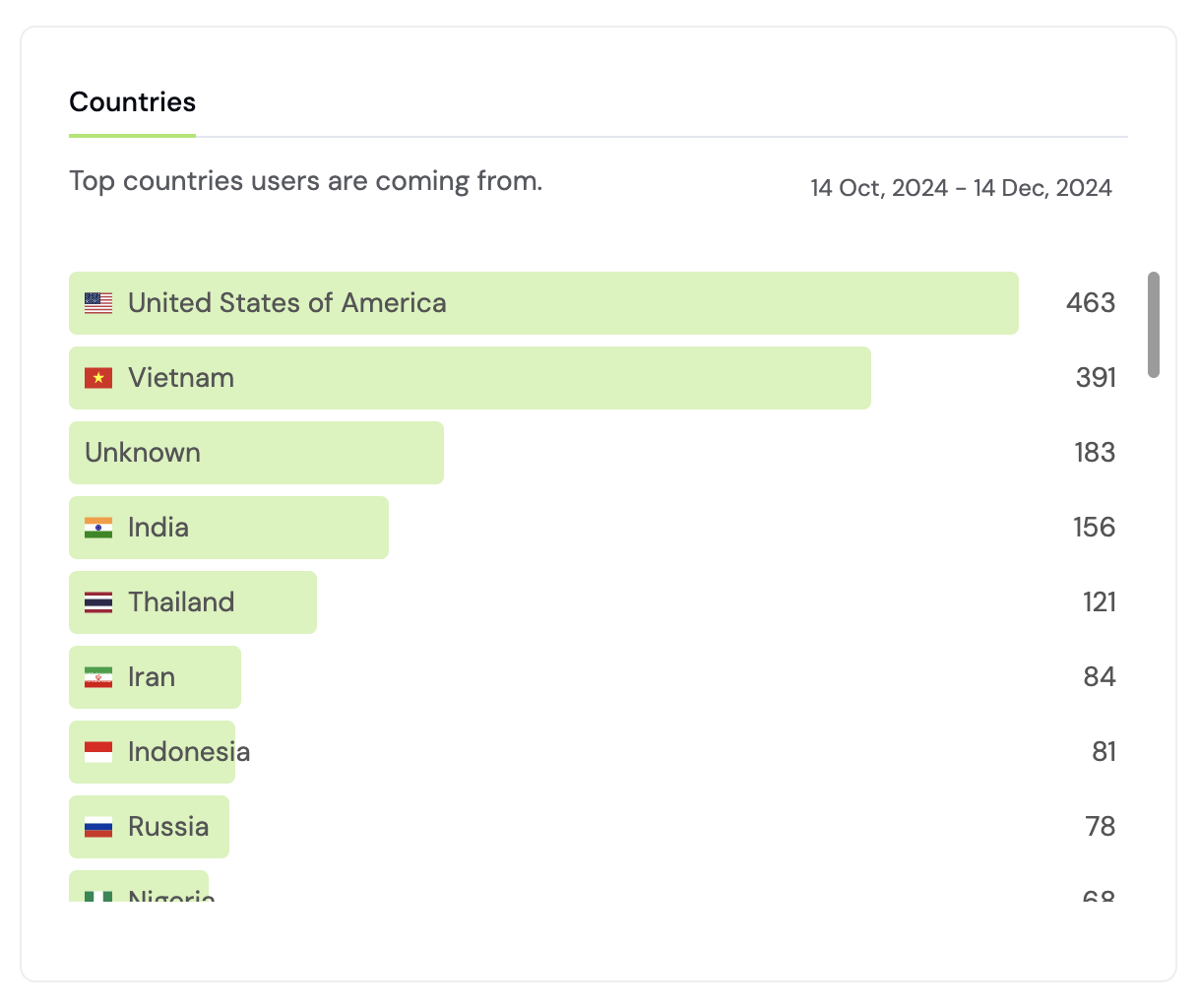 ## Pages
See the top pages that your users are visiting.
## Pages
See the top pages that your users are visiting.
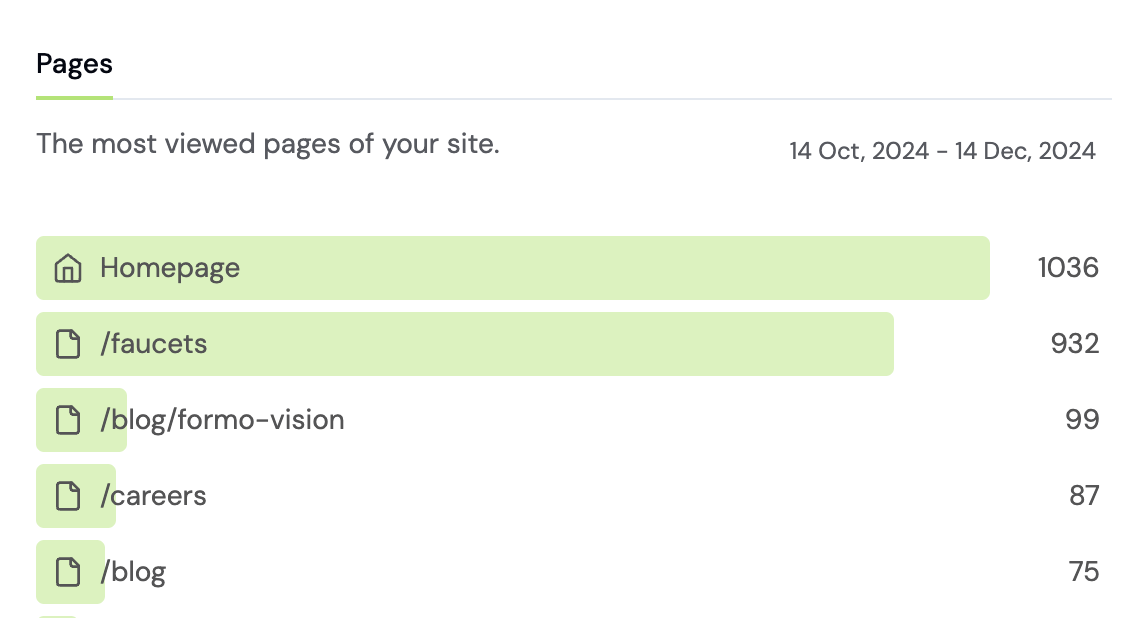 ## Wallets
See the top wallets of your visitors and users.
## Wallets
See the top wallets of your visitors and users.
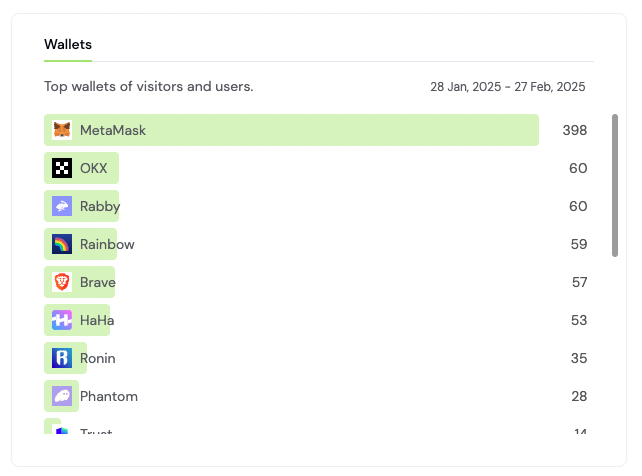 ## Filters
Apply filters to understand how different segments of users interact with your app at different times.
## Filters
Apply filters to understand how different segments of users interact with your app at different times.
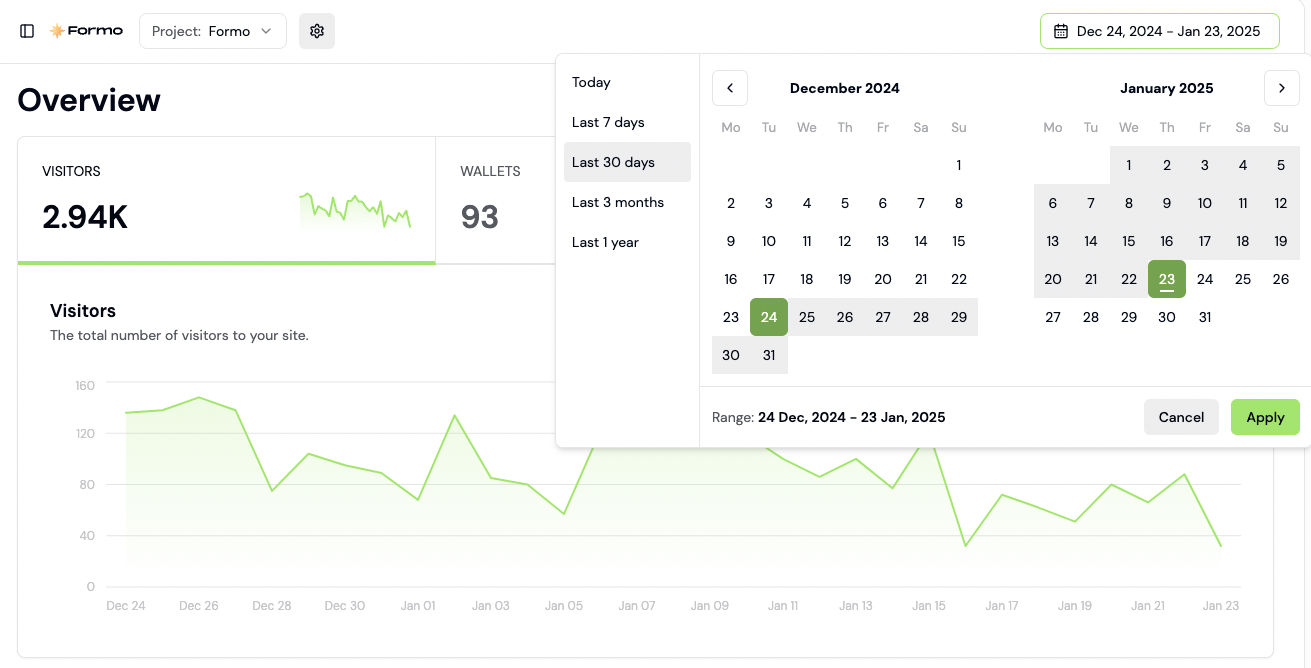 # Unified analytics
Source: https://docs.formo.so/features/product-analytics/overview
Track and analyze the full user journey from acquisition to conversion and retention for your onchain app.
Capture the full user journey from offchain visit to onchain transaction, with unified analytics and onchain attribution.
Understand how people actually use your product. See all event properties, user actions, and conversion data in one place.
# Unified analytics
Source: https://docs.formo.so/features/product-analytics/overview
Track and analyze the full user journey from acquisition to conversion and retention for your onchain app.
Capture the full user journey from offchain visit to onchain transaction, with unified analytics and onchain attribution.
Understand how people actually use your product. See all event properties, user actions, and conversion data in one place.
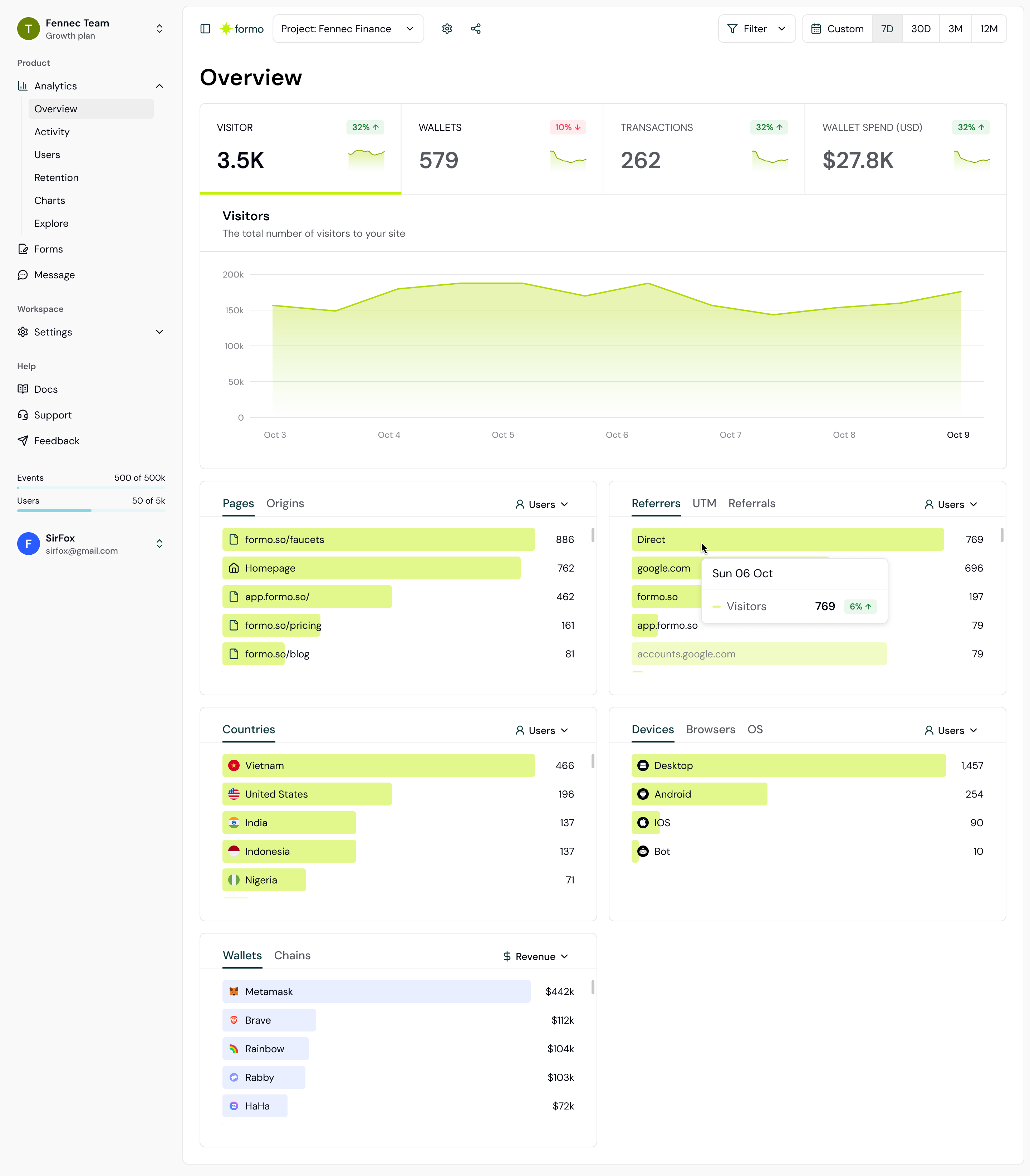 ## Features
* 🎯 **Growth analytics.** Track visitors, wallets, transactions, and revenue with full attribution.
* 🏃♀️➡️ **Activity feed.** Get insights into user behaviour, including drop-off and retention drivers.
* ⚡️ **Custom events.** Track key conversions and user actions on your app.
* 🌐 **Contract events.** Track smart contract events in realtime.
* 📊 **Funnels.** Follow your users from first visit to conversion with multi-step funnels.
* 📈 **Charts.** Create your own charts and dashboards for business reporting.
* 📅 **Retention.** Measure how many users return to your app over weeks and months.
* 🔔 **Alerts.** Get notified of high-value users and important actions.
* 🧭 **User flows.** Analyze user paths and flows throughout your app.
## Autocapture
Autocapture helps you automatically capture events, interactions, and attribution on your onchain app.
Once you install the Formo SDK, **it automatically collects and tracks user [events](/data/events/overview)** (including page views, wallet connects, and transactions) without the need for manual tracking or custom code.
It's the easiest way to capture the user interactions on your site. No need to rely on manual tracking. No need to choose what to measure. No need to wrangle engineers to write code.
## Cross-subdomain tracking
Formo automatically tracks visitors across all subdomains of your main domain, giving you a unified view of user journeys and attribution accuracy. This means you can follow users as they move between your marketing site, app, blog, and other subdomains—no extra setup required.
* **Unified visitor journey**: Track users as they navigate between your main site, app, and other subdomains
* **Accurate attribution**: Attribute conversions to the correct marketing channel, even if users move between subdomains
* **Simplified reporting**: View combined traffic, user behavior, and conversion data in a single dashboard
To enable cross-subdomain analytics, simply use your root domain when adding your project in the Formo dashboard. The Formo SDK handles identity resolution and session management for you, ensuring seamless analytics across your entire product.
# Retention
Source: https://docs.formo.so/features/product-analytics/retention
Measure retention across user cohorts.
## Features
* 🎯 **Growth analytics.** Track visitors, wallets, transactions, and revenue with full attribution.
* 🏃♀️➡️ **Activity feed.** Get insights into user behaviour, including drop-off and retention drivers.
* ⚡️ **Custom events.** Track key conversions and user actions on your app.
* 🌐 **Contract events.** Track smart contract events in realtime.
* 📊 **Funnels.** Follow your users from first visit to conversion with multi-step funnels.
* 📈 **Charts.** Create your own charts and dashboards for business reporting.
* 📅 **Retention.** Measure how many users return to your app over weeks and months.
* 🔔 **Alerts.** Get notified of high-value users and important actions.
* 🧭 **User flows.** Analyze user paths and flows throughout your app.
## Autocapture
Autocapture helps you automatically capture events, interactions, and attribution on your onchain app.
Once you install the Formo SDK, **it automatically collects and tracks user [events](/data/events/overview)** (including page views, wallet connects, and transactions) without the need for manual tracking or custom code.
It's the easiest way to capture the user interactions on your site. No need to rely on manual tracking. No need to choose what to measure. No need to wrangle engineers to write code.
## Cross-subdomain tracking
Formo automatically tracks visitors across all subdomains of your main domain, giving you a unified view of user journeys and attribution accuracy. This means you can follow users as they move between your marketing site, app, blog, and other subdomains—no extra setup required.
* **Unified visitor journey**: Track users as they navigate between your main site, app, and other subdomains
* **Accurate attribution**: Attribute conversions to the correct marketing channel, even if users move between subdomains
* **Simplified reporting**: View combined traffic, user behavior, and conversion data in a single dashboard
To enable cross-subdomain analytics, simply use your root domain when adding your project in the Formo dashboard. The Formo SDK handles identity resolution and session management for you, ensuring seamless analytics across your entire product.
# Retention
Source: https://docs.formo.so/features/product-analytics/retention
Measure retention across user cohorts.
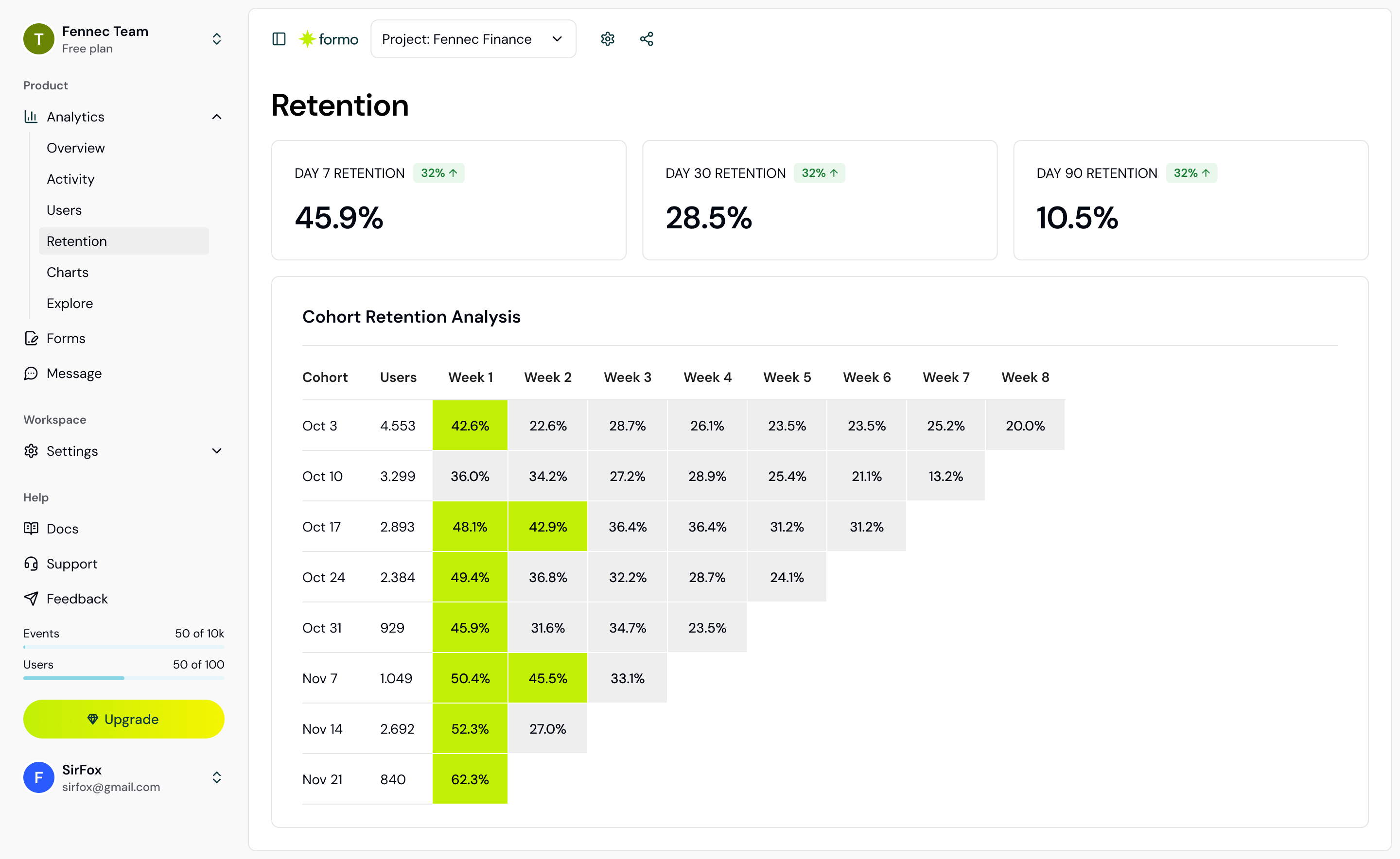 Understanding user retention and engagement allows you to identify which user cohorts are more likely to take specific actions within a given time period.
# Form builder
Source: https://docs.formo.so/features/token-gated-forms/form-builder
Grow your community with token-gated forms.
Understanding user retention and engagement allows you to identify which user cohorts are more likely to take specific actions within a given time period.
# Form builder
Source: https://docs.formo.so/features/token-gated-forms/form-builder
Grow your community with token-gated forms.
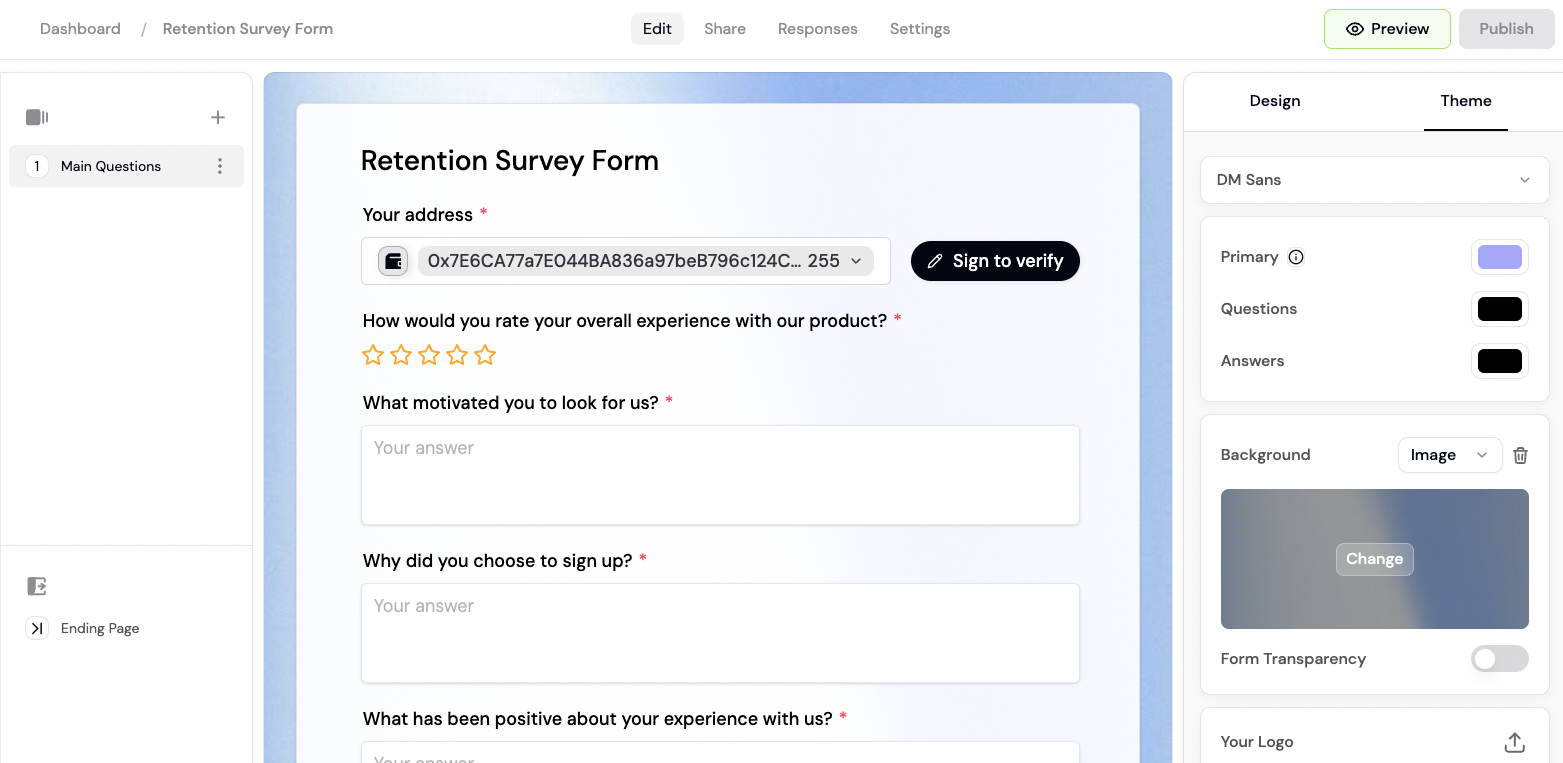 Launch forms, waitlists, and surveys for your community with the best form builder in web3.
* 🔑 **Token gating.** Gate access by token ownership, NFT collections, or other onchain credentials.
* ✅ **Verified socials.** Verify Twitter accounts, Discord usernames, Farcaster, and more.
* 🎨 **Custom branding.** Customize your backgrounds, colours, and logo to match your brand.
* 🎨 **Template library.** Choose from a variety of form templates or build your own.
* 🌐 **World ID** proof-of-personhood verification.
* 🤩 **Zapier** integration to connect with Slack, Notion, and thousands of other tools.
Launch forms, waitlists, and surveys for your community with the best form builder in web3.
* 🔑 **Token gating.** Gate access by token ownership, NFT collections, or other onchain credentials.
* ✅ **Verified socials.** Verify Twitter accounts, Discord usernames, Farcaster, and more.
* 🎨 **Custom branding.** Customize your backgrounds, colours, and logo to match your brand.
* 🎨 **Template library.** Choose from a variety of form templates or build your own.
* 🌐 **World ID** proof-of-personhood verification.
* 🤩 **Zapier** integration to connect with Slack, Notion, and thousands of other tools.
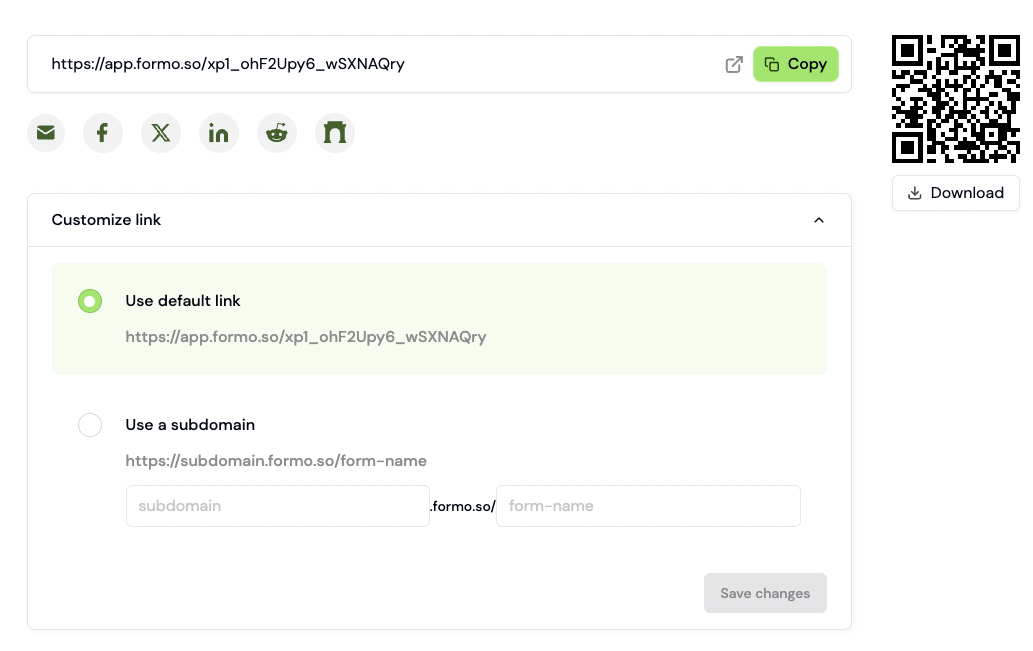
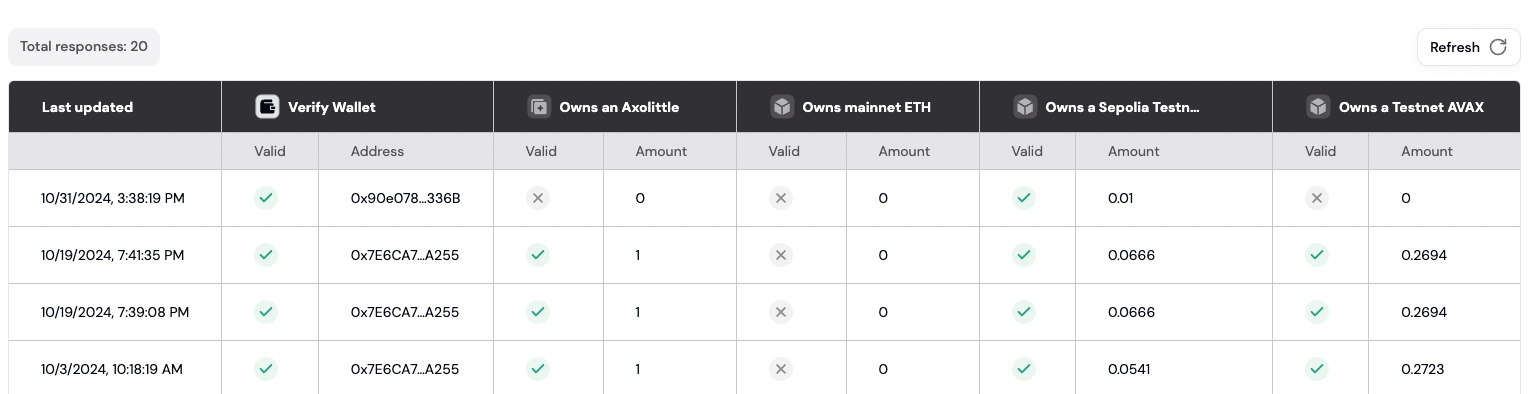 # Token gating
Source: https://docs.formo.so/features/token-gated-forms/token-gating
Control access to your forms by requiring responders to hold specific tokens, NFTs, or complete identity verification.
# Token gating
Source: https://docs.formo.so/features/token-gated-forms/token-gating
Control access to your forms by requiring responders to hold specific tokens, NFTs, or complete identity verification.
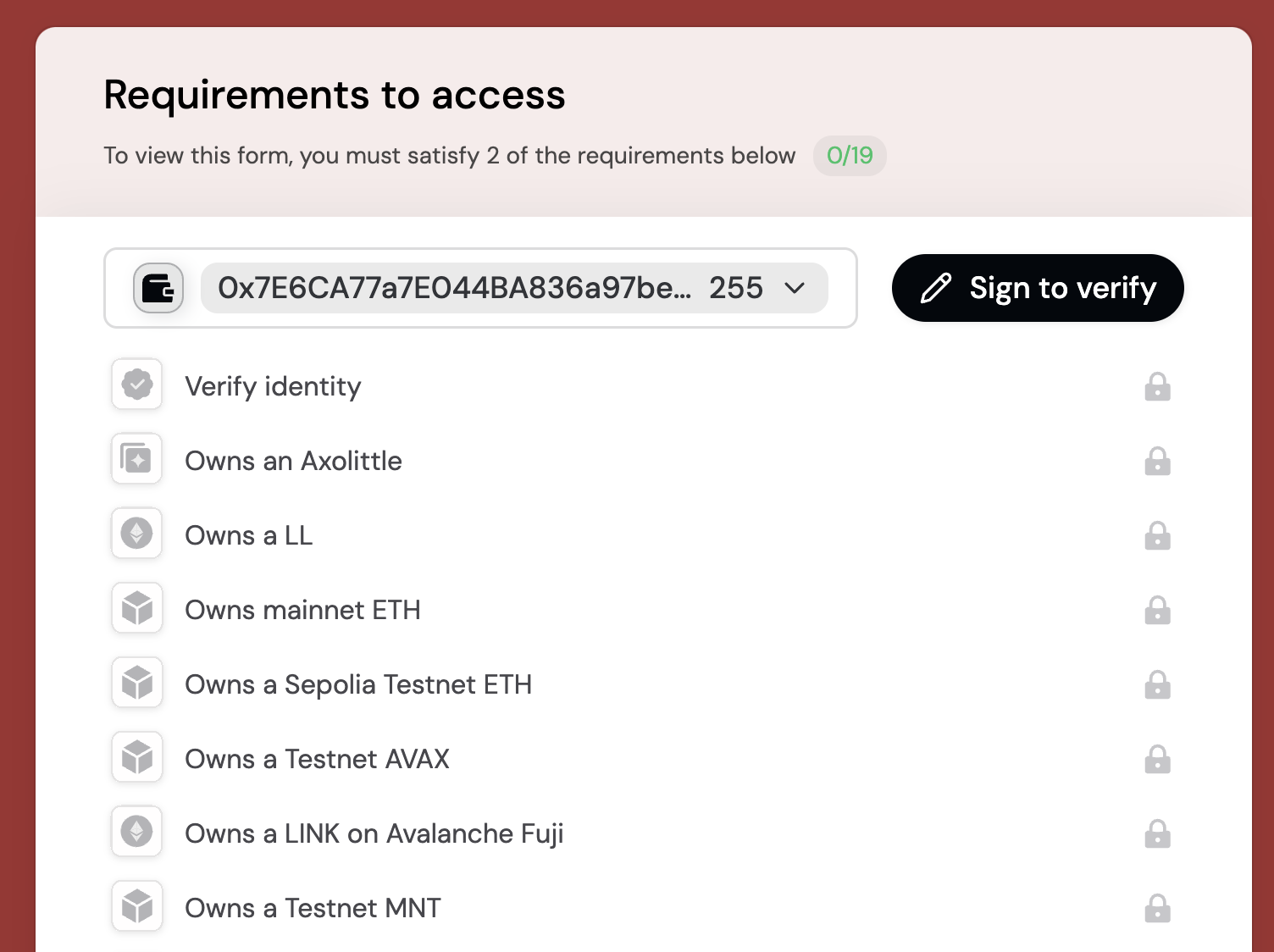 Formo supports token gating, giving you full control over who can access your forms.
## Quickstart
Formo supports token gating, giving you full control over who can access your forms.
## Quickstart
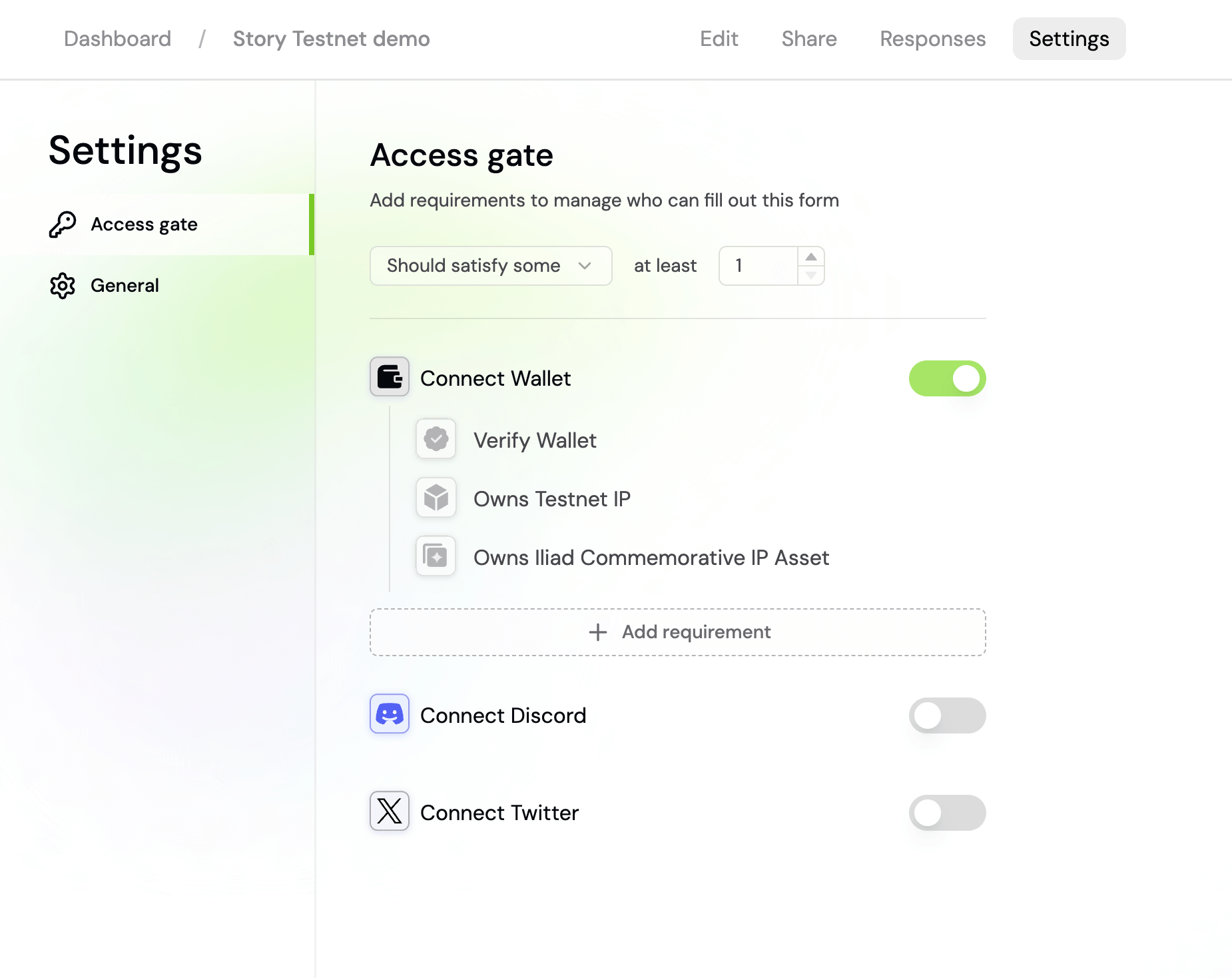
 Your form will verify that responders fulfill your requirements before continuing.
Formo currently supports [15+ chains](/chains/overview).
Choose from different types of token gating requirements, such as ERC20, NFT, proof-of-personhood, and onchain attestations:
Your form will verify that responders fulfill your requirements before continuing.
Formo currently supports [15+ chains](/chains/overview).
Choose from different types of token gating requirements, such as ERC20, NFT, proof-of-personhood, and onchain attestations:
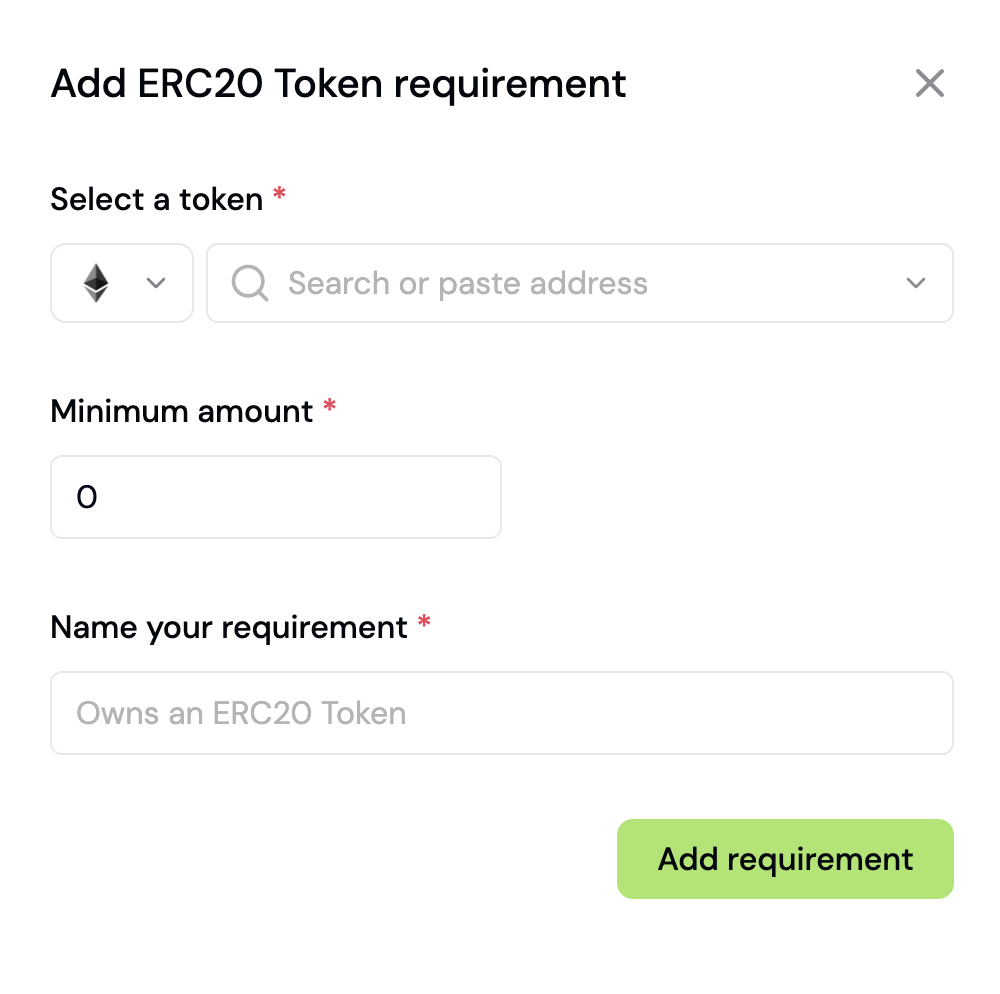 Use Formo to launch waitlists, signup forms, and surveys for your community.
Token gating allows you to restrict form access based on blockchain-based requirements.
This powerful feature enables you to create exclusive experiences for your token holders, NFT collectors, or verified community members.
Whether you're running a token-gated waitlist, collecting feedback from your NFT holders, or creating exclusive surveys for your community, Formo's token gating makes it easy to verify onchain credentials.
# World ID
Source: https://docs.formo.so/features/token-gated-forms/world-id
Enable World ID verification to ensure your form submissions come from real, unique humans.
Use Formo to launch waitlists, signup forms, and surveys for your community.
Token gating allows you to restrict form access based on blockchain-based requirements.
This powerful feature enables you to create exclusive experiences for your token holders, NFT collectors, or verified community members.
Whether you're running a token-gated waitlist, collecting feedback from your NFT holders, or creating exclusive surveys for your community, Formo's token gating makes it easy to verify onchain credentials.
# World ID
Source: https://docs.formo.so/features/token-gated-forms/world-id
Enable World ID verification to ensure your form submissions come from real, unique humans.
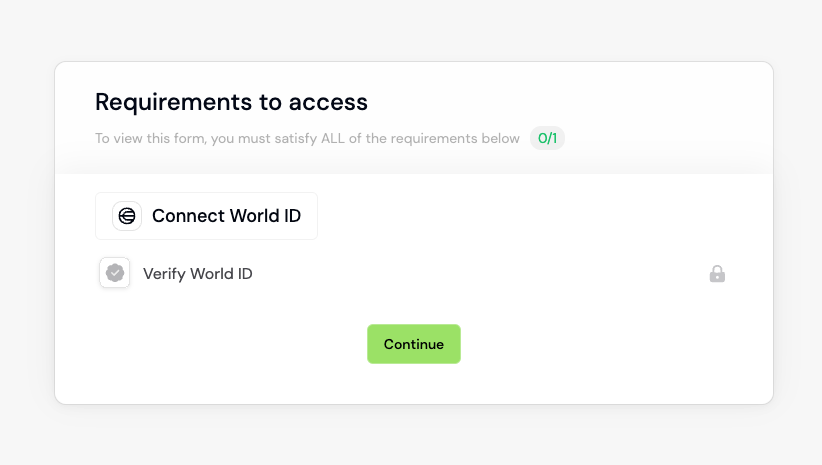 World ID allows you to anonymously and securely verify that you are a real and unique human (and not a bot) for easy online verification like signing into social apps and ensuring fair online activities like voting or buying concert tickets.
You can add enable World ID for your forms in the 'Settings page':
World ID allows you to anonymously and securely verify that you are a real and unique human (and not a bot) for easy online verification like signing into social apps and ensuring fair online activities like voting or buying concert tickets.
You can add enable World ID for your forms in the 'Settings page':
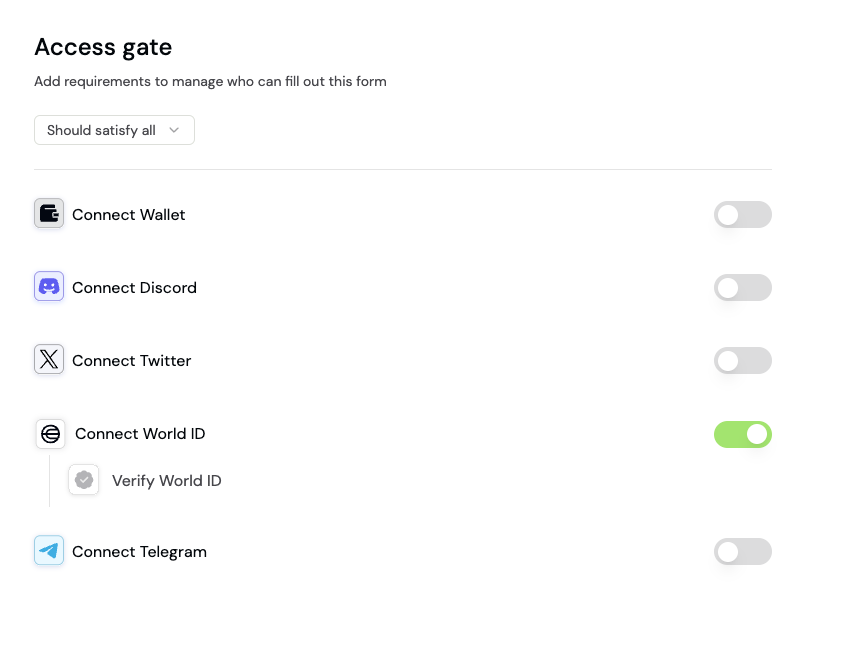 Enable 'Connect World ID' and you are good to go!
# Zapier integration
Source: https://docs.formo.so/features/token-gated-forms/zapier
Formo integrates with thousands of other platforms so you can trigger actions from offchain to onchain.
## What is Zapier?
Zapier lets you [connect Formo to 2,000+ other web services](https://zapier.com/apps/formo/integrations). Automated connections called Zaps, set up in minutes with no coding, can automate your day-to-day tasks and build workflows between apps that otherwise wouldn't be possible.
Each Zap has one app as the Trigger, where your information comes from and which causes one or more Actions in other apps, where your data gets sent automatically.
Sign up for a free Zapier account, from there you can jump right in. To help you hit the ground running, here are some Zap ideas:
## Setting Up Slack Integration in Zapier
### Prerequisites
* A Zapier account
* Your Formo Workspace API Key
### Get your API Key
To find your API Key, go to your workspace settings page with the 'Settings' link on the left sidebar:
Enable 'Connect World ID' and you are good to go!
# Zapier integration
Source: https://docs.formo.so/features/token-gated-forms/zapier
Formo integrates with thousands of other platforms so you can trigger actions from offchain to onchain.
## What is Zapier?
Zapier lets you [connect Formo to 2,000+ other web services](https://zapier.com/apps/formo/integrations). Automated connections called Zaps, set up in minutes with no coding, can automate your day-to-day tasks and build workflows between apps that otherwise wouldn't be possible.
Each Zap has one app as the Trigger, where your information comes from and which causes one or more Actions in other apps, where your data gets sent automatically.
Sign up for a free Zapier account, from there you can jump right in. To help you hit the ground running, here are some Zap ideas:
## Setting Up Slack Integration in Zapier
### Prerequisites
* A Zapier account
* Your Formo Workspace API Key
### Get your API Key
To find your API Key, go to your workspace settings page with the 'Settings' link on the left sidebar:
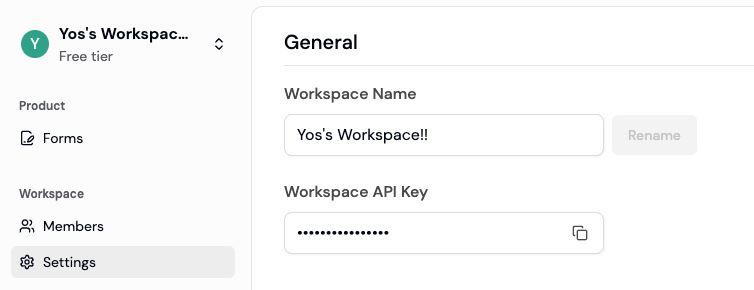 * Click the copy button in the 'Workspace API Key' to copy it.
* You will need this in Step 2.
### Step 1: Initial Zapier Setup
1. Log into your Zapier account.
2. Click "Create Zap" in the top navigation.
### Step 2: Configure Formo Trigger
1. In the trigger section, search for and select "Formo."
2. Choose "New Form Event" as your trigger event.
3. Connect your Formo account:
* Go to your Formo team settings page.
* Paste your Formo API key in Zapier to authenticate.
### Step 3: Configure Form Settings
1. Locate your Form ID:
* Navigate to your form's edit page in Formo.
* Copy the Form ID from your current URL (e.g., the form ID of `https://app.formo.so/20uTXhGkUKCYkssRDKLtm/edit` is `20uTXhGkUKCYkssRDKLtm`)
2. In Zapier, paste in your Form ID.
3. Select your desired event type:
* "New Form Response" - triggers when someone submits a response to your form.
* "Form Updates" - triggers when form data is modified.
### Step 4: Configure Slack Action (Slack Example)
1. Click the plus (+) icon to add an action.
2. Search for and select "Slack" as your action app.
3. Choose your desired Slack action:
* "Send Channel Message" (recommended for team notifications.)
* "Send Direct Message" (for individual notifications.)
4. Connect your Slack account if not already connected.
### Step 5: Customize Slack Message
1. Select the Slack channel or user to receive notifications.
2. Design your message format using Formo form fields.
3. Include relevant information such as:
* Submission timestamp
* Form name
* Response data
* Any custom fields
### Step 6: Test and Enable
1. Click "Test & Review" to verify your setup.
2. Check your Slack channel to confirm the test message.
3. If everything looks correct, click "Publish" to enable your Zap.
### Troubleshooting
* If triggers aren't working, verify your API key is correct.
* Ensure your Form ID matches exactly.
* Check that your Slack permissions are properly configured.
## Setting Up Other Integrations in Zapier
You can set up Formo to integrate with thousands of apps in the [Zapier app marketplace](https://zapier.com/apps)!
Follow our Slack integration guide as an example.
# Audience insights
Source: https://docs.formo.so/features/wallet-intelligence/audience-insights
Get comprehensive insights into your audience including their onchain activity, top dapps, tokens, chains, and net worth.
* Click the copy button in the 'Workspace API Key' to copy it.
* You will need this in Step 2.
### Step 1: Initial Zapier Setup
1. Log into your Zapier account.
2. Click "Create Zap" in the top navigation.
### Step 2: Configure Formo Trigger
1. In the trigger section, search for and select "Formo."
2. Choose "New Form Event" as your trigger event.
3. Connect your Formo account:
* Go to your Formo team settings page.
* Paste your Formo API key in Zapier to authenticate.
### Step 3: Configure Form Settings
1. Locate your Form ID:
* Navigate to your form's edit page in Formo.
* Copy the Form ID from your current URL (e.g., the form ID of `https://app.formo.so/20uTXhGkUKCYkssRDKLtm/edit` is `20uTXhGkUKCYkssRDKLtm`)
2. In Zapier, paste in your Form ID.
3. Select your desired event type:
* "New Form Response" - triggers when someone submits a response to your form.
* "Form Updates" - triggers when form data is modified.
### Step 4: Configure Slack Action (Slack Example)
1. Click the plus (+) icon to add an action.
2. Search for and select "Slack" as your action app.
3. Choose your desired Slack action:
* "Send Channel Message" (recommended for team notifications.)
* "Send Direct Message" (for individual notifications.)
4. Connect your Slack account if not already connected.
### Step 5: Customize Slack Message
1. Select the Slack channel or user to receive notifications.
2. Design your message format using Formo form fields.
3. Include relevant information such as:
* Submission timestamp
* Form name
* Response data
* Any custom fields
### Step 6: Test and Enable
1. Click "Test & Review" to verify your setup.
2. Check your Slack channel to confirm the test message.
3. If everything looks correct, click "Publish" to enable your Zap.
### Troubleshooting
* If triggers aren't working, verify your API key is correct.
* Ensure your Form ID matches exactly.
* Check that your Slack permissions are properly configured.
## Setting Up Other Integrations in Zapier
You can set up Formo to integrate with thousands of apps in the [Zapier app marketplace](https://zapier.com/apps)!
Follow our Slack integration guide as an example.
# Audience insights
Source: https://docs.formo.so/features/wallet-intelligence/audience-insights
Get comprehensive insights into your audience including their onchain activity, top dapps, tokens, chains, and net worth.
 Track and analyze visitors and users in real-time, with automatic labeling and profile data.
Get insights into your audience's onchain activity and other user properties:
* Top dapps
* Top tokens
* Top chains
* A breakdown of users by net worth
* A breakdown of users by revenue / wallet spend
* Wallet labels
Each user is automatically labelled and grouped into segments such as 'New User' or 'Returning User'.
Understand the top wallets, devices, OS, and net worth of your users.
Select a user to view their Wallet Profile.
# Web3 CRM
Source: https://docs.formo.so/features/wallet-intelligence/overview
Understand and target onchain users with comprehensive wallet intelligence features including wallet profiles, audience insights, segmentation, labels, scoring, and messaging.
Track and analyze visitors and users in real-time, with automatic labeling and profile data.
Get insights into your audience's onchain activity and other user properties:
* Top dapps
* Top tokens
* Top chains
* A breakdown of users by net worth
* A breakdown of users by revenue / wallet spend
* Wallet labels
Each user is automatically labelled and grouped into segments such as 'New User' or 'Returning User'.
Understand the top wallets, devices, OS, and net worth of your users.
Select a user to view their Wallet Profile.
# Web3 CRM
Source: https://docs.formo.so/features/wallet-intelligence/overview
Understand and target onchain users with comprehensive wallet intelligence features including wallet profiles, audience insights, segmentation, labels, scoring, and messaging.
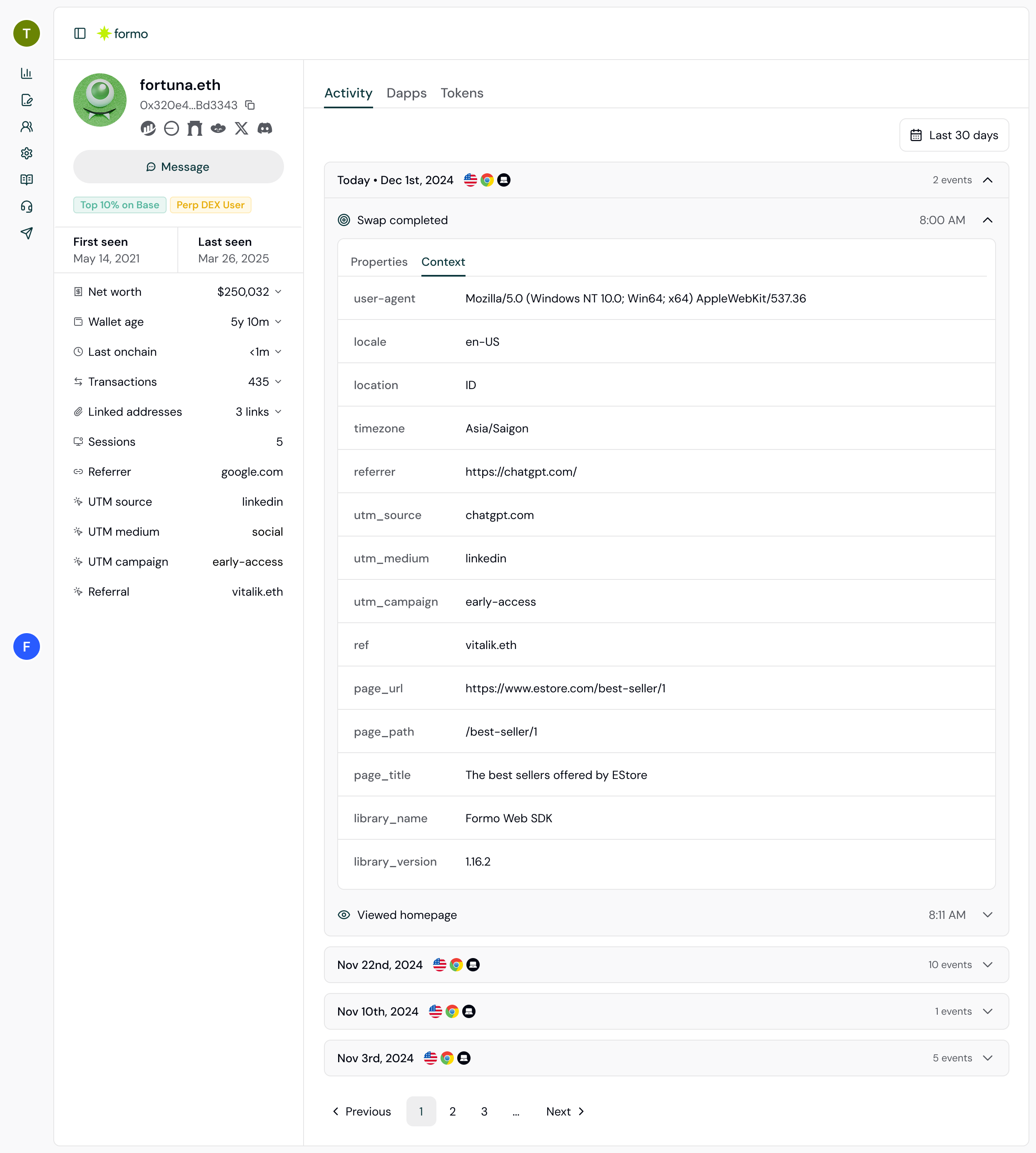
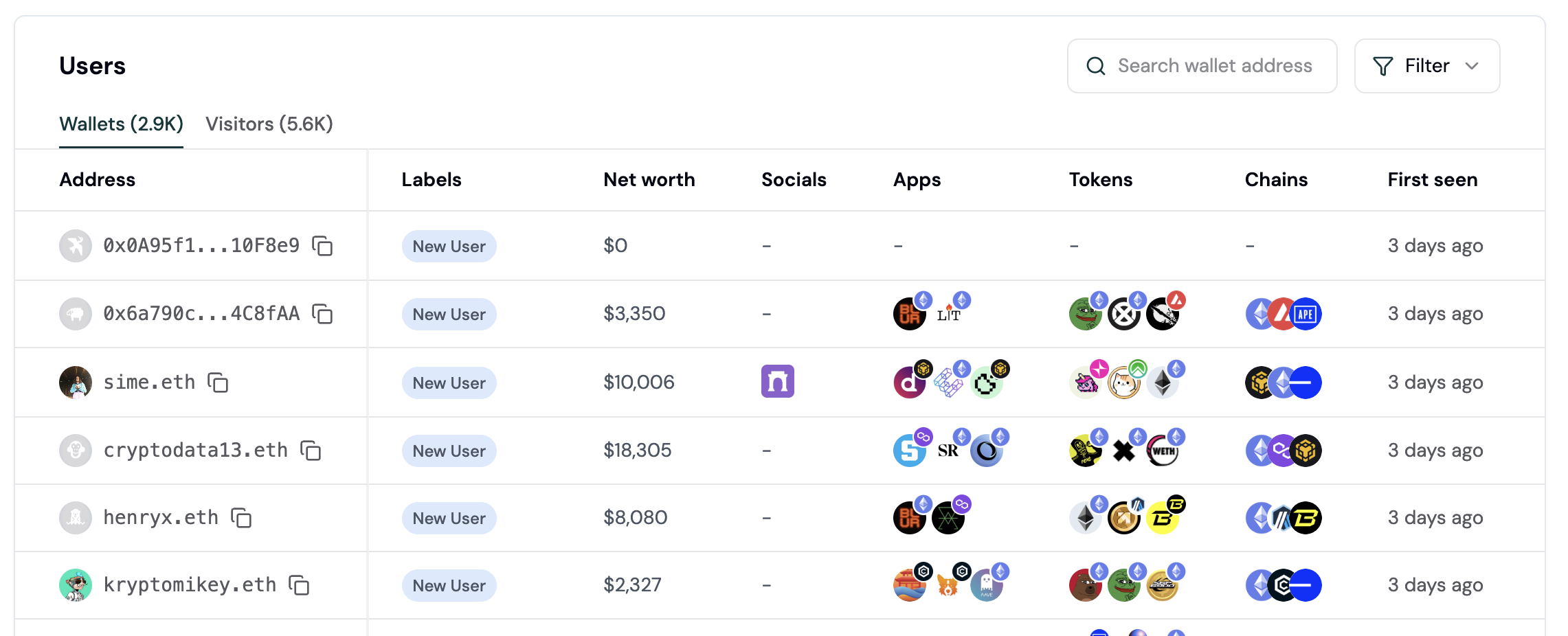 ## Features
Wallet intelligence helps you **understand and target users onchain with crypto-native segmentation**:
* 🕵️♀️ **Wallet profiles.** Turn pseudonymous wallets into actionable onchain personas.
* 👥 **Audience insights.** Get comprehensive insights into your audience, including user lifecycle, apps, tokens, chains, revenue, and retention.
* 🤩 **User segments.** Use precise targeting on segments based on wallet properties, user lifecycle, and in-app activity.
* 🏷️ **Wallet labels.** Understand each user's preferences with autogenerated wallet labels.
* 💬 **Wallet messaging.** Target high-value users with wallet-aware personalization.
* 📊 **Wallet score.** Use a holistic scoring system to distinguish real users from bots.
Unify offchain and onchain data to build a complete picture of your users with Formo's wallet-native web3 CRM.
Profile data is available for querying and export in the [Profiles API](/api-reference/overview#wallet-profile-api).
# User segments
Source: https://docs.formo.so/features/wallet-intelligence/segments
Group users based on demographics, behaviors, and wallet properties.
## Features
Wallet intelligence helps you **understand and target users onchain with crypto-native segmentation**:
* 🕵️♀️ **Wallet profiles.** Turn pseudonymous wallets into actionable onchain personas.
* 👥 **Audience insights.** Get comprehensive insights into your audience, including user lifecycle, apps, tokens, chains, revenue, and retention.
* 🤩 **User segments.** Use precise targeting on segments based on wallet properties, user lifecycle, and in-app activity.
* 🏷️ **Wallet labels.** Understand each user's preferences with autogenerated wallet labels.
* 💬 **Wallet messaging.** Target high-value users with wallet-aware personalization.
* 📊 **Wallet score.** Use a holistic scoring system to distinguish real users from bots.
Unify offchain and onchain data to build a complete picture of your users with Formo's wallet-native web3 CRM.
Profile data is available for querying and export in the [Profiles API](/api-reference/overview#wallet-profile-api).
# User segments
Source: https://docs.formo.so/features/wallet-intelligence/segments
Group users based on demographics, behaviors, and wallet properties.
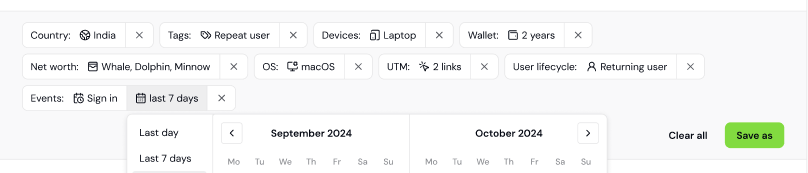 Segments are groups of users that share a certain set of properties or who perform a similar sequence of events.
Formo lets you define segments, view the list of users that comprise them, compare them in your analysis, and share them with your team.
Target exactly the right people based on any number or combination of conditions:
* US Users: Users who are from the US
* DeFi Users: Users with the 'DeFi Trader' or 'Dex User'
* Whales: Users with the 'Whale' label who have net worth above \$1M.
* Dropped-Off Users: Users who did not come back the following week
You can use wallet labels, offchain, and onchain properties to create your segments.
> 🚧 In development. Reach out to get early access. 🚧
# Wallet labels
Source: https://docs.formo.so/features/wallet-intelligence/wallet-labels
Understand user interests and behavior with automatically generated wallet labels based on onchain activity, reputation, and user properties.
Segments are groups of users that share a certain set of properties or who perform a similar sequence of events.
Formo lets you define segments, view the list of users that comprise them, compare them in your analysis, and share them with your team.
Target exactly the right people based on any number or combination of conditions:
* US Users: Users who are from the US
* DeFi Users: Users with the 'DeFi Trader' or 'Dex User'
* Whales: Users with the 'Whale' label who have net worth above \$1M.
* Dropped-Off Users: Users who did not come back the following week
You can use wallet labels, offchain, and onchain properties to create your segments.
> 🚧 In development. Reach out to get early access. 🚧
# Wallet labels
Source: https://docs.formo.so/features/wallet-intelligence/wallet-labels
Understand user interests and behavior with automatically generated wallet labels based on onchain activity, reputation, and user properties.
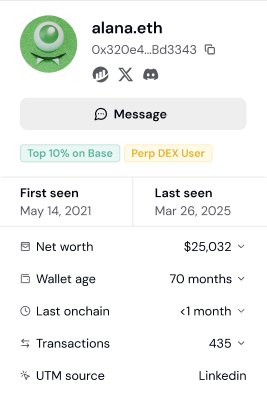 **Wallet Labels** are more than just simple tags or annotations. They provide valuable context and clarity to blockchain addresses, enhancing the readability and understanding of onchain data.
## Overview
Each tracked user on Formo is assigned wallet labels based on their onchain activity and other data. Example labels include:
* DeFi Trader
* Gamer
* Perp DEX User
* Top 10% on Base
* NFT Whale
* ETH Staker
* Coinbase Verified
This helps you understand your users interests and behaviour. Wallet labels help you target qualified users who in your Ideal Customer Profile (ICP.)
## Wallet Labels
Here are the labels Formo currently supports:
| Label | Description |
| ------------------ | -------------------------------- |
| **New User** | Number of sessions = 1 |
| **Returning User** | Number of sessions > 1 and \< 10 |
| **Power User** | Number of sessions > 10 |
***
> 🚧
> In development. Reach out to let us know what you'd like to know about your users. 🚧
# Wallet messaging
Source: https://docs.formo.so/features/wallet-intelligence/wallet-messaging
Send targeted messages to onchain users across multiple channels including in-app notifications, XMTP, and Farcaster, with deep personalization based on wallet intelligence.
**Wallet Labels** are more than just simple tags or annotations. They provide valuable context and clarity to blockchain addresses, enhancing the readability and understanding of onchain data.
## Overview
Each tracked user on Formo is assigned wallet labels based on their onchain activity and other data. Example labels include:
* DeFi Trader
* Gamer
* Perp DEX User
* Top 10% on Base
* NFT Whale
* ETH Staker
* Coinbase Verified
This helps you understand your users interests and behaviour. Wallet labels help you target qualified users who in your Ideal Customer Profile (ICP.)
## Wallet Labels
Here are the labels Formo currently supports:
| Label | Description |
| ------------------ | -------------------------------- |
| **New User** | Number of sessions = 1 |
| **Returning User** | Number of sessions > 1 and \< 10 |
| **Power User** | Number of sessions > 10 |
***
> 🚧
> In development. Reach out to let us know what you'd like to know about your users. 🚧
# Wallet messaging
Source: https://docs.formo.so/features/wallet-intelligence/wallet-messaging
Send targeted messages to onchain users across multiple channels including in-app notifications, XMTP, and Farcaster, with deep personalization based on wallet intelligence.
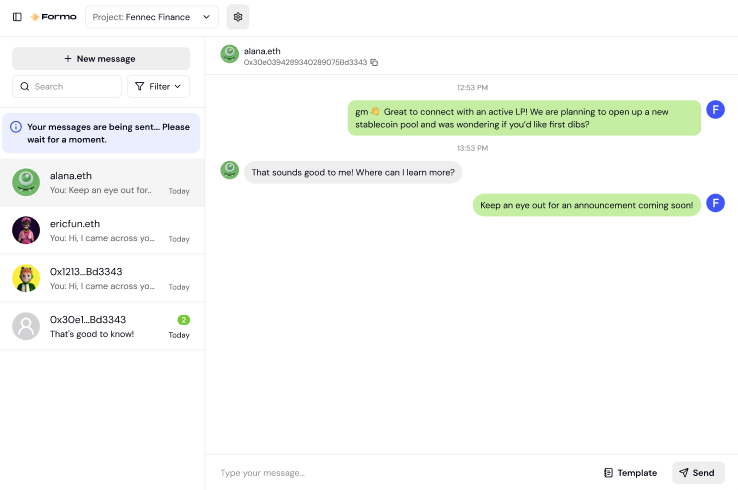 Activate your top, high-value onchain users, at scale. Use wallet messaging together with [wallet profiles](/features/wallet-intelligence/wallet-profiles) to target your most valuable users.
Wallet messaging supports the following channels:
* In-App Notifications (Web SDK)
* XMTP Messages
* Farcaster Direct Casts
> 🚧 In development. Reach out to get early access. 🚧
# Wallet profiles
Source: https://docs.formo.so/features/wallet-intelligence/wallet-profiles
Get detailed insights into how onchain users interact with your app through unified profile and session tracking.
Activate your top, high-value onchain users, at scale. Use wallet messaging together with [wallet profiles](/features/wallet-intelligence/wallet-profiles) to target your most valuable users.
Wallet messaging supports the following channels:
* In-App Notifications (Web SDK)
* XMTP Messages
* Farcaster Direct Casts
> 🚧 In development. Reach out to get early access. 🚧
# Wallet profiles
Source: https://docs.formo.so/features/wallet-intelligence/wallet-profiles
Get detailed insights into how onchain users interact with your app through unified profile and session tracking.
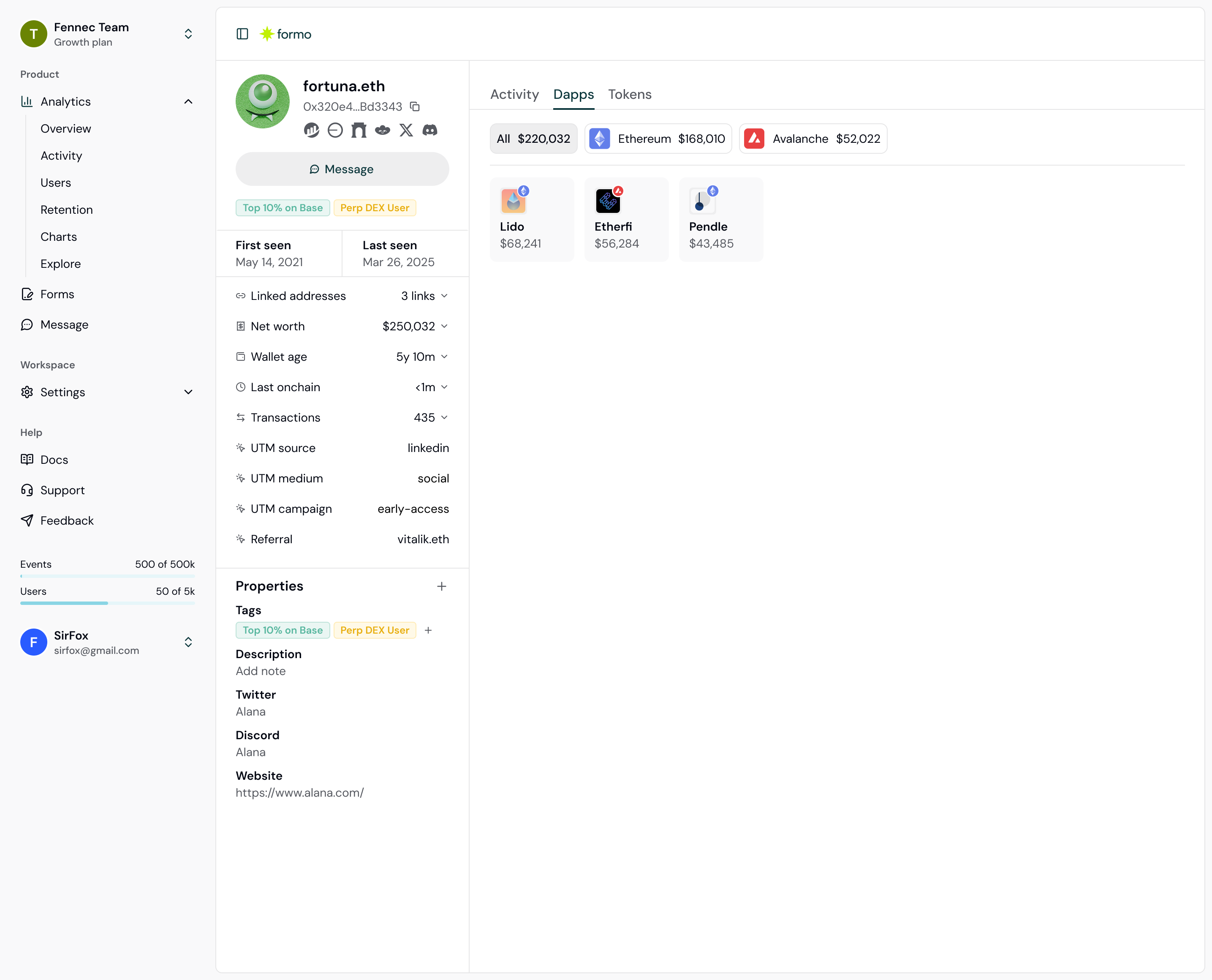 Formo's **Wallet Profiles** unifies data from offchain and onchain data sources to give you a 360° view of your users.
Turn anonymous wallets into actionable, onchain personas. Capture the full user journey to understand how users use your app.
Gain a complete view of each user's behaviour across chains and platforms:
* Wallet address, ENS profile, net worth, and transaction frequency
* Real-time feed of what each user is doing on your dapp, with full attribution through referrers and UTM sources
* Dapps the user has interacted with
* DeFi positions and token balances of the user across multiple chains
* Wallet labels based on the user's onchain activity (DeFi Trader, NFT Collector, etc.)
* Linked wallet addresses
* CAC, ARPU, and LTV
> Let us know what you'd like to know about your onchain users. Message us on [Slack](https://formo.so/slack) or [email](mailto:yos@formo.so).
# Wallet score
Source: https://docs.formo.so/features/wallet-intelligence/wallet-score
Segment and rank onchain users with labels, segments, and reputation score based on onchain activity, wallet labels, attestations, and proof-of-personhood.
Each user is assigned a **wallet score.** This score is calculated from their onchain footprint, wallet labels, attestations, and proof-of-personhood.
Use this score to segment and rank your users. Distinguish genuine users from bots and sybil farmers.
> 🚧 In development. Reach out to get early access. 🚧
# Install
Source: https://docs.formo.so/install
Installing Formo is easy and quick. This guide will show you how to do it with our SDKs. Get realtime analytics and attribution for onchain apps in less time.
## Instructions
Pick your stack and add the code below to your codebase.
Formo's **Wallet Profiles** unifies data from offchain and onchain data sources to give you a 360° view of your users.
Turn anonymous wallets into actionable, onchain personas. Capture the full user journey to understand how users use your app.
Gain a complete view of each user's behaviour across chains and platforms:
* Wallet address, ENS profile, net worth, and transaction frequency
* Real-time feed of what each user is doing on your dapp, with full attribution through referrers and UTM sources
* Dapps the user has interacted with
* DeFi positions and token balances of the user across multiple chains
* Wallet labels based on the user's onchain activity (DeFi Trader, NFT Collector, etc.)
* Linked wallet addresses
* CAC, ARPU, and LTV
> Let us know what you'd like to know about your onchain users. Message us on [Slack](https://formo.so/slack) or [email](mailto:yos@formo.so).
# Wallet score
Source: https://docs.formo.so/features/wallet-intelligence/wallet-score
Segment and rank onchain users with labels, segments, and reputation score based on onchain activity, wallet labels, attestations, and proof-of-personhood.
Each user is assigned a **wallet score.** This score is calculated from their onchain footprint, wallet labels, attestations, and proof-of-personhood.
Use this score to segment and rank your users. Distinguish genuine users from bots and sybil farmers.
> 🚧 In development. Reach out to get early access. 🚧
# Install
Source: https://docs.formo.so/install
Installing Formo is easy and quick. This guide will show you how to do it with our SDKs. Get realtime analytics and attribution for onchain apps in less time.
## Instructions
Pick your stack and add the code below to your codebase.
Welcome to the Home Page!
;
};
export default HomePage;
```
Welcome to the Home Page!
;
};
export default HomePage;
```
Welcome to the Home Page!
;
};
export default HomePage;
```
 Understand your users, where they come from, and what they do so you can build a better app. Save time and money from having to manage your own data pipelines and infrastructure.
## Key Features
### [Product Analytics](/features/product-analytics/overview)
Unified web and product analytics designed for crypto product and marketing teams:
* 📊 **Track key growth metrics.** Track visitor counts, DAU, WAU, MAU, transactions, retention, and churn. Measure engagement and growth over time.
* 🎯 **Onchain attribution.** Identify the top channels and growth initiatives that drive onchain activity. Understand where users come from.
* 📈 **Charts and Funnels.** Visualize your data on custom charts and reports with SQL or AI.
### [Wallet Intelligence](/features/wallet-intelligence/overview)
Identify and activate your high-value users with unified user profiles:
* 🕵️♂️ **Wallet profiles.** Turn anonymous wallets into high-value users with onchain and offchain data. Track usage of specific, high-value wallets on your dapp.
* 👥 **Audience insights.** Get comprehensive insights into your audience including top dapps, tokens, chains, net worth, revenue, and retention.
* 🤩 **User segmentation.** Use precise targeting based on wallet holdings, DeFi positions, socials, communities, and cross-platform activity.
### [Token Gated Forms](/features/token-gated-forms/form-builder)
Launch waitlists, forms, and surveys for your community:
* 🔐 **Token gating.** Capture wallet data, token balances, attestations, and other onchain signals.
* ✅ **Verified socials.** Verify Twitter accounts, Discord usernames, Farcaster, and more.
* 🎨 **Template library.** Choose from a variety of form templates or build your own.
## Next Steps
Now that you understand the basics, it's time to get set up:
Understand your users, where they come from, and what they do so you can build a better app. Save time and money from having to manage your own data pipelines and infrastructure.
## Key Features
### [Product Analytics](/features/product-analytics/overview)
Unified web and product analytics designed for crypto product and marketing teams:
* 📊 **Track key growth metrics.** Track visitor counts, DAU, WAU, MAU, transactions, retention, and churn. Measure engagement and growth over time.
* 🎯 **Onchain attribution.** Identify the top channels and growth initiatives that drive onchain activity. Understand where users come from.
* 📈 **Charts and Funnels.** Visualize your data on custom charts and reports with SQL or AI.
### [Wallet Intelligence](/features/wallet-intelligence/overview)
Identify and activate your high-value users with unified user profiles:
* 🕵️♂️ **Wallet profiles.** Turn anonymous wallets into high-value users with onchain and offchain data. Track usage of specific, high-value wallets on your dapp.
* 👥 **Audience insights.** Get comprehensive insights into your audience including top dapps, tokens, chains, net worth, revenue, and retention.
* 🤩 **User segmentation.** Use precise targeting based on wallet holdings, DeFi positions, socials, communities, and cross-platform activity.
### [Token Gated Forms](/features/token-gated-forms/form-builder)
Launch waitlists, forms, and surveys for your community:
* 🔐 **Token gating.** Capture wallet data, token balances, attestations, and other onchain signals.
* ✅ **Verified socials.** Verify Twitter accounts, Discord usernames, Farcaster, and more.
* 🎨 **Template library.** Choose from a variety of form templates or build your own.
## Next Steps
Now that you understand the basics, it's time to get set up:
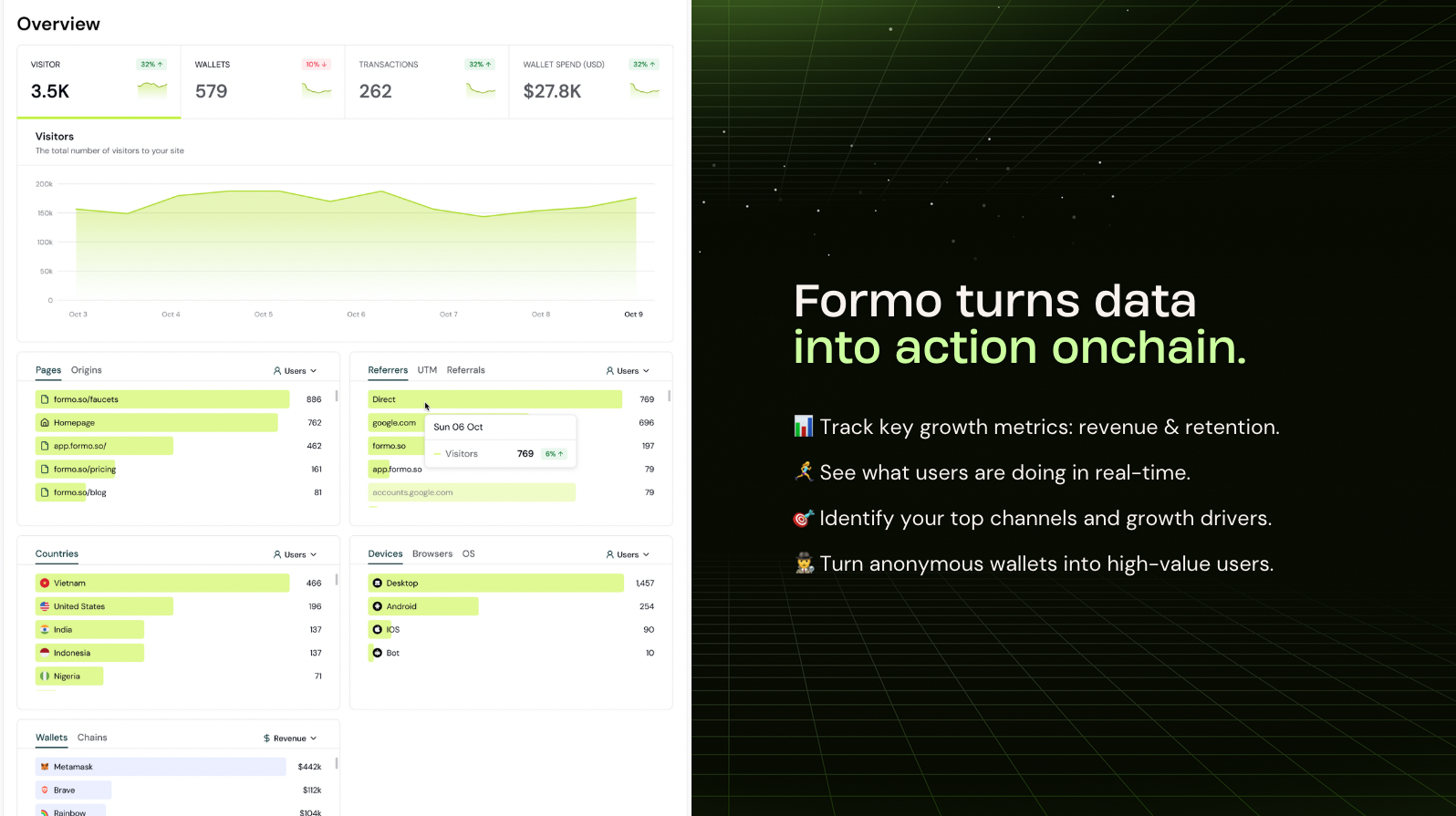 The Formo Web SDK is [open source](https://github.com/getformo/sdk) and implements the standard [Events API](/data/events#events-api).
## Installation
### Websites
Install this snippet at the `` of your website:
```html
```
Enable [Subresource Integrity (SRI)](/security/sri) to improve site security.
### React & Next.js
[Install](/install) the JavaScript SDK via CDN or NPM.
```bash
npm install @formo/analytics --save
```
```tsx
// App.tsx (or App.js)
import { FormoAnalyticsProvider } from '@formo/analytics';
const root = ReactDOM.createRoot(document.getElementById('root') as HTMLElement);
root.render(
The Formo Web SDK is [open source](https://github.com/getformo/sdk) and implements the standard [Events API](/data/events#events-api).
## Installation
### Websites
Install this snippet at the `` of your website:
```html
```
Enable [Subresource Integrity (SRI)](/security/sri) to improve site security.
### React & Next.js
[Install](/install) the JavaScript SDK via CDN or NPM.
```bash
npm install @formo/analytics --save
```
```tsx
// App.tsx (or App.js)
import { FormoAnalyticsProvider } from '@formo/analytics';
const root = ReactDOM.createRoot(document.getElementById('root') as HTMLElement);
root.render(
Welcome to the Home Page!
;
};
export default HomePage;
```
## Autocapture
The Web SDK automatically captures common events such as page views and wallet events (connect, disconnect, signature, transaction, etc) with full attribution (referrer, UTM, referrals.)
You do not need to configure anything to track these events.
## Identify users
Call [`identify()`](/data/events/identify) after a user connects their wallet or signs in on your website or app:
```ts
analytics.identify({ address });
OR
window.formo.identify(...);
```
If no parameters are specified, the Formo SDK will attempt to auto-identify the wallet address.
## Track events
Track user actions by calling the [`track`](/data/events/track) function:
```ts
import { useFormo } from '@formo/analytics';
const analytics = useFormo();
analytics.track("Position Opened", // event name
{
pool_id: "LINK/ETH",
revenue: 99.99, // revenue
currency: "USD", // currency
points: 99.99 // points for XP or rewards
}
)
OR
window.formo.track(...)
```
## Code examples