

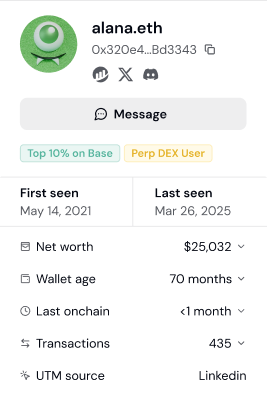
Enrich user profiles with wallet labels.
List of Labels
Each tracked user on Formo is assigned labels based on their onchain activity and other data.User lifecycle labels
Every wallet is assigned a lifecycle stage based on its recency and active days: New, Returning, Power user, At Risk, Churned, or Resurrected. See User lifecycle for the exact rules and thresholds.Attestations
Sybil
Wallets that appear on published airdrop sybil / farmer lists. These are one-time historical snapshots from past airdrop investigations, so a wallet is labeled only if it was named in the original list.Behavioural labels
Behavioural labels computed from a wallet’s current onchain positions. Formo groups every protocol a wallet holds a position in into a category (lending, DEX, perps, staking, and so on) and applies one rule per label. Each label carries a value: the USD amount behind the label, which you can filter with>, >=, < and <=, or for the bridge and aggregator labels the names of the protocols the wallet used, which you can filter by protocol.
Rules that apply to every label below:
- Only positions from the wallet’s latest profile snapshot count. A position the wallet has closed never lingers.
- Labels refresh daily and are removed automatically when the rule stops holding.
- An active wallet is re-profiled every 30 days.
Others
How to use labels for targeting
This section covers using labels to identify and target specific user types.How labels work
Formo automatically analyzes each wallet’s onchain activity and assigns relevant labels. Labels update as users’ behavior changes. You can also add your own custom labels to a wallet for information Formo can’t detect on its own. Label sources:- Lifecycle - Engagement stage derived from each wallet’s recency and active days
- Attestations - Verified credentials from Coinbase, Binance, Human Passport, and OFAC sanction lists
- Behavioural labels - What the wallet currently does onchain: lending, borrowing, liquidity provision, staking, perps, options, basis trading, real-world assets, bridges and aggregators
- Sybil lists - Membership in published airdrop sybil / farmer lists (LayerZero, Hop, Optimism)
- Campaigns - Participation in incentive campaigns such as Merkl
- Onchain registries - Standards such as ERC-8004 that identify AI agent wallets
- Custom - Labels you add manually to a wallet’s profile
Step 1: View labels on a user profile
- Go to Users and click any wallet address
- Open the Properties tab
- See all labels assigned to this user in the User Labels section
Step 2: Filter users by label
Use labels to find specific user types:- Go to Users
- Click Add Filter
- Select Label as the filter type
- Choose the label(s) you want
Step 3: Combine labels with other filters
Combine labels with other filters to narrow further: High-value DeFi users:
Verified users from campaigns:
At-risk whales:
Step 4: Save as a segment
Turn useful label combinations into reusable segments:- Apply your label + other filters
- Click Save Segment
- Name it descriptively (e.g., “Verified DeFi Whales”)
- Use the segment for analysis, exports, or alerts
Common targeting strategies
Identify your ICP (Ideal Customer Profile):- Look at your best users (highest volume, most active)
- Check which labels they share
- Create a segment with those labels
- Use it to find similar users
- Filter by Label != “OFAC Sanctioned”
- Add Human Passport Score > 20 for sybil resistance
- Export clean lists for marketing or rewards
- Combine multiple positive labels (Power user + Coinbase Verified Account + Human Passport Score > 50)
- Users matching more labels = higher quality
- Prioritize multi-label users for outreach
- Use Apps filter to find users of competitor protocols
- Combine with labels showing high engagement
- Target these users with differentiated messaging
Label-based alerting
Set up alerts based on labels:- Go to Settings > Alerts
- Create a User alert
- Add filters: Lifecycle = “Power user” AND net_worth_usd > 100000, or Labels = your target label
- Get notified within 5 minutes when a wallet matching those filters becomes active