

Send Query
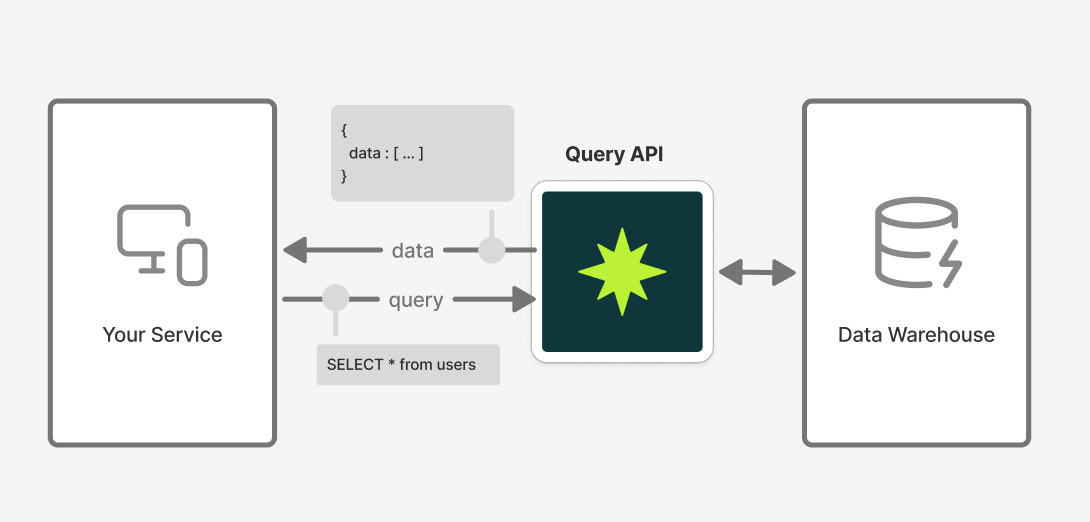
Execute read-only SQL queries against your Formo analytics data warehouse via the API. Returns structured results for events, users, and sessions.
Authentication
Use a Workspace API Key withquery:read permission. Send it in the Authorization header:
Request
- Method:
POST - Path:
/v0/query - Body:
- Query must be a single
SELECT/WITHstatement (read-only). - No comments or multiple statements.
LIMITis optional (defaults to 100 rows if omitted) and must be<= 1000000.
Response
200 OK returns rows plus pagination metadata reflecting the LIMIT / OFFSET you wrote into the SQL.
limit/offset (not page/size) because the client controls pagination directly through the SQL query - Formo just echoes the values back.
Errors
Branch onerror.code; see Errors for the full reference.
400 BAD_REQUEST: missing query, invalid SQL,LIMITover 1,000,000, or missing project id.401 UNAUTHORIZED: missing/invalid authorization header or API key.403 FORBIDDEN: API key lacksquery:readscope.404 NOT_FOUND: project or read token not found.429 TOO_MANY_REQUESTS: per-workspace rate limit exceeded.500 INTERNAL_SERVER_ERROR: failure executing the query.
Authorizations
Workspace API key (e.g. formo_xxx). Create one in the Formo dashboard under Team Settings > API.
Body
SQL query to execute
Response
Offset-paginated query results. The server doesn't own pagination here; LIMIT and OFFSET come from your SQL string and are echoed back. total is the row count before LIMIT was applied; has_more is true when there are additional rows beyond the current window.
Result rows.
Total rows before LIMIT was applied.
Applied LIMIT (parsed from your SQL; defaults to the server cap if absent).
Applied OFFSET (parsed from your SQL; 0 if absent).
True when offset + data.length < total; i.e. there's another page to fetch by re-running with a higher OFFSET.