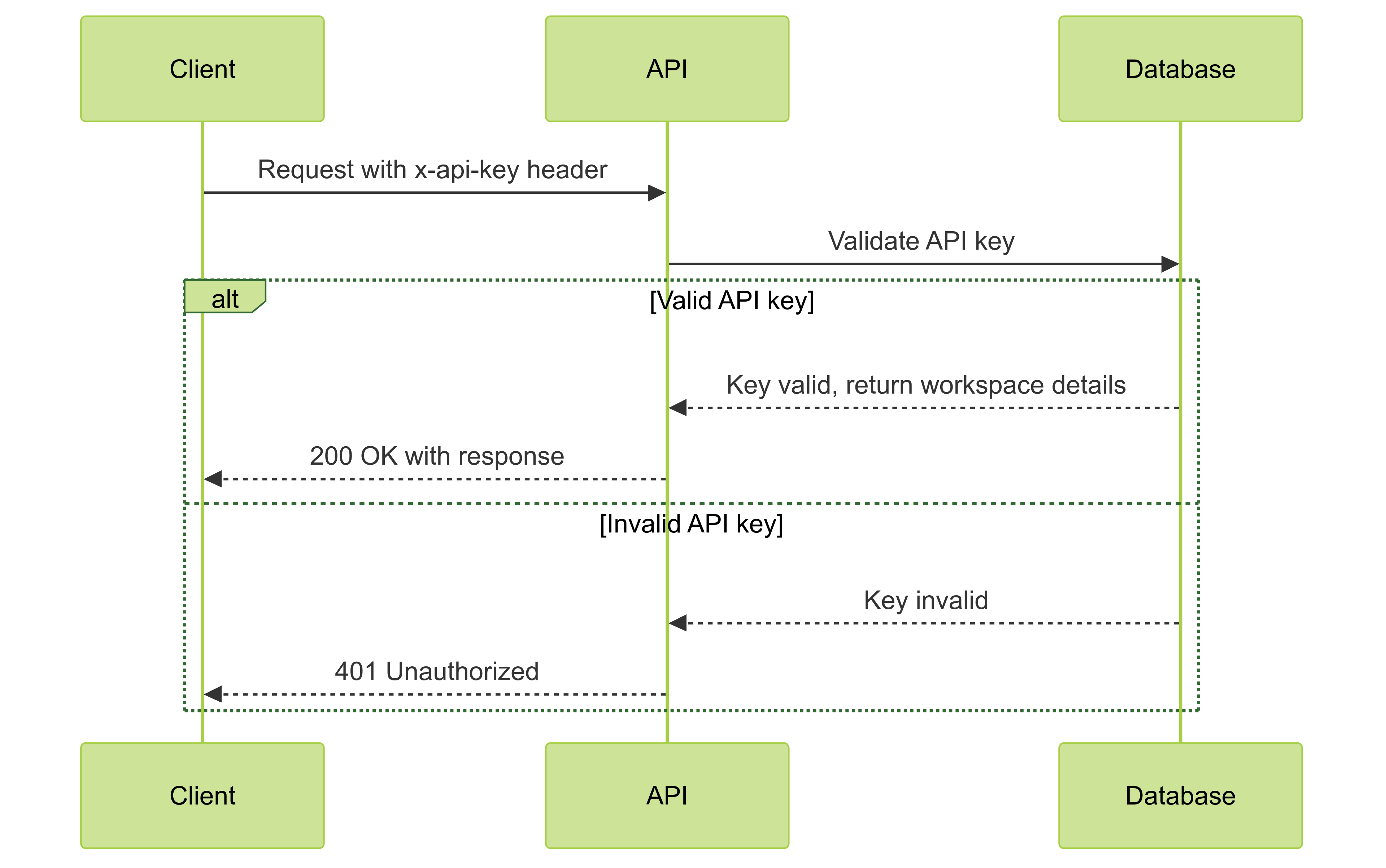
All API endpoints require authentication using either:
  • a Workspace API Key to query data and fetch profiles
  • a SDK Write Key to send events
You’ll need to include the key or token in the request headers for all API calls.

Workspace API Key

Find your API key in your workspace settings. Create one with the appropriate scope if you don’t have one yet.
Where to find your Workspace API key
To access the Profiles and Query API, include your workspace API key in your request headers as a Bearer token:
Authorization: Bearer <your_workspace_api_key>
API Authentication Flow Diagram

API Scopes

When creating a Workspace API Key, select the scopes your key needs. Each API endpoint requires a specific scope.
ScopeDescriptionRequired Plan
query:readExecute SQL analytics queriesAll plans
profiles:readSearch and get wallet profilesAll plans
profiles:writeImport wallet addresses (requires profiles:read)Scale / Enterprise
alerts:readList and get alertsScale / Enterprise
alerts:writeCreate, update, delete alerts (requires alerts:read)Scale / Enterprise
boards:readList and get boards and chartsScale / Enterprise
boards:writeCreate, update, delete boards and charts (requires boards:read)Scale / Enterprise
contracts:readList contractsScale / Enterprise
contracts:writeCreate, update, delete contracts (requires contracts:read)Scale / Enterprise
segments:readList segmentsScale / Enterprise
segments:writeCreate and delete segments (requires segments:read)Scale / Enterprise
mcp:readMCP protocol accessScale / Enterprise
Write scopes automatically require the corresponding read scope. Premium scopes are only available on Scale and Enterprise plans. Create keys with the required scopes in Team Settings > API Keys.

SDK Write Key

Find your SDK Write Key in your project settings.
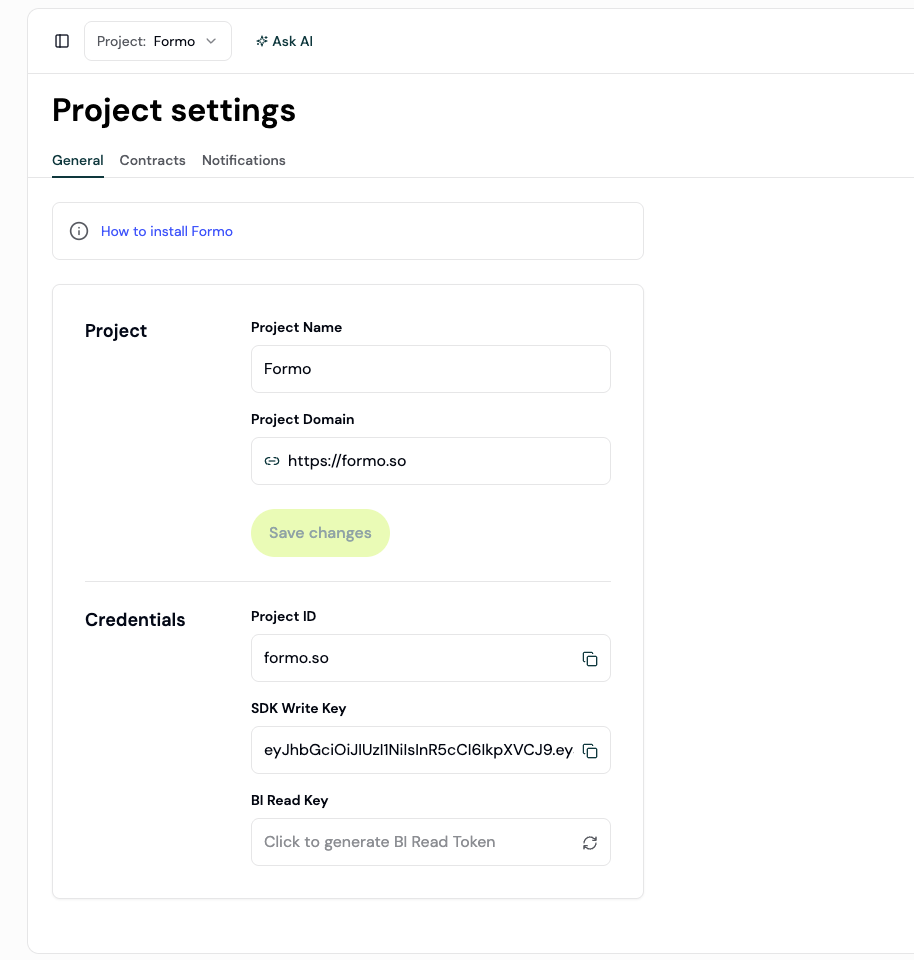
Tokens in project settings page
To send events through the Events API, include the SDK Write Key in your request headers:
Authorization: Bearer <token>