

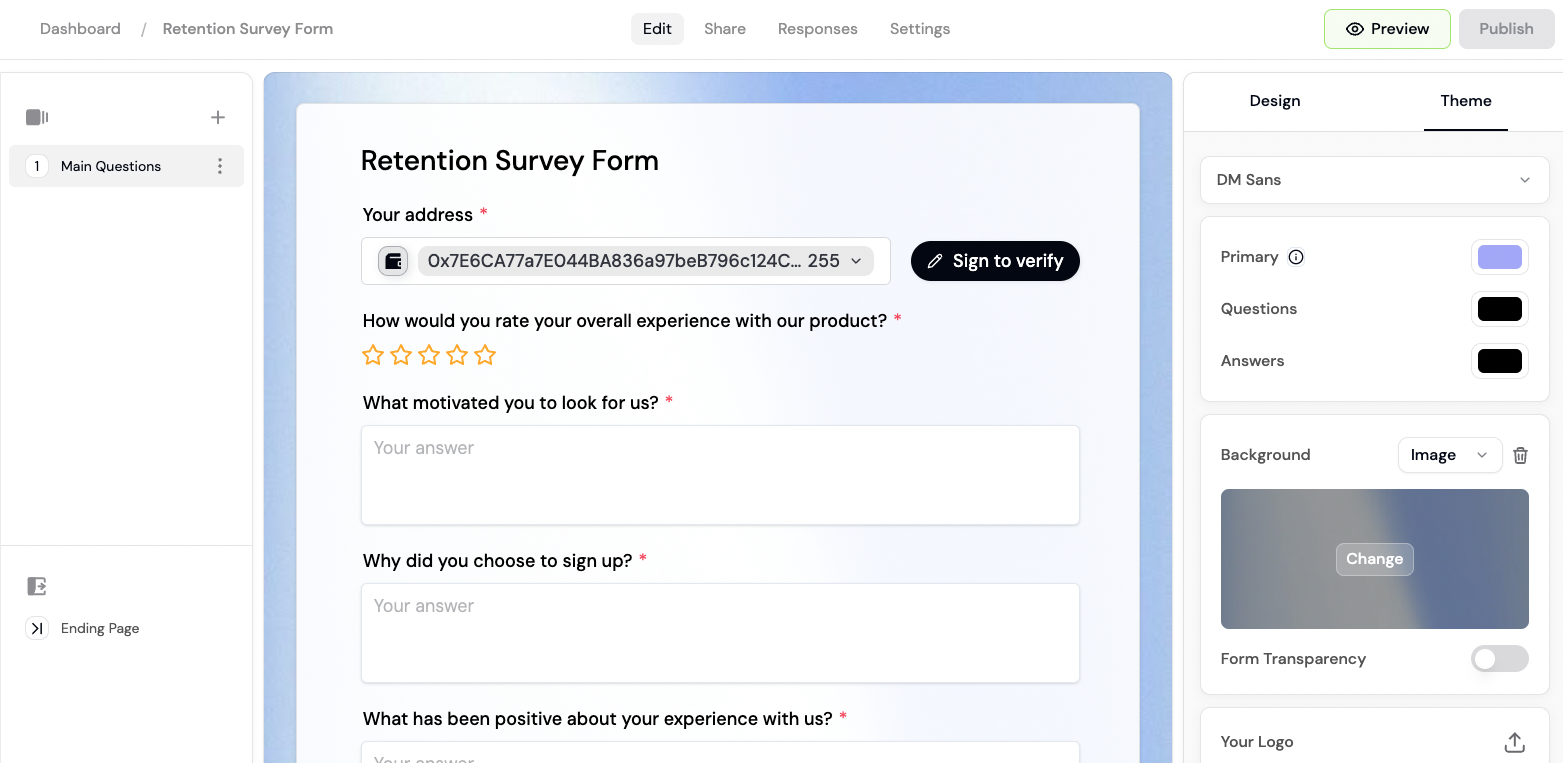
Drag-and-drop fields, no code required.
- 🔑 Token gating. Gate access by token ownership, NFT collections, or other onchain credentials.
- ✅ Verified socials. Verify Twitter accounts, Discord usernames, and more.
- 🎨 Custom branding. Customize your backgrounds, colors, and logo to match your brand.
- 🎨 Template library. Choose from a variety of form templates or build your own.
- 🌐 World ID proof-of-personhood verification.
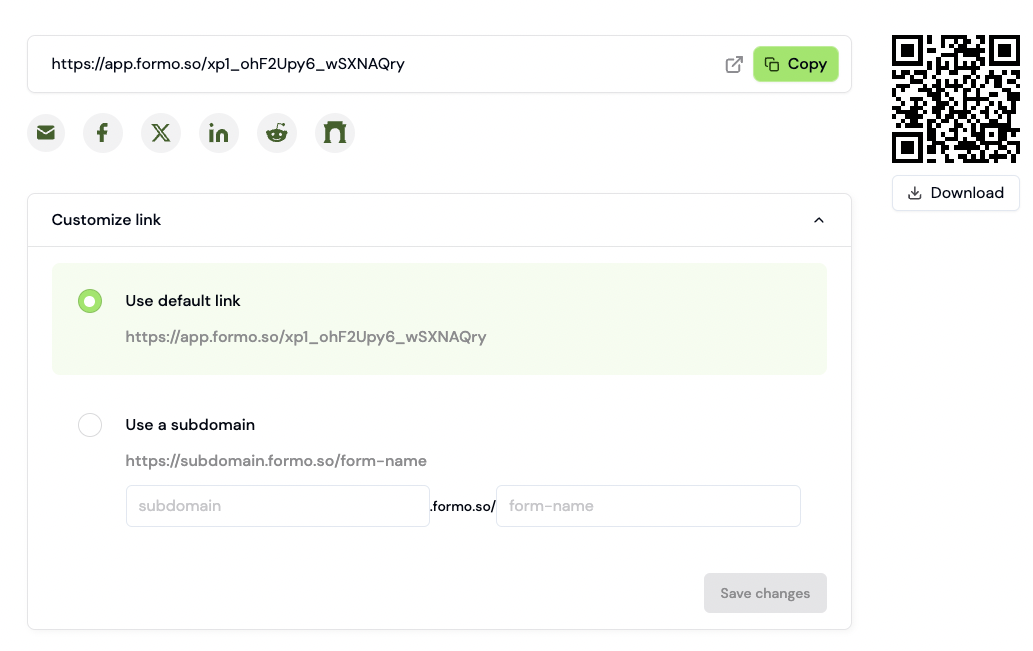
Share your forms.
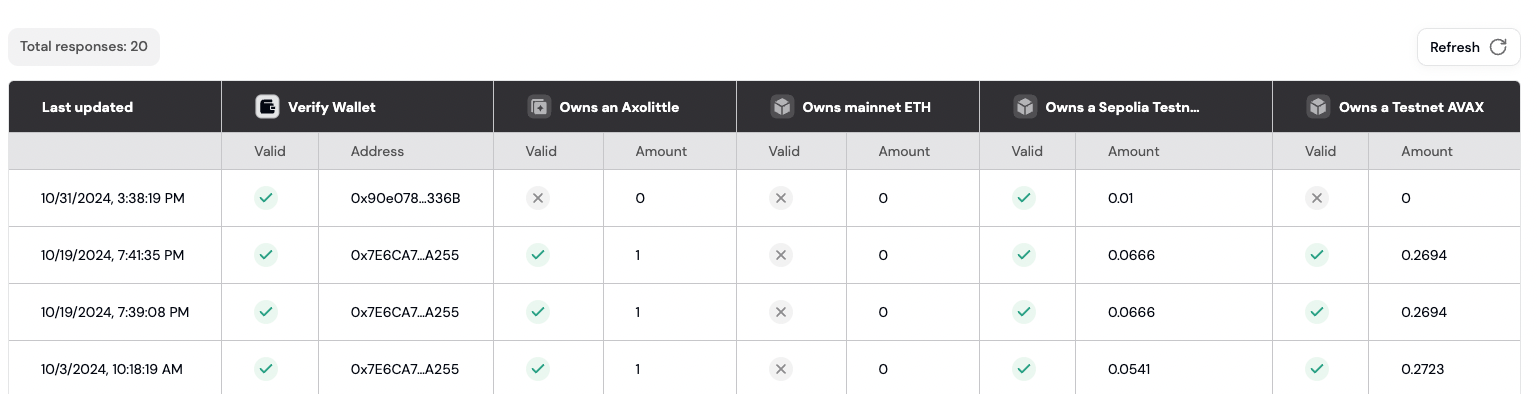
View all of your form responses.
How to create your first token-gated form
Build and launch a token-gated form in under 10 minutes. This guide walks you through creating a form, adding token requirements, customizing branding, and viewing responses.Step 1: Create a new form
- Go to the Formo Dashboard
- Click Forms in the left navigation
- Click Create Form
- Choose a template or start from scratch:
- Waitlist - Collect emails and wallet addresses
- Survey - Gather feedback from your community
- Application - Accept applications for grants, allowlists, etc.
- Blank - Start with an empty form
Step 2: Add form fields
The form builder uses a drag-and-drop interface. Add fields by clicking the + button or dragging from the sidebar. Available field types:
A Connect Wallet field is required if you want to gate the form by token or NFT ownership. Connect Discord, Connect X, and Connect Telegram fields verify and capture the respective account.
Rating shows a five-star widget. Scale shows a numeric scale with a configurable start, end, and step (0 to 10 by default), ideal for importance questions (“rate this from 1 to 5”) and NPS-style surveys.
Step 3: Enable token gating (optional)
To restrict form access based on token ownership:- Click Settings in the form builder toolbar
- Toggle Token Gating to enable
- Click Add Requirement
- Configure your requirement:
- ERC-20 / Native Token
- NFT
- Contract Read
- World ID
- Select ERC20 Token (or Native Token for ETH, SOL, and other gas tokens)
- Choose the chain (Ethereum, Base, Arbitrum, etc.)
- Paste the token contract address (not needed for native tokens)
- Set the minimum amount
Step 4: Customize branding
Make your form match your brand:- Click Design in the form builder toolbar
- Customize:
- Logo - Upload your project logo
- Background - Set a color or upload an image
- Colors - Match your brand colors
- Font - Choose from available fonts
Step 5: Publish and share
- Click Publish in the form builder toolbar
- Copy your form URL (e.g.,
app.formo.so/your-form-id), download a QR code, or use the embed and social share options - Share the link with your community
Share your form via direct link, embed, or social media.
Step 6: View responses
As responses come in, view them in the dashboard:- Go to Forms > select your form
- Click the Responses tab
- You’ll see each submission with:
- Wallet address
- Form answers
- Token verification status
- Submission timestamp
All responses are available in the dashboard with export options.
Example: NFT holder feedback form
Here’s a practical example of a token-gated survey:
Only users holding at least 1 NFT from your collection can submit the form.
FAQ
Which blockchains are supported for token gating?
Which blockchains are supported for token gating?
Token gating supports EVM-compatible chains (Ethereum, Base, Arbitrum, Optimism, Polygon, and more) as well as Solana. See the full list of supported chains.
Can I require multiple token conditions?
Can I require multiple token conditions?
Yes. You can configure multiple token gate conditions and choose whether responders must meet all of them or at least N of them. See token gating for details.