> ## Documentation Index
> Fetch the complete documentation index at: https://docs.formo.so/llms.txt
> Use this file to discover all available pages before exploring further.
# Wallet search
> Look up any wallet address to generate an on-demand profile with net worth, DeFi positions, onchain labels, and linked social identities.
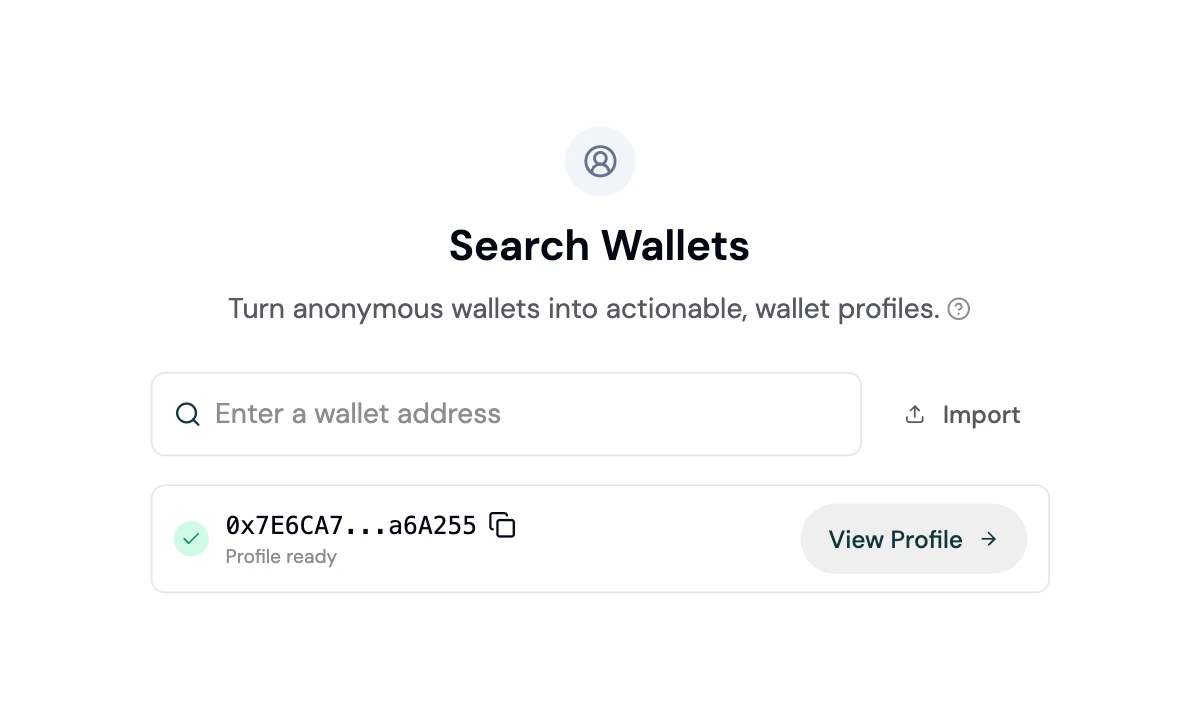
Look up any wallet by address to generate a full profile on demand. Wallet Search turns anonymous addresses into actionable profiles with net worth, DeFi positions, labels, and social identities - even for wallets that haven't visited your app.
 ## How it works
1. Enter a wallet address (or ENS name) in the search input
2. Formo validates the address and checks for an existing profile
3. If no fresh profile exists, Formo generates one on demand by aggregating onchain data across all supported chains
4. The profile is ready in seconds - click **View Profile** to see the full [wallet profile](/features/wallet-intelligence/wallet-profiles)
Profiles are considered fresh for 30 days. Searching for a wallet that already has a recent profile returns it instantly.
## Import wallets in bulk
For Scale and Enterprise plans, you can import a CSV file of wallet addresses to profile multiple wallets at once.
Click the **Import** button next to the search input.
Drag and drop a CSV file or click to browse. The file should contain one wallet address per row.
Formo validates each address, deduplicates entries, and checks against your plan's MAU limits before processing.
Imported wallets are added to your project's user list and profiled automatically.
## Use cases
| Use case | How Wallet Search helps |
| ----------------------- | ----------------------------------------------------------------- |
| **Sales prospecting** | Look up potential partner or customer wallets before outreach |
| **Compliance checks** | Verify wallet history, sanctions status, and attestations |
| **Airdrop targeting** | Profile wallets from an external list to understand their quality |
| **Competitor analysis** | Research wallets active on competing protocols |
## Next Steps
Understand the full profile data available
See how wallets are automatically labeled
Group profiled wallets into segments
Query profiles programmatically
## How it works
1. Enter a wallet address (or ENS name) in the search input
2. Formo validates the address and checks for an existing profile
3. If no fresh profile exists, Formo generates one on demand by aggregating onchain data across all supported chains
4. The profile is ready in seconds - click **View Profile** to see the full [wallet profile](/features/wallet-intelligence/wallet-profiles)
Profiles are considered fresh for 30 days. Searching for a wallet that already has a recent profile returns it instantly.
## Import wallets in bulk
For Scale and Enterprise plans, you can import a CSV file of wallet addresses to profile multiple wallets at once.
Click the **Import** button next to the search input.
Drag and drop a CSV file or click to browse. The file should contain one wallet address per row.
Formo validates each address, deduplicates entries, and checks against your plan's MAU limits before processing.
Imported wallets are added to your project's user list and profiled automatically.
## Use cases
| Use case | How Wallet Search helps |
| ----------------------- | ----------------------------------------------------------------- |
| **Sales prospecting** | Look up potential partner or customer wallets before outreach |
| **Compliance checks** | Verify wallet history, sanctions status, and attestations |
| **Airdrop targeting** | Profile wallets from an external list to understand their quality |
| **Competitor analysis** | Research wallets active on competing protocols |
## Next Steps
Understand the full profile data available
See how wallets are automatically labeled
Group profiled wallets into segments
Query profiles programmatically