> ## Documentation Index
> Fetch the complete documentation index at: https://docs.formo.so/llms.txt
> Use this file to discover all available pages before exploring further.
# Custom events
> Reference for the custom events used to record custom user actions and in-app behaviour.
Record any [custom events](/features/product-analytics/custom-events) in your app,
along with properties that describe the action.
Custom events can capture a broad range of actions, such as clicking a button or completing a purchase.
Additional information about the event can be included in the properties field. For example, for a `Purchase Completed` event, you may want to include the product ids of the purchased products.
## Naming events
When naming events, Formo recommends establishing a consistent naming convention that uses:
* Consistent formatting: Event names are case sensitive.
* A consistent syntax: Adopt nouns and past tense verbs like `Swap Reviewed` and `Order Submitted`. A standard of `[Noun] + [Past-Tense Verb]` ensures all your events are consistent.
* A consistent actor: Does `Message Sent` mean that the user sent a message or that you sent a message to the user? If all your events are named in a way that reflects the user's perspective, the meaning is clear immediately.
This allows everyone including you 6 months from now to instantly understand the meaning of an event.
## Properties
Properties are additional information that give more clarity of your users' actions.
Every custom event has `type` set to `track` and `event` set to your custom event name, with the event-specific data passed in the `properties` object:
```json theme={null}
{
"type": "track",
"event": "Swap Reviewed",
"properties": {
"rating": 5
}
}
```
Formo has reserved some standard properties listed in the following table and handles them in a special manner.
### Tracking volume, revenue, points
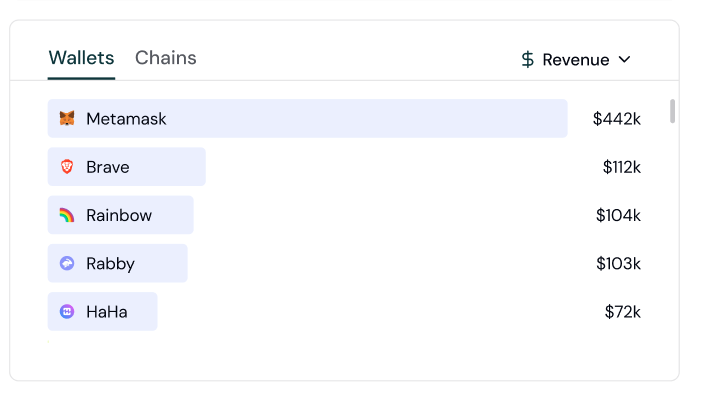
You can track `volume`, `revenue`, and `points` in your events.
Once tracked, they are shown on the dashboard.
Include these optional properties in a custom event to track values associated with an action.
| Property | Type | Description |
| :--------- | :----- | :------------------------------------------------------------------------------------------------------------------------------------------------------------------------------- |
| `volume` | Number | The volume amount as a result of an event. For e.g., a token swap worth \$20.00 would result in a volume of 20.00. Can be positive or negative e.g. send -100 to track outflows. |
| `revenue` | Number | The revenue amount as a result of an event. For e.g., a transaction with a protocol fee of \$5.00 would result in a revenue of 5.00. Must be a non-negative number. |
| `currency` | String | The currency of the revenue as a result of the event, set in ISO 4217 format. If this is not set, Formo assumes the revenue is in USD. |
| `points` | String | An abstract value such as points or XP associated with an event, to be used by various teams. |
 ## Sample Payload
```json theme={null}
{
"type": "track",
"event": "Product Reviewed",
"properties": {
"volume": "-100.5",
"revenue": "20.5",
"currency": "USD",
"points": "100",
"product_id" : "9578257311",
"rating" : 3.0,
"review_body" : "Good value for the price."
}
}
```
## Sample Payload
```json theme={null}
{
"type": "track",
"event": "Product Reviewed",
"properties": {
"volume": "-100.5",
"revenue": "20.5",
"currency": "USD",
"points": "100",
"product_id" : "9578257311",
"rating" : 3.0,
"review_body" : "Good value for the price."
}
}
```